Introduction
Every month-end, finance teams ask the same thing: does Receivables match the General Ledger? At Tech Leads IT, we teach this as a core skill in our Oracle Cloud Financials Online Training, because there is a gap between the two stalls until someone can explain exactly where the difference came from.
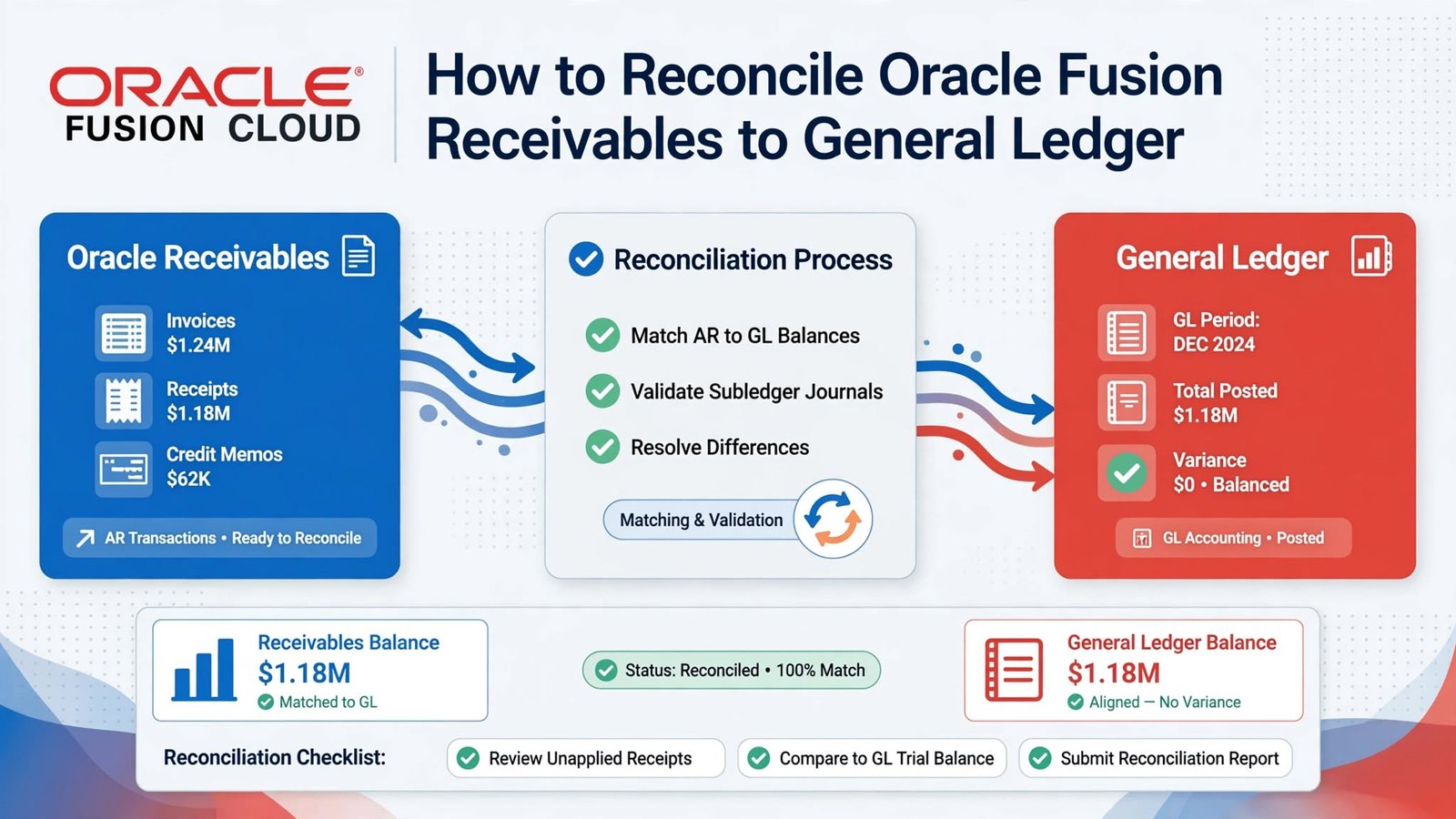
Reconciling Oracle Fusion Receivables to General Ledger means comparing customer activity, subledger accounting, and ledger balances for the same period and the same set of accounts. Our Oracle Cloud Financials Training Online sessions stress one point beginners often miss: both sides must always be measured on the same boundary.
Why This Skill Belongs in Oracle Cloud Financials Online Training
A solid Oracle Cloud Financials Online Training program shouldn’t stop at creating invoices and applying receipts. Learners also need to see where those transactions go: from Receivables, through Subledger Accounting, and into the ledger. Reconciliation is where that whole journey gets tested.
Oracle provides a native Receivables to General Ledger Reconciliation report for this. It supports accounts receivable under accrual-basis accounting and accounting in primary ledgers. It covers invoices, debit and credit memos, chargebacks, adjustments, receipt applications, on-account, unapplied and unidentified receipts, bills receivable activity, and manual journals created in the Receivables subledger.
So the exercise should begin with that shared scope, not with a single total pulled from an aging report. Start from a lone number and you’ll spend the afternoon arguing about why it doesn’t match anything.
Set the Boundary Before You Run Anything
Fix four things first: the ledger, the accounting period, the business unit approach, and the receivables account range.
The natural account values the extract uses must carry the Accounts Receivable financial category. If you don’t enter any account values, the report can pick up the accounts that have that category. This matters because a genuine receivables balance sitting in an account outside your selected range won’t be treated as part of the expected total. It will show up as a difference.
Your inclusion choices need to be consistent too. If you exclude on-account items, or unapplied and unidentified receipts, you also have to exclude their related ledger accounts from the account scope. Skip that step and you’re comparing transactions on one boundary against accounting on another.
Business unit reconciliation deserves a careful look. It only makes sense when the business unit is implicitly mapped to one or more primary balancing segment values. That mapping isn’t a separate record you define in Receivables or General Ledger. It’s an accounting design that shows up in the default accounts used for the business unit. When you extract by business unit, select the matching balancing segment values. If that implicit relationship doesn’t exist, reconcile by ledger and make sure the reviewer can access all the associated business units. Pair a business unit filter with unrelated or incomplete balancing values, and General Ledger activity from the same ledger will look like an unexplained difference.
Get the Data Stable, Then Run the Report
Before the final comparison, finish the period’s Receivables accounting, transfer the relevant subledger journals, and post the journals that should be reflected in the ledger balance. Then limit new activity in the period while you extract.
Setting the period to Close Pending or Closed stops additional entries, which keeps the extracted summary aligned with the real-time detail you see when you drill down. You can extract from an open period for a preliminary look, but later transactions or accounting can leave the summary out of step with the detail you view afterward. If the business needs to keep running while you review the prior period, keep the next accounting period open.
Next, run the Prepare Receivables to General Ledger Reconciliation scheduled process for your chosen ledger, period, scope, accounts, and inclusion options. This process selects the data behind the Summary section. When it finishes, open the Receivables to General Ledger Reconciliation report and review the beginning balances, period activity, ending balances, and differences.
Two limits are worth remembering so nobody expects the wrong thing. The report is for accrual-basis receivables and primary-ledger accounting only. And an implicitly mapped business unit can be reconciled by business unit or by ledger, while one without that mapping has to be reconciled by ledger.
Chasing Differences Back to Their Source
Think of the Summary report as a signpost, not a pass-or-fail grade. Drill into the section carrying the difference and work out where the amount actually lives: Receivables transactions, Subledger Accounting, or General Ledger.
The usual suspects are:
- Transactions that haven’t been accounted yet
- Subledger accounts outside the selected account range
- Transaction amounts that don’t agree with the subledger journal lines
- Journals posted to the subledger or ledger from outside normal Receivables transactions
- Subledger journals that were never transferred or posted
Manual General Ledger journals hitting a receivables control account can show up as non-Receivables activity. Manual journals entered in the Receivables subledger can show up as other accounting.
Parameter mismatches deserve just as much attention. Say the extract includes unapplied receipts, but their accounts lack the Accounts Receivable financial category or sit outside your account selection. Those receipts will create differences outside the report range. And if the team wants to exclude unapplied, unidentified, or on-account activity, both the activity parameters and the associated accounts must be excluded. That’s far easier when those receipts post to separate accounts. If invoices and excluded receipt categories share one control account, a clean account-based exclusion isn’t possible.
One more thing to watch: a gap between summary and drill-down totals is often a timing issue. If records changed after the preparation process ran, the two won’t agree until you run it again.
A Month-End Example Learners in Oracle Cloud Financials Training Online Can Follow
A concrete case makes this easier to picture, and it’s the kind of scenario that works well in any Oracle Cloud Financials Training Online course.
Say the April summary for the primary ledger shows Receivables ending at 8,420,000 and General Ledger at 8,455,000. That’s a 35,000 gap. The accountant first confirms that the North business unit is implicitly associated with balancing value 110 and that both were selected in the extract.
Drill-down then turns up two things. First, a 25,000 Receivables subledger journal that reached General Ledger but was never posted. Second, a 10,000 manual journal entered directly in General Ledger against the receivables control account.
The first one is a timing problem, and posting the valid transferred journal resolves it. The second needs a judgment call. The team reviews the manual journal and reverses or reclassifies it based on its accounting facts. What they don’t do is change a customer transaction just to force the numbers to agree.
After the corrections, the accountant reruns the preparation process with the same April parameters and reviews a fresh Summary report. The rerun is essential, because the earlier extract doesn’t automatically turn into a new close result once source data or ledger balances change.
The accountant then keeps the support: the parameter set, evidence that the process completed, the summary, and the relevant drill-down detail. If a residual amount is left, the investigation continues by account and journal source. It doesn’t end with an offsetting manual entry. The reviewer also checks that the reconciliation scope matches any supporting aging report, especially its balancing value and how it treats open credits and receipts.
Building a Repeatable Close Routine
The best reconciliations don’t depend on one person’s memory. A repeatable procedure writes down who owns the business unit and balancing segment scope, which natural accounts carry the required financial category, which receipt categories are included, when accounting is transferred and posted, and when the period gets restricted.
It also trains reviewers to sort differences into clear buckets: unaccounted activity, out-of-range accounting, untransferred or unposted journals, non-Receivables journals, and changes made after the extract. Each bucket points to its own fix, whether that’s a source correction, completing accounting, a posting step, a configuration review, or a documented valid exclusion. Nothing gets handled with a generic plug.
The close sequence that holds up is simple: scope, stabilize, prepare, review, investigate, correct, rerun, and approve.
Conclusion
Anyone learning this process, whether through Oracle Cloud Financials Online Training or on the job, should be able to explain both the number and where it came from. Which transactions formed the Receivables amount? Which accounting reached the primary ledger? Why does every included account follow the same boundary?
When the rerun agrees and the drill-down backs it up, the reconciliation proves more than arithmetic. It shows that accrual-basis receivables activity, subledger accounting, and posted ledger balances were compared for one controlled period and one defensible scope. That’s what an auditor, a controller, or a close checklist actually needs to see.