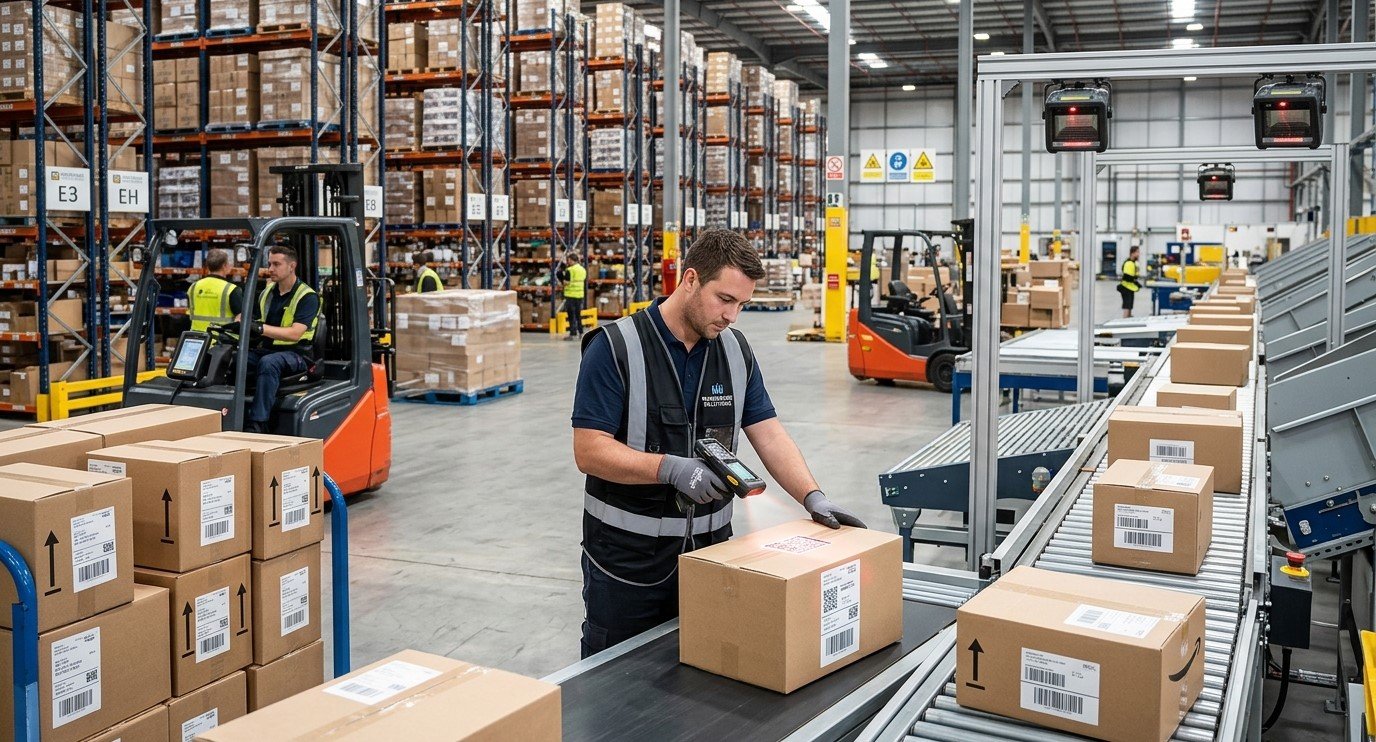
High-volume warehouses process thousands of products, packages, and inventory movements every day. Accurate barcode scanning is essential for receiving shipments, picking orders, updating stock levels, and preparing goods for dispatch. Even a small number of scanning errors can lead to inventory discrepancies, shipping mistakes, operational delays, and additional costs.
Businesses can improve scanning accuracy by maintaining high-quality barcode labels, using compatible scanning equipment, training employees, and establishing consistent warehouse procedures.
Pointus Solutions helps businesses explore barcode technology and identification solutions for efficient operations. By exploring Shop Barcode and available Printing Products, warehouse managers can identify equipment and supplies that support reliable barcode scanning.
Table of Contents
- Why Is Barcode Scanning Accuracy Important?
- Common Causes of Barcode Scanning Errors
- How to Improve Barcode Scanning Accuracy
- Best Practices for High-Volume Warehouses
- Frequently Asked Questions
- Conclusion and Call to Action
1. Why Is Barcode Scanning Accuracy Important?
Barcode scanning connects physical inventory with digital warehouse records. When employees scan products correctly, warehouse management systems can update stock movements, confirm picked items, and record shipment information.
High scanning accuracy helps businesses maintain reliable inventory counts, reduce picking errors, improve order fulfillment, and minimize manual data entry.
2. Common Causes of Barcode Scanning Errors
Several issues can affect scanning performance:
- Poor print quality: Faded, smudged, or distorted barcodes may be difficult to read.
- Damaged labels: Scratches, moisture, dirt, and abrasion can affect barcode readability.
- Incorrect barcode dimensions: Barcodes that are too small or lack adequate clear space may not scan reliably.
- Incompatible scanners: Some devices cannot read every barcode format.
- Poor label placement: Labels positioned around sharp curves, folds, or obstructed surfaces can be difficult to scan.
- Employee mistakes: Rushed scanning or failure to confirm product details can result in incorrect inventory records.
Identifying recurring problems helps businesses select the right corrective actions.
3. How to Improve Barcode Scanning Accuracy
A. Maintain High-Quality Barcode Labels
Use suitable label materials and maintain consistent print quality. Ensure that barcodes have adequate contrast, appropriate dimensions, and sufficient quiet zones around the code.
Inspect sample labels regularly and replace damaged or unreadable labels before they cause operational problems.
B. Choose Compatible Scanning Equipment
Select scanners based on the barcode formats, scanning distances, and working conditions in your warehouse. Handheld scanners may suit general inventory tasks, while fixed-mount scanners can support conveyor operations.
For demanding environments, consider device durability, battery life, connectivity, and compatibility with warehouse software.
C. Optimize Label Placement
Place barcodes in consistent, accessible locations on products, cartons, and pallets. Avoid seams, folds, reflective areas, and surfaces that distort the barcode.
Standardized placement helps employees locate labels quickly and makes automated scanning more predictable.
D. Maintain Printers and Scanners
Clean printer printheads and rollers according to manufacturer instructions. Check scanners for damaged windows, dirty lenses, and connectivity problems.
Review printer settings when changing label materials or ribbons to prevent faded printing, excessive darkness, and misalignment.
E. Train Warehouse Employees
Train employees to position scanners correctly, recognize unreadable labels, and follow procedures for failed scans. Make sure workers understand when to rescan an item and when to report a barcode problem.
F. Integrate Scanning with Warehouse Software
Connect barcode scanning to a warehouse management or inventory system that validates transactions. Where supported, configure checks that flag unexpected products, duplicate scans, or mismatches between picked items and customer orders.
4. Best Practices for High-Volume Warehouses
To maintain consistent performance:
- Standardize barcode formats and label templates across warehouse locations.
- Test labels and scanners before introducing new products or packaging.
- Monitor failed scans, inventory discrepancies, and picking errors.
- Keep backup scanners and essential printing supplies available.
- Review workflows regularly to identify recurring scanning problems.
Businesses comparing Shop Barcode options and related Printing Products should consider compatibility, durability, printing volume, and long-term maintenance requirements rather than price alone.
5. Frequently Asked Questions
1. Why do barcodes sometimes fail to scan?
Common causes include poor print quality, damaged labels, insufficient contrast, incorrect dimensions, and incompatible scanning equipment.
2. Which barcode scanner is best for a busy warehouse?
The best scanner depends on scanning distance, barcode type, operating conditions, and workflow. Handheld devices suit many general tasks, while fixed scanners can support automated processes.
3. How often should warehouse barcode printers be maintained?
Follow the manufacturer’s maintenance schedule and inspect printers regularly, especially in high-volume operations or dusty environments.
4. Can barcode software prevent picking errors?
It can reduce errors by validating scanned products against order records and flagging mismatches, provided the system is configured correctly.
5. How can businesses measure scanning accuracy?
Track metrics such as failed scans, manual corrections, inventory discrepancies, picking errors, and order accuracy over time.
6. Conclusion and Call to Action
Improving barcode scanning accuracy in high-volume warehouses requires clear labels, compatible equipment, proper maintenance, employee training, and reliable software integration. Consistent procedures help businesses reduce errors, improve inventory visibility, and keep orders moving efficiently.
Ready to improve your warehouse scanning process? Explore Pointus Solutions for barcode technology and identification solutions. Visit Shop Barcode to review relevant barcode products, and browse Printing Products to find equipment and supplies suited to your operations. The right barcode setup can help your warehouse achieve more accurate and dependable workflows.