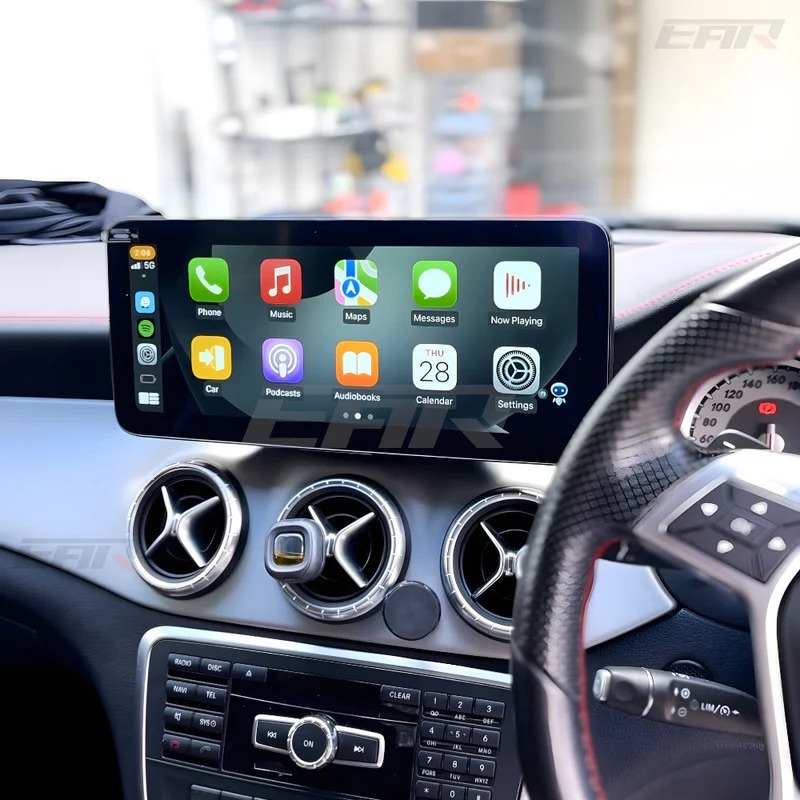
Apple CarPlay transforms driving by bringing familiar iPhone apps to your vehicle’s dashboard. When it suddenly stops working, frustration sets in fast. Owners across the United States often face this issue, especially after software updates or connection glitches.
Common Triggers for Compatibility Loss
Software updates frequently disrupt CarPlay connections. iOS releases introduce security changes that can block recognition between the iPhone and car systems. Bluetooth or Wi-Fi mismatches compound the problem, as CarPlay relies on stable wireless links.
Vehicle infotainment updates play a role too. Systems like MBUX in Mercedes models require precise pairing, and any drift in settings leads to failures. Cable wear for wired setups adds another layer, since degraded Lightning cables fail to transmit data reliably.
User reports highlight patterns after iOS 18 and later versions. Newer iPhones, such as the 16 series, show glitches like intermittent disconnections or lagging interfaces. These stem from tightened permissions that demand fresh authorizations.
Verify Basic iPhone Settings First
Start troubleshooting on the iPhone itself. Open Settings, tap General, then CarPlay, and ensure your vehicle appears in the list. Toggle Allow CarPlay While Locked to on, as this permits connections even when the screen sleeps.
Check Bluetooth and Wi-Fi status next. Both must stay enabled for CarPlay to initiate. In Wi-Fi settings, locate your car’s network and confirm Auto-Join activates automatically. Disable any VPN apps, which often interfere with secure handshakes.
Siri settings matter as well. Navigate to Settings, Siri & Search, and verify Listen for “Hey Siri” and Press Side Button for Siri sit enabled. CarPlay leans on voice commands, so restrictions here halt the entire process.
Inspect Vehicle-Side Connections
Power cycle the car’s infotainment system. In many vehicles, hold the home and radio buttons simultaneously for 10 seconds until the screen reboots. This clears temporary glitches without affecting stored data.
For wireless CarPlay, forget the iPhone from the car’s Bluetooth menu. Re-pair by selecting Connect New Device and following prompts. Wired users should swap USB ports and test the cable on another device to rule out faults.
Mercedes drivers note specific quirks with MBUX. Enable the Mercedes Wi-Fi hotspot Auto-Join on the iPhone, as this ensures seamless Bluetooth-Wi-Fi fusion unique to their setup. Restarting MBUX resolves most recognition issues.
Advanced Fixes for Persistent Problems
Update iOS immediately. Go to Settings, General, Software Update, and install the latest version. Car manufacturers push firmware patches too, accessible via the vehicle’s settings or dealer apps.
Reset network settings as a stronger step. In iPhone Settings, General, Transfer or Reset iPhone, select Reset, then Reset Network Settings. This erases saved Wi-Fi passwords but restores default connectivity without data loss.
If issues linger, factory reset CarPlay pairings. On the iPhone, delete the car from General > CarPlay, then reconnect from scratch. Combine this with a full iPhone restart: hold volume and side buttons until the slider appears.
Software and Hardware Compatibility Checks
Not all iPhones pair with every car model out of the box. Apple mandates iOS 7.1 or later, but recent updates raise thresholds. Verify your model against Apple’s CarPlay vehicle list online.
Mercedes CarPlay demands attention to USB port types. Older models use USB-A, while newer ones support USB-C. Adapters introduce failure points, so direct connections perform best. Upgrading to aftermarket solutions can bypass native limitations.
Wireless adapters extend compatibility for cars lacking built-in wireless support. These plug into USB ports and create stable bridges. They handle iOS shifts better than stock hardware in some cases.
Preventing Future Compatibility Breaks
Maintain regular updates for both iPhone and car systems. Enable automatic iOS updates in Settings to stay current. Schedule dealer visits for infotainment refreshes, as over-the-air options vary by brand.
Invest in certified accessories. Apple Lightning cables endure repeated bends, unlike generics that fray. For wireless reliability, position the iPhone away from metal surfaces that disrupt signals.
Routine maintenance helps. Clean USB ports quarterly and avoid forcing cables. Monitor battery health, as low power modes throttle CarPlay features.
When to Seek Professional Help
Dealer diagnostics uncover firmware mismatches or port damage. Technicians access proprietary tools for deep resets. If hardware faults like faulty head units emerge, replacements restore full function.
Community forums offer peer insights. Reddit threads and Apple Discussions reveal model-specific workarounds, like hotspot tweaks for luxury brands. Cross-reference these with official support pages.
For Mercedes owners facing stubborn issues, specialized upgrades shine. Solutions like Mercedes CarPlay retrofits ensure long-term iPhone harmony across updates. They integrate seamlessly with MBUX.
Nevera Auto specializes in these reliable upgrades for United States drivers. Their offerings keep your Mercedes connected without compromise. Explore their Mercedes CarPlay collection to regain seamless integration today.