Introduction
If you’ve worked with Oracle Fusion Financials for a while, you already know reporting isn’t some bolted-on afterthought it’s woven into the whole system. That’s usually the first thing people notice moving off an old on-premise setup, and it’s why many finance teams point their staff toward Soft Online Training rather than letting them figure it out the hard way. Nobody misses waiting on IT for a report or wrestling with broken CSV exports in Excel.
I get asked this a lot, especially by folks eyeing Oracle Fusion Financials Training in Chennai: “which reporting tool do I really need to learn?” Fair question Oracle hands you several tools, not just one, each built for a different job, from quick analysis to polished, audit-ready statements.
Why Reporting Isn’t Just an Afterthought Here
Think about what a finance team actually needs day to day. Someone in accounts wants to check why a specific GL balance jumped overnight. The CFO wants a dashboard that doesn’t need a three-day turnaround to update. The compliance team needs statutory reports formatted exactly the way a regulator expects, down to the font. Fusion Financials tries to cover all of that ground with one connected reporting ecosystem, rather than forcing you to bolt on three different third-party tools. It’s genuinely one of the more thoughtful parts of the platform, and it’s usually where a good chunk of any Oracle Fusion Financials Training in Chennai course spends its time, because picking the wrong tool for the job wastes hours.
OTBI The Tool You’ll Probably Use Most
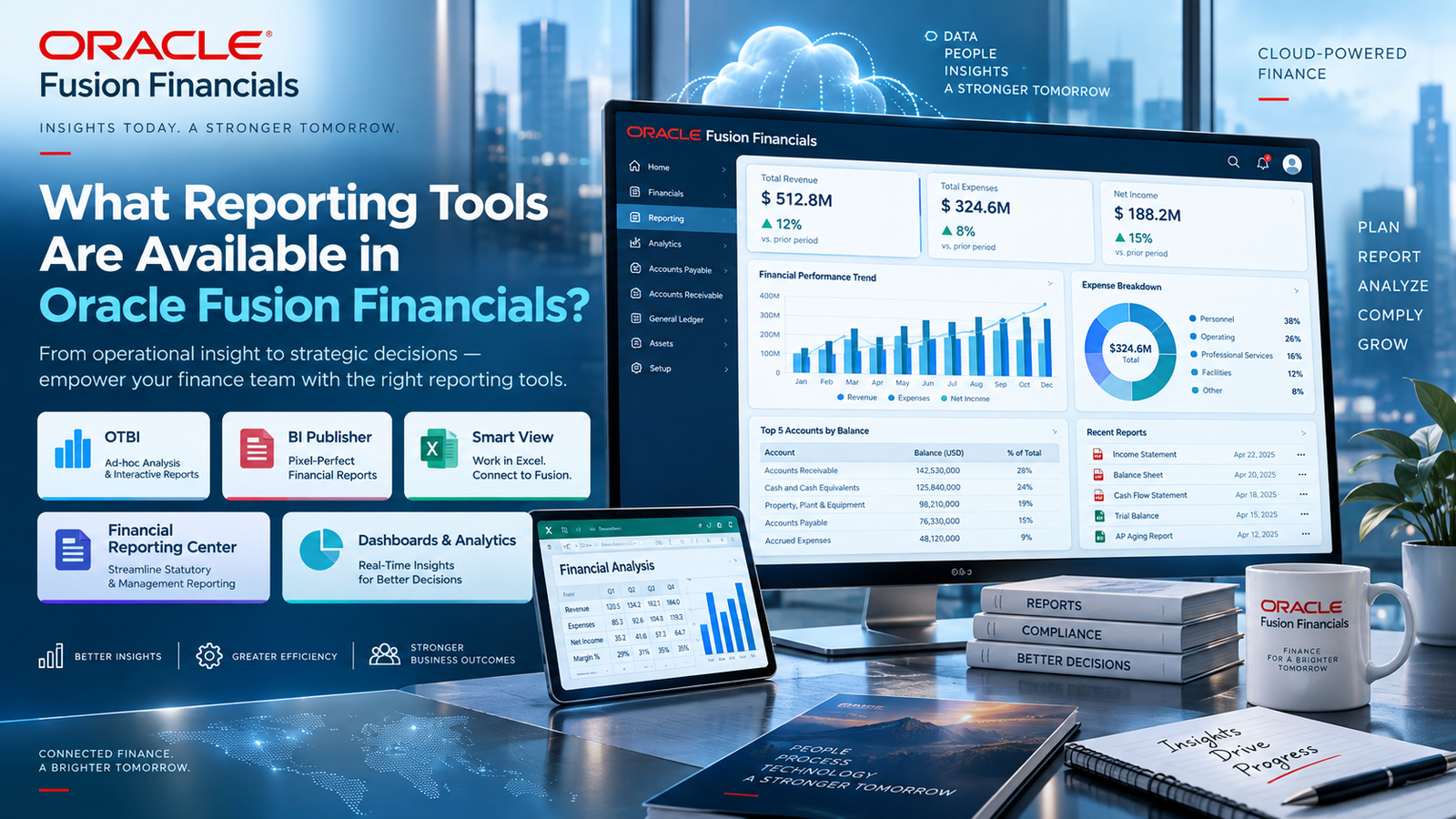
Oracle Transactional Business Intelligence, or OTBI, is where most people end up living day to day. It pulls straight from live transactional data, so there’s no lag waiting for some overnight batch job to catch up with what you see is what’s actually in the system right now. You drag fields around, build a pivot table or a chart, and you’re done. No SQL, no waiting on a developer.
A few things worth knowing about it:
- It’s organized into subject areas by module General Ledger, Payables, Receivables, Fixed Assets, and so on
- Security is role-based, so people only see what they’re supposed to see
- You can save your own analyses and reuse them, or share them with your team
Honestly, if you only learn one tool well, make it this one. It’s usually the first thing covered in any decent Oracle Fusion Financials Training in Chennai program, and for good reason it’s the tool you’ll reach for constantly.
Financial Reporting Studio For When Things Need to Look Right
OTBI is great for poking around your data, but nobody’s handing an OTBI screenshot to an auditor. That’s where Financial Reporting Studio, or FRS, comes in. This is the tool behind your actual balance sheets, income statements, and cash flow reports, the formal stuff that has to look consistent every single period.
FRS lets you combine grids, charts, and text into one document, drill straight down into the General Ledger when a number looks off, and handle multi-currency or multi-GAAP reporting without much fuss. Accounting teams tend to lean on this one hard during month-end close, because once the template is built, it just runs the same way every time. A lot of people who go through Oracle Fusion Financials Training in Chennai say FRS is the skill that actually got them hired, since almost every finance department has a stack of these reports they need someone to maintain.
Smart View Because Excel Never Really Goes Away
Let’s be honest, no matter how good the cloud tools get, plenty of accountants still want to work in Excel. Smart View is Oracle’s answer to that it’s an add-in that plugs straight into Excel (and other Office apps) and connects to Fusion’s data, including Essbase cubes and the GL.
With it, you can pull live numbers into a spreadsheet, slice GL balances however you like, build out budgets using formulas you already know, and hit refresh to get the latest data instead of re-exporting everything from scratch. It’s not flashy, but it’s probably the tool that makes the transition to Fusion feel less scary for people who grew up on spreadsheets.
Account Monitor and Account Inspector Your Early Warning System
These two don’t get talked about as much, but they’re genuinely useful during close. Account Monitor gives you a dashboard view of key balances so you can spot something drifting before it becomes a real problem. Account Inspector lets you dig into a specific account and see exactly which journal entries built up that balance.
Together they cut down on the panic that usually hits a day before close when a number just doesn’t tie out and nobody knows why.
BI Publisher The Document Machine
BI Publisher does something different from everything above it’s not really about analysis, it’s about producing formatted documents at scale. Invoices, purchase orders, tax reports, anything that needs to follow a very specific layout every time. You can actually design the templates in Microsoft Word, which is a nice touch since most finance people already know their way around it.
It also handles scheduling and automatic distribution, outputs in PDF, Excel, or HTML, and this is the big one for global companies that supports localized statutory formats for different countries. If your company operates across borders, this tool alone can save someone’s sanity every quarter.
Oracle Analytics Cloud For the Bigger Picture
If a company wants to go beyond just financial reporting and start blending finance data with HR, supply chain, or CRM data, that’s where Oracle Analytics Cloud comes in. It’s more of an enterprise-level add-on than something every Fusion user touches, but larger organizations use it to get a single view across departments rather than juggling separate systems.
So Which One Should You Actually Use?
Honestly, it comes down to what you’re trying to do:
- Quick, self-service digging around → OTBI
- Formal statements for auditors or execs → Financial Reporting Studio
- Working in Excel → Smart View
- Watching balances during close → Account Monitor and Inspector
- Formatted documents like invoices or tax forms → BI Publisher
- Cross-department analytics → OAC
This is exactly the kind of practical decision-making that a good Oracle Fusion Financials Training in Chennai course tries to drill into you not just which buttons to click, but which tool actually fits the situation in front of you.
Wrapping Up
Oracle Fusion Financials has one of the more complete reporting setups you’ll find in any cloud ERP, and once you get comfortable moving between these tools, reporting stops feeling like a chore and starts feeling like something you can actually control. If you want to skip the slow, learn-it-yourself route, going through Soft Online Training is a solid way to get hands-on practice with each of these tools instead of just reading about them.
And if you’re weighing whether it’s worth the time investment, talk to a few people who’ve already been through Oracle Fusion Financials Training in Chennai chances are, they’ll tell you it’s less about memorizing screens and more about knowing which tool to reach for when the pressure’s on.