
Introduction
Ask any finance manager what keeps them up at night, and billing comes up fast. At Tech Leads IT, we hear the same thing from learners in Oracle Cloud Financials Online Training: they understand invoices in theory, but once a real customer, a tax rule, and a month-end deadline land on the same day, everything gets tangled. The good news is that Oracle Fusion Financials handles billing in a very logical way, and once you see the flow, it stops feeling like a maze.
Whether you’re just starting out or you’ve joined Oracle Cloud Financials Training Online to move into a Receivables role, this walkthrough follows the way a real team experiences billing, from the first bit of setup to the final reconciliation.
What Customer Billing Actually Means in Oracle Fusion
Billing is simply the step where a sale turns into a request for payment. You delivered the goods or finished the work, and now you need to tell the customer what they owe and by when.
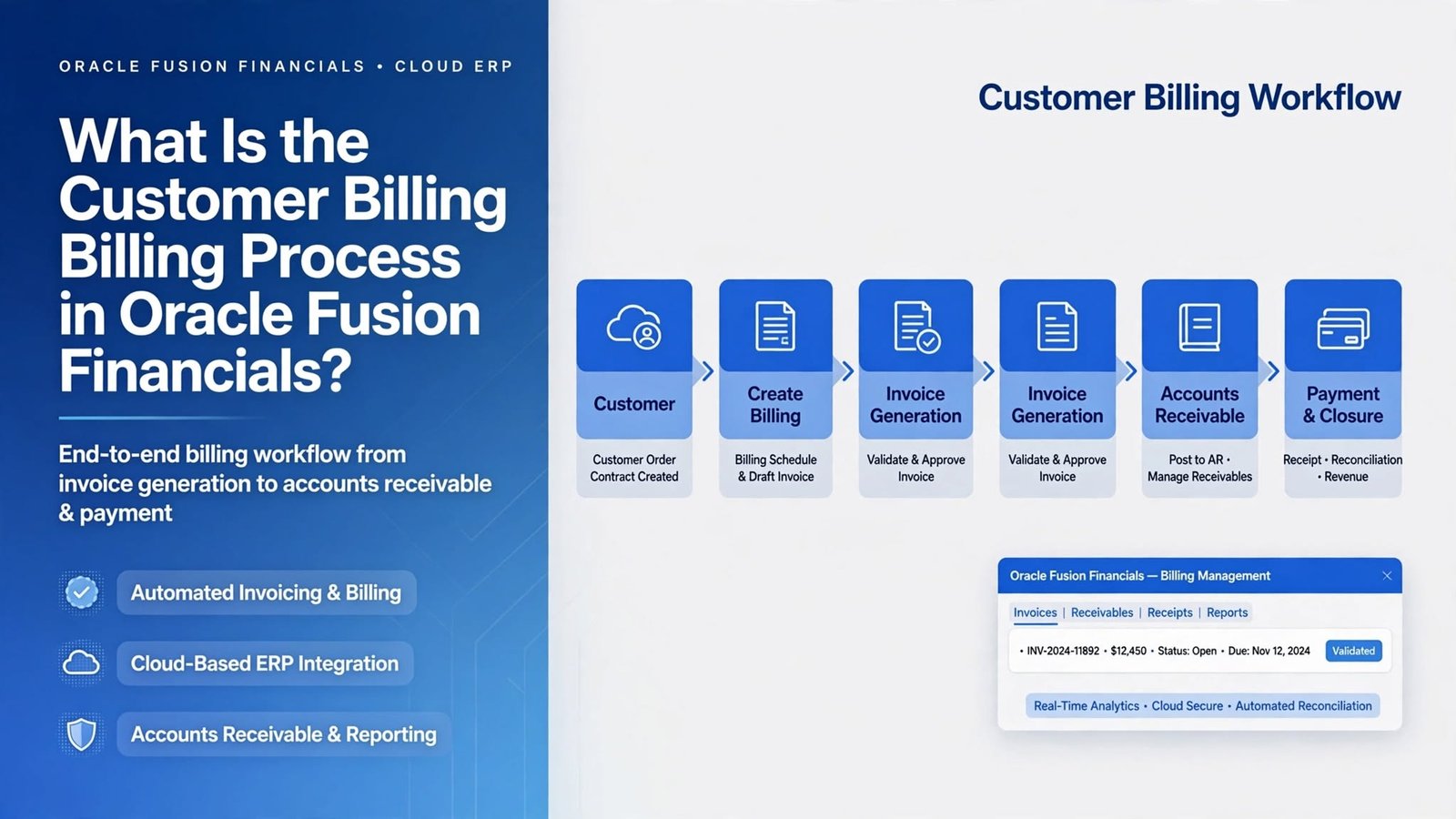
In Fusion, this happens mostly inside Receivables, which works closely with General Ledger, Subledger Accounting, Tax, and Cash Management. The sale usually starts somewhere else, maybe in Order Management, Project Billing, or even an outside system. From there it becomes billing data, then an invoice, then accounting entries, then a payment, and finally a reconciled balance.
What makes this useful is that it all lives in one place. Nobody re-types numbers between systems, and every step leaves a trail you can follow when something looks off.
Getting the Setup Right: Where Oracle Cloud Financials Online Training Should Begin
Here’s something most beginners skip, and it costs them later. Before you send a single invoice, the groundwork has to be solid.
You need customer accounts with proper bill-to sites, because that site decides where the invoice goes and which terms and tax details apply. You need a business unit tied to the right ledger, otherwise revenue lands in the wrong legal entity. You need transaction types that say whether you’re creating an invoice, a credit memo, or a debit memo, and transaction sources that control numbering and origin. Payment terms drive your due dates, whether that’s plain Net 30 or an installment plan.
Then there’s AutoAccounting, the rule set that picks the revenue, receivable, tax, and freight accounts. If someone ever asks you why an invoice hit a strange account, look here first.
If you’re taking Oracle Cloud Financials Online Training, spend real time on this layer. Honestly, most production problems come from configuration, not from the invoice screen.
How Billing Data Gets Into Receivables
There are three common routes, and your company probably leans on one of them.
The simplest is manual entry. Someone opens the Create Transaction page, picks the customer, adds lines, and saves. It works well for one-off charges and corrections.
For high volume, companies use AutoInvoice. Upstream systems drop billing data into interface tables, and the AutoInvoice program checks it and creates invoices in bulk. Rows that fail validation end up in an error queue, where someone fixes them and resubmits. So when an invoice you expected never appears, check the AutoInvoice execution report before anything else.
The third route is through connected modules. Shipments from Order Management, events from Project Billing, and schedules from Subscription Management can all feed Receivables without anyone typing a thing.
Different doors, same goal: accurate lines with the right customer, amount, and tax.
Creating and Completing the Invoice
Once the data arrives, you have a transaction with a header and lines. The header holds the customer, bill-to site, date, currency, and payment terms. The lines carry the description, quantity, price, and tax classification.
At first the invoice sits in an incomplete state, and you can change almost anything. When you click Complete, Fusion does a lot at once. It calculates tax, builds the payment schedule from your terms, checks required fields, and marks the invoice ready for accounting.
One small habit pays off here. Always glance at the payment schedule after completing. If a due date looks wrong, the culprit is almost always the payment term or the transaction date, rarely a system glitch.
Credit memos follow the same path in reverse. You can apply them to a specific invoice or leave them on account, depending on how your team handles returns and pricing fixes.
Tax, Accounting, and Revenue
A completed invoice still has to reach the books. That’s the job of Subledger Accounting. When you run Create Accounting, Fusion reads the transaction, applies the accounting rules, and produces journal entries that flow to General Ledger.
Tax comes from Oracle Fusion Tax, which looks at the customer’s tax profile, the locations involved, and the product classification. If the tax looks wrong, trace it back to those factors instead of editing amounts by hand.
Revenue is a bit more nuanced. For a simple sale, revenue shows up when the invoice is accounted for. For contracts with multiple deliverables or long timelines, Fusion can defer revenue and recognize it gradually. Teams running subscriptions or big projects rely on this a lot.
Run Create Accounting regularly and review the exceptions. A pile of unaccounted transactions on the last day of the month is a very common source of panic.
Sending Invoices and Chasing Payments
An invoice only matters once the customer actually sees it. Fusion can print, email, or deliver invoices electronically, and you can set those preferences at the customer or site level. Many companies use BI Publisher templates to add logos, legal text, and bank details.
After delivery comes collections. Receivables give your collectors an aging view that shows what’s current, overdue, or badly late. Dunning letters can go out automatically, and collectors can log promises to pay or record disputes.
Here’s the part people forget: collections depend on clean billing. A wrong amount, a missing purchase order number, or a vague description hands the customer an easy reason to wait. Billing accuracy isn’t only an accounting concern. It shapes your cash flow directly.
Receipts and Cash Application
When a customer pays, the money enters Fusion as a receipt. It might be keyed in manually, loaded from a lockbox file, or created from a bank statement through Cash Management.
Cash application is the step where that receipt gets matched to one or more invoices. You can do it by hand, or let Fusion match automatically using invoice numbers or customer references. Anything left unmatched sits as unapplied cash until someone works out where it belongs.
This is also where real life gets messy. A customer pays 950 against a 1,000 invoice, and now you have to decide whether to write off the gap, raise a dispute, or chase the balance. Fusion supports each path through adjustments, credit memos, or write-offs, depending on your policy.
Once receipts are applied and accounted for, the open balance drops and your aging report shows the true picture.
Reconciliation and Closing the Period
The last stage is making sure the subledger agrees with the general ledger. Finance teams run the receivables aging and compare it to the receivables control account. A gap usually points to unaccounted transactions, manual journals posted straight to the control account, or simple timing differences.
Before closing a period, the usual checklist applies: complete all invoices, run Create Accounting, transfer to General Ledger, clear or apply receipts, and review exceptions. Only then should you close the Receivables period. Closing too early leads to painful reopen requests, and nobody enjoys those.
Learning It Properly Through Oracle Cloud Financials Training Online
Reading about billing helps, but confidence comes from doing it. Create a customer. Build a transaction type. Run AutoInvoice with one deliberately broken row. Apply a partial receipt. You’ll learn more from those small experiments than from any slide deck.
That’s why good Oracle Cloud Financials Training Online programs make a difference. You get a working environment, realistic scenarios, and someone who can explain why a result looks the way it does. Pick a course that covers the whole cycle, from setup through reconciliation, instead of isolated screens. Employers hiring for Receivables roles want people who understand the entire flow, not just the invoice form.
Conclusion
The customer billing process in Oracle Fusion Financials is one connected journey. You set up customers and rules, bring in billing data, complete invoices, account for them, collect payment, apply cash, and reconcile at close. Every stage depends on the one before it, so a small mistake early on can echo all the way to the ledger.
Tech Leads IT offers Oracle Cloud Financials Online Training with hands-on, scenario-based practice, so you can handle billing confidently in real projects. If you prefer learning at your own pace, Oracle Cloud Financials Training Online is a great way to practice the full cycle.