Introduction
If you have opened an Oracle Fusion Cloud application lately, you have probably noticed that some screens look cleaner and feel easier to move around in. That shift is Redwood. At Soft Online Training, learners in our Oracle Fusion Technical Training in Bangalore batches ask about it almost every week, because it is turning into something every consultant needs to understand, not just a cosmetic update.
So in this blog, we’ll look at what Redwood actually is, how it changes day-to-day technical work, and what you should start learning now, especially if you are considering Oracle Fusion Technical Training in Bangalore to build your skills.
What Is Redwood in Oracle Fusion?
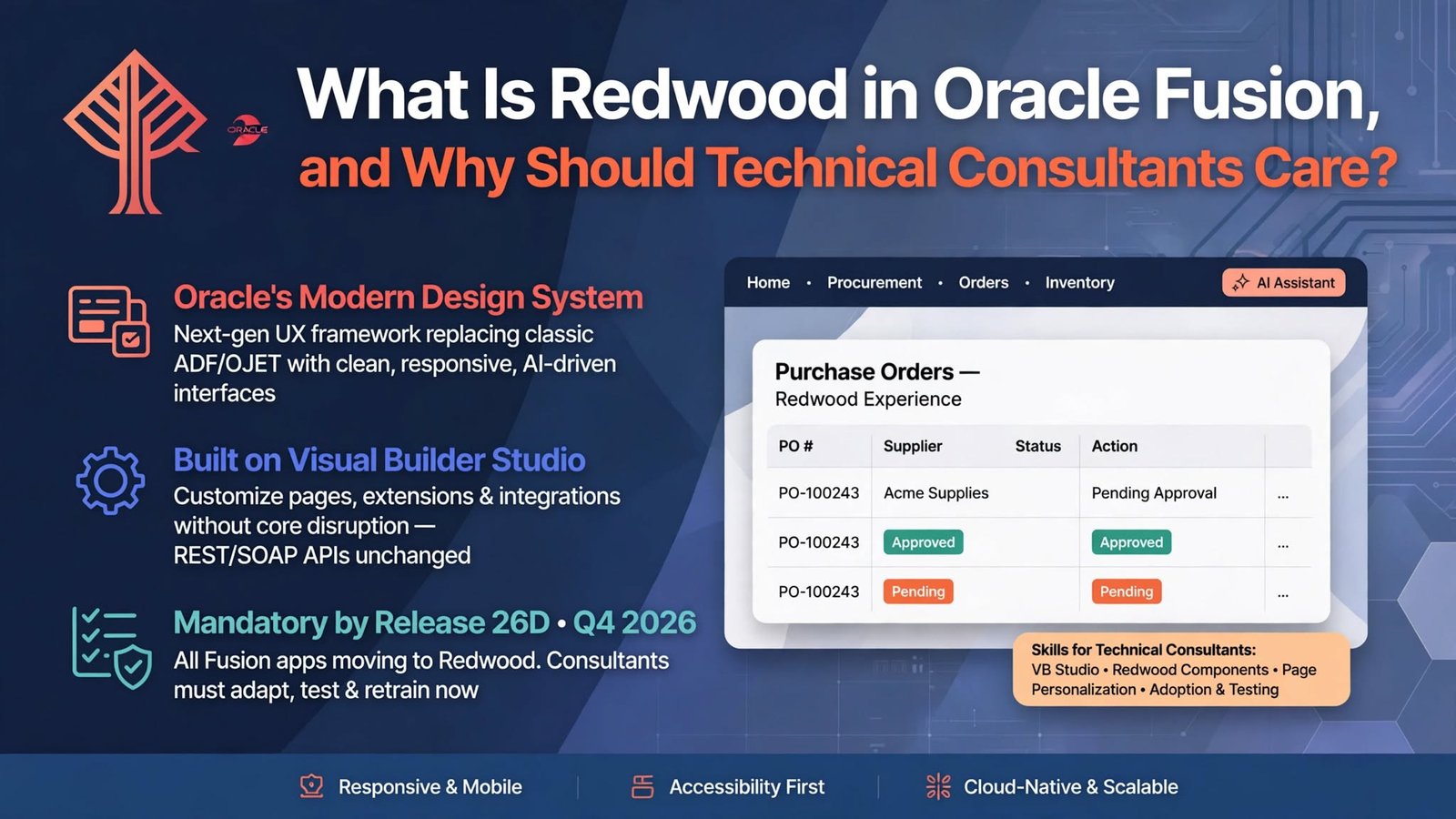
Redwood is Oracle’s modern design system and user experience framework. It was introduced to make Oracle applications simpler, faster to use and more consistent across products. Think of it as a new visual language plus a set of behaviors: cleaner layouts, clearer navigation, better use of white space and smarter defaults.
But Redwood is more than a fresh coat of paint. Many Redwood pages are rebuilt on newer technology, and Oracle has been adding AI-driven features into them, such as suggestions, summaries and guided actions. So when people say “the Redwood version of a page,” they usually mean a screen that has been redesigned in both look and structure, not just recolored.
It also rolls out gradually. Oracle releases Redwood pages quarter by quarter, and customers can often choose when to turn them on. That means most real projects run a mix of classic and Redwood pages at the same time, which matters a lot for anyone doing technical work.
Why Redwood Matters to Technical Consultants
It is easy to assume that user interface changes only concern functional consultants and end users. In practice, they reach technical teams faster than expected.
Here is where it shows up in day-to-day work:
- Extensions and personalizations. A customization built for a classic page may not carry over to its Redwood replacement.
- Testing. Screens, field behavior and navigation paths change, so test scripts and training material need review.
- Integrations. The data underneath generally stays the same, but new pages can expose different attributes and flows, so integration owners need to check their assumptions.
- Support. Users will call with “the button moved” questions, and technical consultants are often the ones who find out whether it is a setting, a bug or a design change.
Consultants who understand Redwood early become the people projects rely on during upgrades. That is a real career advantage, and it is a big reason why Oracle Fusion Technical Training in Bangalore programs now include Redwood topics instead of treating them as optional extras.
How Redwood Changes Extensions and Customizations
This is the area where technical consultants feel the shift most.
In classic Fusion pages, a lot of personalization came through tools like Page Composer and Application Composer. With Redwood, Oracle points developers toward Visual Builder Studio for extending pages. Visual Builder Studio lets you adjust layouts, add or hide elements, and attach logic to pages in a more structured and source-controlled way.
A few practical points to keep in mind:
- Don’t assume old customizations will survive. Review each one against its Redwood equivalent before you enable the new page.
- Prefer configuration over heavy code. Oracle has been steadily adding more configuration options to Redwood pages, so check what is available before writing custom logic.
- Work in a test environment first. Turn Redwood features on in a non-production pod, compare behavior, and document the differences.
- Keep an inventory. A simple list of customizations, owners and affected pages will save you days during an upgrade.
None of this is difficult once you have seen it in action. The trouble comes when teams meet it for the first time during a production deadline.
Redwood, Visual Builder Studio and the Skills to Build
If you are planning your learning path, Redwood is a good reason to strengthen a few areas. Strong Oracle Fusion Technical Training in Bangalore courses usually cover these alongside the classic technical stack:
- Visual Builder Studio basics. How extensions are created, tested and deployed.
- Web fundamentals. HTML, JavaScript and some comfort with component-based development help a lot, since Redwood pages are built from reusable components.
- REST APIs. Redwood does not replace integration work. Understanding Fusion REST services is still central.
- Reporting tools. OTBI, BI Publisher and related tools continue to matter, even as the front end evolves.
- SQL and data models. The data model stays the foundation of everything you build.
You do not need to become a front-end specialist. You do need to know enough to read a Redwood page, understand how it is structured, and judge what can be configured versus what has to be built.
Redwood and the AI Features Behind It
Redwood also deserves attention because many of Oracle’s newer AI capabilities, such as generated summaries, recommendations and guided workflows, show up in Redwood experiences first.
For technical consultants, that brings new questions. Which data does a feature use? Who should have access? What needs testing before users see it? These touch security setup, data quality and integration behavior, which is where technical skills matter. You don’t need to be an AI expert, but knowing what is available, how it is enabled and where its limits lie will make you far more valuable in design discussions.
How to Prepare for Redwood in Real Projects
Here is a simple approach that works well for beginners and experienced consultants alike:
- Read the release notes each quarter. Oracle documents which Redwood pages arrive and which are optional.
- Get hands-on access. Even a small sandbox and a few practice scenarios teach more than reading alone.
- Compare classic and Redwood versions side by side. Note what changed in fields, flows and extensibility.
- Practice a small extension in Visual Builder Studio. Hiding a field or changing a layout is enough to build confidence.
- Talk to functional consultants early. The best Redwood adoption plans come from technical and functional people planning together.
Learners who follow this routine tend to walk into interviews with practical stories, not just definitions. That difference is easy for interviewers to spot.
Is Redwood Worth Learning Through Oracle Fusion Technical Training in Bangalore?
Short answer: yes. Redwood is not a passing trend. It is the direction Oracle is taking its entire application suite, and every new release moves more pages in that direction. Consultants who understand it will be ready for upgrades, extension work and the questions clients are already asking.
If you are choosing a course, look for one that treats Redwood as part of the real technical workflow: extensions, testing, integrations and reporting, not as a slide in the last session. Practical examples and guided practice matter far more than theory here.
Conclusion
Redwood is Oracle’s modern experience layer for Fusion applications, and it changes how technical consultants customize, test, integrate and support their projects. The earlier you get comfortable with it, the easier your next upgrade or implementation will be.
If you want structured, hands-on guidance, Soft Online Training offers Oracle Fusion Technical Training in Bangalore that ties Redwood concepts to real consulting scenarios. Add steady practice on top of that, and you will be well placed to grow in the Oracle Fusion technical space.