
Introduction
If you’ve spent any time around Oracle Fusion applications, you’ve probably run into the term FBDI, short for File-Based Data Import. It comes up constantly in Oracle Fusion Technical Training in Pune, and for good reason it’s one of the tools you simply can’t avoid once you start working on real implementation projects. A lot of people learning this for the first time turn to Soft Online Training because the concept sounds simple on paper but gets messy fast once you’re actually staring at rejected records and trying to figure out why. So let’s slow down and actually walk through what FBDI is, why Oracle built it the way it did, and how the whole process plays out in practice.
So what exactly is FBDI in Oracle Fusion?
FBDI stands for File-Based Data Import, and at its core, it’s Oracle’s official way of getting large amounts of data into Fusion Cloud Applications without touching the database directly. Here’s the thing about Fusion: it’s SaaS, which means Oracle owns the infrastructure and you don’t get backend access the way you might have with an on-premises EBS instance. No direct SQL inserts, no backend scripts. So Oracle gives you a few approved doors in, and FBDI is the main one most consultants end up using. If you’re going through Oracle Fusion Technical Training in Pune, this is usually one of the first tools you’re introduced to, simply because almost every project touches it at some point.
Why Does Anyone Even Need FBDI?
Think about a company migrating off an old ERP system. They’ve got years of customer records, supplier data, GL journals, maybe millions of transaction lines sitting in some legacy database. Nobody’s typing that in by hand that would take forever and invite a hundred human errors. FBDI exists precisely for this problem. You prep your data in a spreadsheet, run it through Oracle’s process, and it lands where it needs to in Fusion. Simple in concept. In practice, though, it’s a bit more involved, and that’s exactly why so much of Oracle Fusion Technical Training in Pune revolves around getting comfortable with the mechanics, not just the theory, but actually fixing things when a load fails at 2 AM before a go-live.
The Moving Parts Behind FBDI
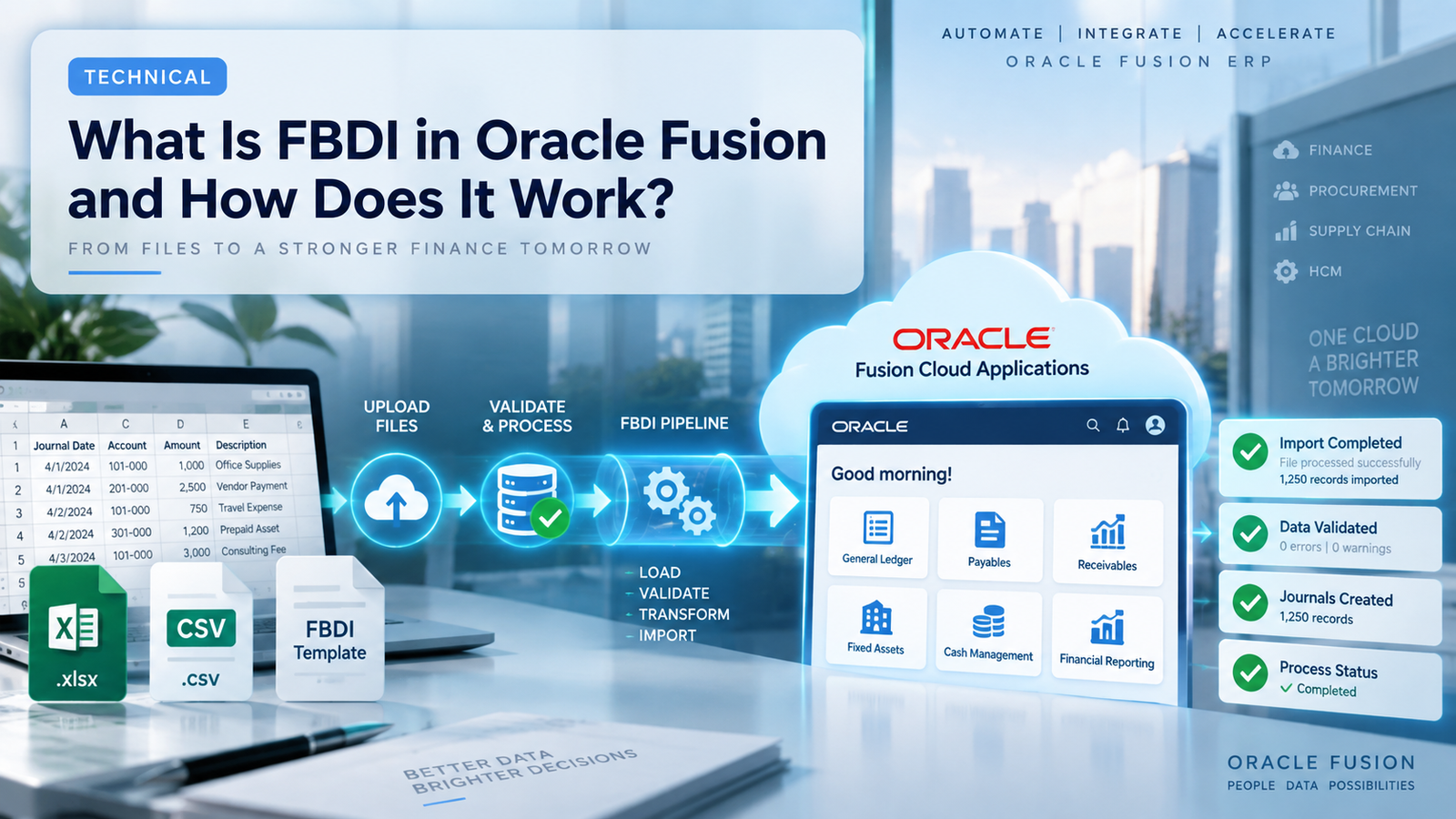
Before jumping into the steps, it helps to know what’s actually happening behind the scenes, because FBDI isn’t one single action, it’s a chain of pieces working together.
There’s the template first, a macro-enabled Excel file Oracle publishes for each business object AP Invoices, GL Journals, Fixed Assets, whatever you’re loading. Then there’s the data itself, which someone has to map from the source system into that template’s exact column structure (and Oracle is not forgiving about formatting mismatches, trust me). After that comes the interface table, basically a holding area inside Fusion where your raw data sits before anything gets processed. And finally, there’s the import job usually run through Oracle’s Enterprise Scheduler that actually takes what’s sitting in the interface tables and pushes it into the live application tables. Miss a step or get a field wrong anywhere along this chain, and you’ll be spending your afternoon reading error logs instead of moving on to the next task.
Walking Through the FBDI Process Step by Step
Step 1: Grab the Right Template
Every business object has its own FBDI template, and Oracle keeps these documented in the File-Based Data Import guide. Download the wrong version or an outdated one, and you’ll waste hours troubleshooting something that isn’t even your fault.
Step 2: Fill In the Data
This is the tedious part. You’re mapping legacy or source data into the template’s required columns, matching data types, and making sure lookup values actually exist in Fusion. Skip this carefully and you’ll pay for it later.
Step 3: Let the Macro Do Its Thing
Once your data’s in, the template’s built-in macro converts everything into a CSV and zips it up. This is the format Fusion expects, and there’s no getting around it.
Step 4: Upload to UCM
The zipped file gets uploaded to Oracle’s Universal Content Management server. You can do this manually through the UI, or if you’re dealing with recurring loads, through web services instead.
Step 5: Run the Import Interface Process
This standard Oracle job reads your file out of UCM and pushes the contents into the interface tables. Think of it as the halfway point.
Step 6: Kick Off the Actual Import Job
Now a business-object-specific ESS job picks up what’s in the interface tables and loads it into Fusion’s real, live tables. Anything that doesn’t pass validation gets flagged, and Oracle usually tells you why (though not always as clearly as you’d like).
Step 7: Fix What Broke and Try Again
Almost nothing loads perfectly the first time. You’ll pull the error report, correct the source data, and resubmit. Rinse and repeat until everything’s clean. This back-and-forth is honestly where most of the real learning happens, and it’s a big part of what Oracle Fusion Technical Training in Pune tries to simulate through hands-on practice rather than just slides.
Where FBDI Actually Gets Used
FBDI isn’t limited to one corner of Fusion; it shows up everywhere. In Financials, you’ll see it used for GL journal imports, AP invoices, AR transactions, fixed assets. Over in SCM, it handles item masters, inventory transactions, purchase orders. HCM uses it for worker data imports too. Because it spans so many modules, someone who’s genuinely comfortable with FBDI tends to be useful on almost any Fusion project, not just one narrow track. That versatility is exactly why it gets so much attention in Oracle Fusion Technical Training in Pune; it’s less about one skill and more about a foundation you’ll keep reusing.
A Few Things That’ll Save You Headaches
Test small before you test big load a handful of records first instead of dumping in ten thousand rows and hoping for the best. Keep a mapping document between your source fields and the FBDI columns, because six months from now you won’t remember why you did something a certain way. And keep notes on the errors you run into. You’ll be surprised how often the same three or four issues show up across completely different projects. None of this is glamorous advice, but it’s the kind of thing that actually separates people who struggle with FBDI from people who don’t, which is exactly the gap a solid Oracle Fusion Technical Training in Pune program is meant to close.
Wrapping Up
FBDI might not be the flashiest part of Oracle Fusion, but it’s one of the tools you genuinely can’t avoid if you’re working on implementations or data migrations. Once you get past the initial learning curve, it becomes less intimidating and more of a routine part of the job templates, interface tables, error logs, resubmissions, repeat. If you’re thinking about building a career around this, Oracle Fusion Technical Training in Pune is a solid place to start, and pairing that with something like Soft Online Training can make the process a lot less overwhelming, especially if you’re the kind of person who learns better by actually doing the work rather than just reading about it. Give it time, mess up a few loads along the way, and it’ll eventually just click.