
Introduction
Your first Oracle Fusion project can feel like stepping into a busy kitchen, where everyone knows the layout and you are still hunting for the knives. Many beginners choose Oracle Fusion Technical Training in Pune with Soft Online Training to see what real project work looks like before joining a live team. The encouraging part is that fresher tasks follow familiar patterns, so the first few weeks feel far less intimidating.
New consultants rarely make architecture decisions. They usually get small, clearly defined jobs that keep the team moving while they learn the system. Here are the tasks you are most likely to meet.
Data Loading and Conversion Tasks
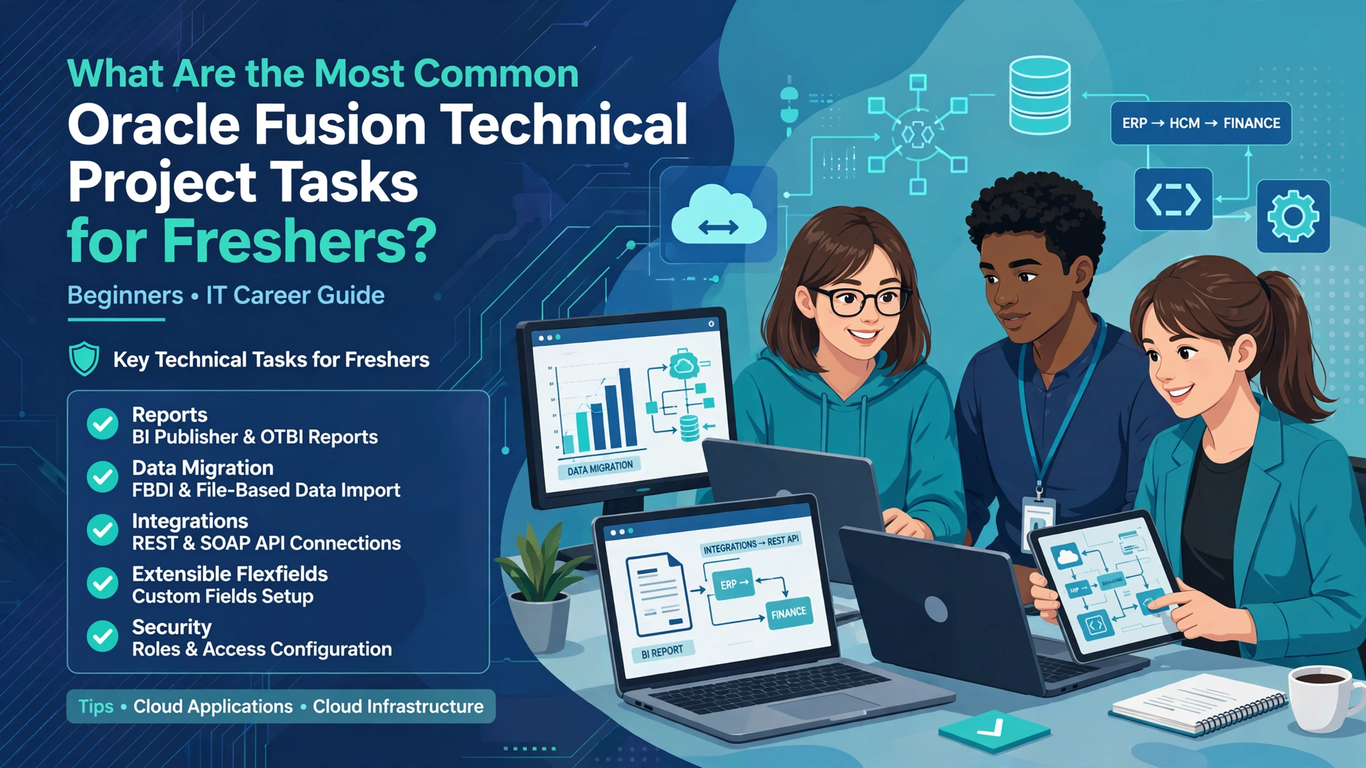
Data loading is the task freshers see most often, because every implementation needs suppliers, customers, employees, items, or opening balances in place before anyone can use the system. For finance and supply chain, that means filling FBDI Excel templates with cleaned data, generating the zip file, uploading it, and running the import. For HR, you prepare pipe-delimited files for HCM Data Loader.
It sounds simple, but the details matter: mandatory columns, date formats, lookup values, and error logs. A rejected row is not a failure, it is a clue. Oracle Fusion Technical Training in Pune lets you practice with sample templates and deliberate errors before a client is waiting.
Building and Modifying Reports
The second most common fresher task is reporting. Business users always want one more report, or the same report with an extra column.
You will probably work with three tools. Oracle Transactional Business Intelligence (OTBI) handles quick, ad hoc analysis directly on subject areas. BI Publisher handles pixel-perfect, formatted output like invoices, payslips, and statutory documents. Many teams also use BI Cloud Connector (BICC) for pulling large volumes of data out for warehouses.
As a fresher, you might begin by cloning an existing BI Publisher report, adjusting the SQL data model, and updating the layout template. Another typical job is adding a field to an OTBI analysis or changing a filter. These tasks teach you how Fusion data is structured, and they build your confidence with SQL at the same time.
Writing SQL Queries for Validation
Hardly any project week passes without someone asking, “Can you check if this data made it in?” That question usually lands on a technical fresher.
You will write SELECT queries against Fusion tables and views to confirm that loaded records match the source. You might compare counts, look for duplicates, or find transactions stuck in a particular status. These are not advanced queries. Joins, filters, grouping, and a good understanding of primary and foreign keys cover most of what you need.
The real skill here is learning which table holds which information. Seniors often keep a personal cheat sheet of useful tables, and you should start one too. Within a few months, it becomes your most-used document.
Working With Integrations and Web Services
Integration work is a step up, but freshers often get a slice of it. Typical small tasks include testing a REST API call in Postman, checking whether a SOAP web service returns the right payload, or monitoring an integration in Oracle Integration Cloud (OIC) and reporting any failed runs.
You may not design the integration, but you will likely be asked to test it. That means sending sample requests, reading JSON or XML responses, and documenting what worked and what did not. Understanding the difference between REST and SOAP, and knowing when each is used, will make your testing notes far more useful to the team.
Supporting Testing Cycles and Fixing Defects
Every project goes through multiple testing rounds, such as system integration testing and user acceptance testing. During these cycles, defects pour in, and technical teams share the load.
Freshers are often assigned the simpler defects: a report that shows the wrong total, a data load that failed for a specific record, or a template that misaligns a column. You reproduce the issue, find the cause, apply the fix in a development environment, and retest. Along the way, you learn how migration of changes between environments works, which is a skill that surprises many beginners with its importance.
Documentation and Technical Specifications
This is the least glamorous task and one of the most important. Teams rely on documents to remember what was built and why.
As a fresher, you might write technical design notes for a report, record the steps of a data load, or update a run book. Good documentation is clear, short, and written for someone who has never seen the work. It also forces you to understand what you built, which is a quiet form of learning.
If you want to stand out early, write documentation that your teammates actually use. That reputation travels faster than almost any technical skill.
Why Hands-On Practice Through Oracle Fusion Technical Training in Pune Matters
You may have noticed that every task above depends on practice more than theory. Reading about FBDI is easy; staring at a failed import with fifty error rows and fixing them one by one is where learning actually happens.
Quality Oracle Fusion Technical Training in Pune gives you a safe place to make those mistakes. You can load data into a practice instance, build a report from scratch, call a REST endpoint, and troubleshoot your own errors without the pressure of a client deadline. By the time you reach a real project, the tasks feel familiar rather than frightening.
A few habits help regardless of where you train:
- Keep a notebook of errors you have solved and how you solved them.
- Build a small set of reusable SQL queries.
- Ask questions early, but bring what you have already tried.
- Learn the business meaning behind the data, not just the technical steps.
Final Thoughts
Fresher tasks in Oracle Fusion technical projects are not random. They revolve around loading data, building reports, validating with SQL, testing integrations, fixing defects, and writing things down. Master these six areas and you will have a strong foundation for any technical role in the Fusion ecosystem.
If you want guided practice with real scenarios, Soft Online Training offers structured learning that helps beginners move from classroom concepts to project-ready confidence. Pair that with steady hands-on effort and a curious attitude, and your first project will feel like the start of something you were prepared for. Whether you take Oracle Fusion Technical Training in Pune or learn online, the key is to practice the tasks that teams actually give new joiners.