Introduction
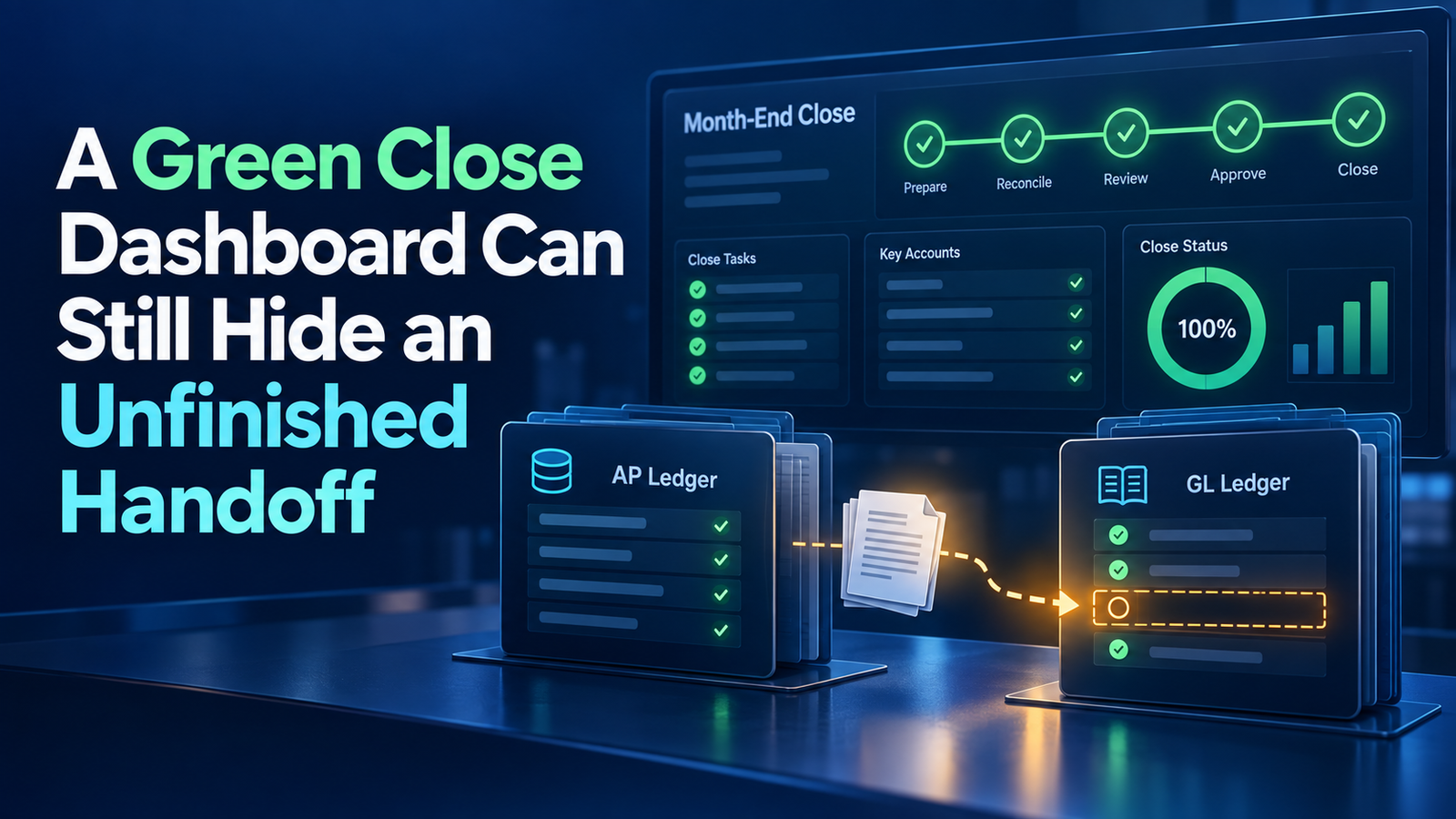
At 8:30 on a close morning, a regional controller opens the dashboard and sees mostly green statuses. Consolidation looks ready to begin, which is exactly the kind of moment Tech Leads IT uses to show learners where status and certainty part ways. An hour later, the group finds that one ledger closed Payables before anyone investigated a late invoice interface. The dashboard was not necessarily wrong. The handoff was incomplete.
This scenario shows the difference between visibility and assurance, and it is a core lesson in any well-designed Oracle Fusion Financials Course. A close monitor organizes status across entities and applications, but a colored indicator cannot tell you whether the underlying population is complete, whether an exception was formally accepted, or whether the next team received enough evidence to proceed. Finance teams need to understand that gap before they rely on any status display, which is why practical Oracle Fusion Financials Online Training programs build close-readiness checks into their hands-on scenarios.
Define Readiness First: What Oracle Fusion Financials Training Should Cover
The controller’s first mistake is treating “closed” as a universal business conclusion. A module can reach its formal period status after the prescribed processing is done, yet local procedures may still require reconciliations, exception reviews, or certification. The reverse also happens. An open status may reflect a deliberate period-management policy rather than overdue work.
Effective Oracle Fusion Financials Training therefore starts with a readiness definition for every handoff. That definition should cover:
- the required processes
- the reconciliations
- the approvals
- the thresholds for unresolved items
- the supporting evidence
- the accountable sign-off
With this in place, the dashboard supports your operating model instead of becoming the model by accident.
For the late invoice interface, readiness should answer concrete questions:
- Did all expected source files arrive?
- Were imported and rejected counts reconciled to control totals?
- Who reviewed the rejected records?
- Were material invoices accrued if correction could not be finished in time?
- Was the subledger-to-ledger reconciliation completed after final accounting?
A green Payables status cannot answer any of these. The regional team should attach or reference the evidence in its close record and describe any accepted exception explicitly. That way the group team understands what the status includes and what it leaves out.
Build a Hierarchy That Mirrors Accountability in Your Oracle Fusion Financials Course
The Oracle Help Center overview of Close Monitor describes a hierarchical, ledger-set-based display that summarizes period close status across multiple products and related ledgers. It also shows manager information and summarized financial data for entities and consolidation nodes. The structure is most useful when it reflects real accountability.
If a regional controller owns three ledgers, the hierarchy and manager assignments should make that ownership visible. A grouping that is merely convenient technically, but differs from the actual close structure, can send escalations to the wrong person. It can also place a lagging entity under an unrelated branch, which confuses everyone reading the screen.
Any Oracle Fusion Financials Course that covers close monitoring should stress that hierarchy design has prerequisites. The documented setup requires members to share a common chart of accounts and calendar. Ledgers must also share a common currency, or have an appropriate balance-level reporting currency representation available. These are not display preferences. They decide whether statuses and summarized financial information can be viewed coherently at higher nodes.
Before adding a ledger to a hierarchy, confirm three things:
- The ledger fits structurally.
- The currency representation intended for group review is in place.
- A manager exists who can act on that ledger’s close.
Do not force unlike ledgers into one view just to produce a single executive screen.
Read the Fraction Behind the Color
A parent node may summarize how many subunits have reached closed status. That fraction deserves more attention than a general impression of green. Nine closed ledgers out of ten is not nearly complete if the tenth holds a major revenue stream or supplies upstream elimination data. Fractions and progress percentages communicate volume, not business impact.
Review should therefore add materiality and dependency. Identify which node is still open, which applications are causing that status, what work remains, and which downstream activities depend on it. The answers turn a vague sense of progress into a clear picture of risk.
Status also needs a timestamp. A reviewer should know when it was observed and whether later activity could change the conclusion. If an application reopens, or a late journal lands in an upstream ledger, earlier evidence may no longer support readiness. Teams should agree in advance how they will communicate reopened periods and rerun affected reconciliations.
The group controller should never have to discover a change by refreshing the hierarchy. A controlled notification should state:
- the reason for the change
- the authorized person
- the affected ledger and application
- the expected resolution
- any reports or consolidations that may need to be repeated
Interpret Summarized Financial Data Cautiously
The financial-data view can help a reviewer notice that one entity’s revenue or expense result looks unusual before consolidation begins. Oracle’s guidance explains that this display is derived from an account group assigned to the ledger set. The account group needs line items designated for total revenues and total expenses. The summary is therefore only as meaningful as its account selection, currency representation, and update timing.
Treat it as a directional review surface. It does not replace a complete income statement, a detailed variance analysis, or a ledger reconciliation.
Suppose the late interface contains consulting invoices that would materially increase operating expense. The expense summary may look favorable while the source population is incomplete. A careful reviewer compares the visible result with expectations, investigates large or improbable movements, and connects anomalies to open tasks.
The reverse caution matters just as much. The absence of an anomaly does not prove completeness, because a missing expense might be offset by another movement. Use the summary to ask sharper questions, then obtain transaction-level and reconciliation evidence from the responsible team.
Design the Handoff in Oracle Fusion Financials Online Training
Most discussions of close management stop at escalation. Strong Oracle Fusion Financials Online Training goes further and teaches teams to design the handoff itself. A good handoff package is short enough to use and specific enough to trust. It can list:
- the ledger and period
- application statuses and the last refresh time
- completed control checks
- material open items and accepted exceptions
- key balance movements
- the preparer, the reviewer, and the approval time
Link to durable evidence rather than sending disconnected screenshots. The receiving team should confirm acceptance and record any conditions, such as waiting for a translated balance or an elimination file. This creates a shared boundary between local close and group activity, instead of leaving readiness to an informal message.
Escalation rules should follow dependency and risk. A small entity with no downstream blockers may tolerate a short delay. A ledger that supplies group eliminations may need immediate attention. Set trigger times, owners, and communication channels before close starts, and include failure paths for unavailable managers and unresolved technical incidents.
An escalation should carry diagnostic facts, not just a red status:
- the affected process
- the request identifier
- the transaction population
- the financial exposure
- the remedy already attempted
- the decision needed
- the time of the next update
With these details, leaders can remove the actual blocker instead of repeatedly asking when the color will change.
Test the Operating View Before Period End
Before relying on the monitor, test each part of the setup:
- ledger-set membership
- hierarchy nodes
- manager assignments
- period selection
- currency view
- application statuses
- account-group results
Confirm that drill paths lead to the intended detail and that each role can see what it needs to manage. Use a scenario with one open subledger, one reopened period, and one missing reporting-currency condition. The goal is to learn how each state appears and how the team responds, not merely to confirm that the page loads.
After close, compare the status timeline with the bottlenecks and adjustments you actually saw. Ask a few pointed questions:
- Did a green node later generate a material correction?
- Did a red node attract attention even though it had no group impact?
- Did the manager’s information lead to a prompt response?
Review late applications and handoff gaps, then change procedures or ownership where needed. Avoid redefining targets just to improve how the dashboard looks. The useful measure is a controlled close with fewer surprises, not the earliest moment when every indicator can be green.
Conclusion: A Sound Approach to Oracle Fusion Financials Training
A sound approach to Oracle Fusion Financials Training treats Close Monitor as a structured view of period status, ownership, hierarchy, and selected financial results. It does not treat those signals as automatic certification. Teams still need readiness criteria, source-completeness checks, reconciliations, accepted-exception records, and explicit handoffs.
By reading subunit detail, respecting hierarchy and currency prerequisites, and linking each status to evidence, controllers can use the dashboard to coordinate decisions without letting a green display conceal unfinished work.