
Introduction
If you’ve ever tried typing a few hundred invoices into Oracle Fusion by hand, you already know why FBDI exists. At Soft Online Training, students in our Oracle Fusion Technical Training in Hyderabad often say FBDI is the topic where the technical side of Fusion finally clicked for them. So let’s go through what FBDI is, how it works, and where beginners usually get stuck.
So, what exactly is FBDI?
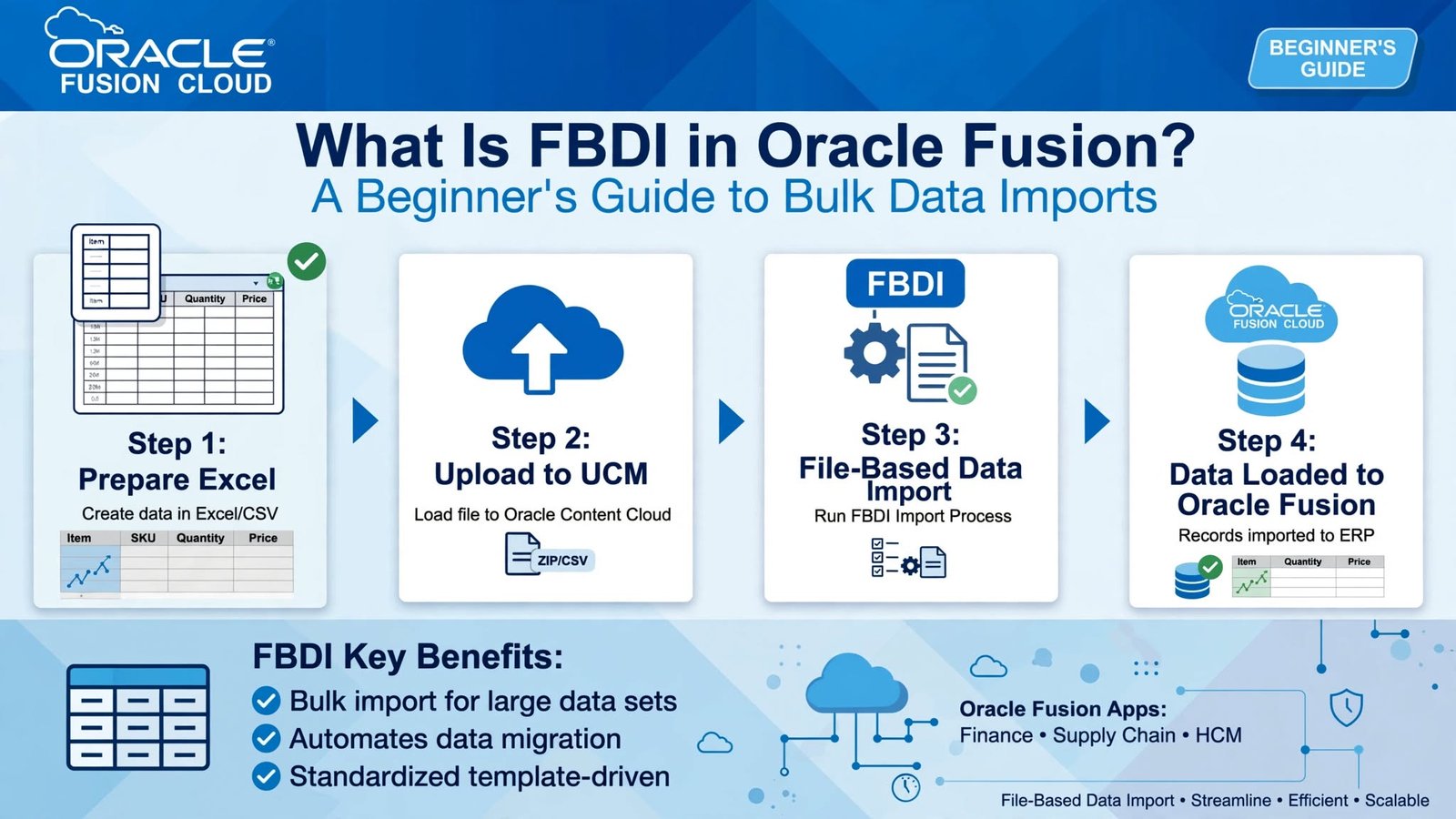
FBDI stands for File Based Data Import. It’s Oracle’s standard way of loading large amounts of data into Fusion Cloud using Excel templates. You fill in a template, turn it into a zipped CSV file, upload it, and run a couple of processes that move the data into the application.
Your data doesn’t walk straight into the system. It goes through a checkpoint first. Records that pass get in, and records that don’t are held back with a reason attached. That keeps your live data clean.
FBDI works across Financials, Procurement, Supply Chain and Projects. Payable invoices, purchase orders, suppliers, fixed assets, journals and items each have their own template, because each one has its own fields and rules.
Why FBDI Matters in Oracle Fusion Technical Training in Hyderabad
In real projects, FBDI shows up in three places.
The biggest is data migration. When a company leaves its old ERP, thousands of open invoices, suppliers and asset records have to come across, and nobody is typing those in.
The second is ongoing integration. A billing tool or marketplace sends transactions every day, and someone loads them into Fusion on a schedule.
The third is clean-up. Sometimes a batch has to be corrected and reloaded, and a controlled file load beats editing records one by one.
This is why FBDI appears in so many Fusion technical job descriptions, and why a good Oracle Fusion Technical Training in Hyderabad covers it early. The city has plenty of Oracle implementation and support teams, and they keep hiring for this skill.
The FBDI Process, Step by Step
It looks intimidating until you see the flow, and then it’s fairly straightforward.
You start by downloading the template for your business object from Oracle’s File Based Data Import guides. Pick the one that matches your release. Columns change between updates, and an outdated template is one of the most common reasons loads fail.
Next, fill it in. Read the Instructions tab before typing anything. Required columns are marked, formats matter, and you shouldn’t rename or move columns.
Then click the macro button to generate the zipped CSV. Upload that zip on the File Import and Export page, to the correct account for that import type.
After that, run the Load Interface File for Import. This puts your records into interface tables. Then run the module’s own import job, such as Import Payables Invoices, which validates the records and moves the good ones into the real tables.
The last step is the one people rush. Check the output, read the errors, fix the rejected rows and resubmit.
Interface Tables: The Part Most Beginners Skip
Interface tables are staging areas. When your file loads, the data lands there first, and Oracle checks it against business rules: is the supplier valid, is the period open, does the currency exist, is the ledger active?
Say you load fifty invoices and eight get rejected with an “invalid supplier site” error. Your first instinct is to look at the invoice rows. But the real problem is often the supplier setup itself, or a small spelling difference between your template and what’s in Fusion. Learning to trace a rejection back to its true cause is what separates someone who can fill in a template from someone who can actually run a data load.
Common Mistakes (And How to Avoid Them)
Most failures come from the same handful of slips.
Using an old template is the first. If your environment has been updated since you downloaded the file, the columns may no longer line up.
Date and number formats come next. The template tells you exactly what it expects, and one wrong date format can reject a whole batch.
Missing reference data is another. If the business unit, supplier or currency isn’t set up in Fusion, the import fails, so check your setup before loading transactions.
Uploading to the wrong account is easy to do and hard to spot. Your file is perfect, but it just sits there because the import job never looks in that location.
Skipping a test load is the one that hurts most. Try five or ten records before you load ten thousand. It takes a few minutes and can save you an entire afternoon.
And please read the error report. It usually tells you exactly what’s wrong.
FBDI vs ADFdi vs REST APIs
Fusion gives you more than one way to bring data in, and beginners often mix them up.
FBDI is built for volume. It’s asynchronous and handles thousands of records in one go. ADFdi connects Excel directly to Fusion and suits smaller, interactive updates where you want quick feedback. REST APIs are better for real-time integration, where individual records move between systems as they happen.
Experienced consultants know all three and pick based on volume, timing and complexity. But for large loads, FBDI is still the workhorse, which is why it deserves your attention first.
What You Should Know Before You Start
You don’t need to be a programmer, but a few things help.
Know the functional side of the module you’re loading. If you don’t understand what a payable invoice needs, you’ll struggle to fill the template properly.
Be comfortable with Excel and CSV files, including how macros behave.
Pick up basic SQL so you can query interface tables and check your data after import. Some familiarity with BI Publisher and OTBI also helps when you need to reconcile what you loaded against the source.
Finally, get used to scheduled processes and the Navigator paths. Running imports and checking logs becomes a daily habit very quickly.
Getting Hands-On With Oracle Fusion Technical Training in Hyderabad
You can read about FBDI all day, but the real learning happens when you load data, watch it fail, and figure out why. That’s the biggest thing to look for when choosing a course.
Look for a program with access to a live Fusion environment, real templates and realistic errors. You should finish a full cycle yourself: download a template, fill it, load it, read the rejection report, fix it and reload. Do that across a few business objects and you’ll feel ready for project work in a way slides never manage. This applies whether you’re a fresher or an experienced professional moving into Fusion.
Conclusion
FBDI is one of the most useful tools in Oracle Fusion’s technical toolkit. It gives businesses a controlled, repeatable way to load large volumes of data, and it gives you a skill that almost every implementation needs. Once you understand the path from template to interface table to application table, and you learn to read errors calmly, most beginner mistakes disappear.
If you’d like guided, practical learning, Soft Online Training builds its sessions around real Fusion scenarios. Pair that with regular practice, and the right Oracle Fusion Technical Training in Hyderabad can take you from understanding FBDI on paper to running data loads with confidence.