
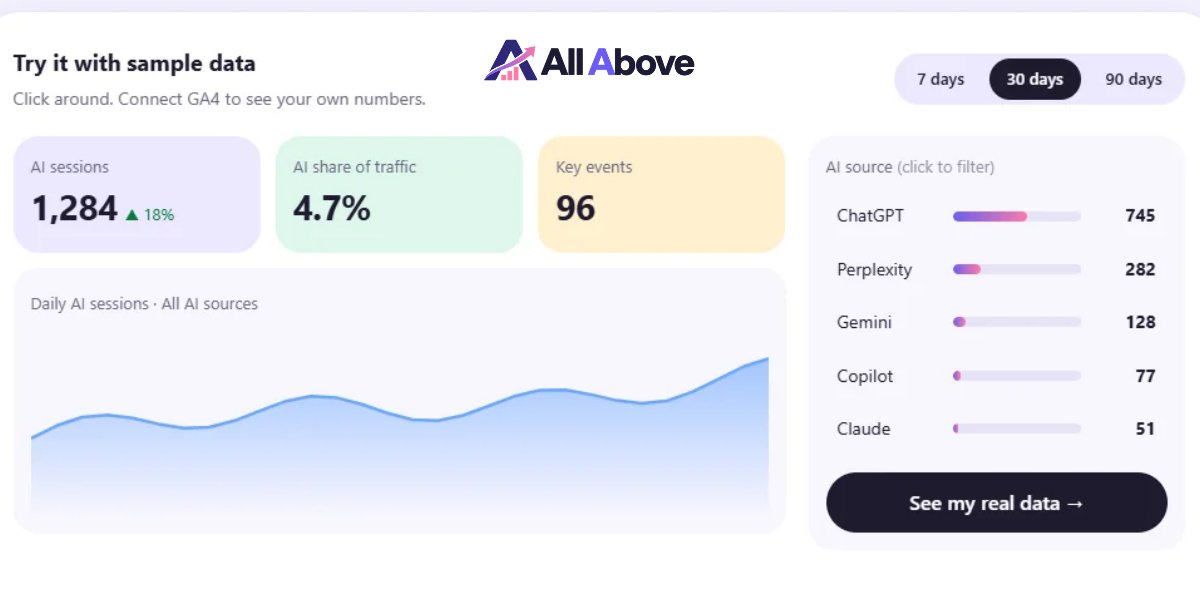
Artificial intelligence is changing the way people search for information online. Instead of relying only on traditional search engines, users are increasingly discovering websites through AI-powered platforms such as ChatGPT, Google Gemini, Perplexity and Microsoft Copilot. This shift is creating a new opportunity for website owners, digital marketers and SEO professionals to attract visitors from AI-powered search experiences.
However, one important question remains: how can you identify whether your website is receiving visitors from these AI platforms?
The good news is that you do not always need expensive marketing software to understand your AI traffic. With the right analytics setup and a free AI traffic checker tool, you can start monitoring AI-driven website visits, identify potential traffic sources and make better marketing decisions.
In this guide, we will explain how to check AI traffic to your website for free and why tracking AI referrals is becoming an important part of modern SEO.
What Is AI Traffic?
AI traffic refers to website visitors who arrive through AI-powered platforms and applications. These visitors may discover your website after asking questions, researching products or requesting recommendations from AI assistants.
Some popular AI platforms that can generate website referrals include:
- ChatGPT
- Google Gemini
- Perplexity AI
- Microsoft Copilot
- Claude
- Other AI-powered search and recommendation platforms
For example, imagine someone asks ChatGPT to recommend the best digital marketing tools. The AI assistant may provide a list of useful websites with links. When the user clicks one of those links and visits your website, that visit can be recorded as referral traffic.
Unlike traditional organic search traffic, AI referral traffic can come from conversations, recommendations and AI-generated answers.
Why Should You Track AI Traffic?
AI search is creating new opportunities for businesses to increase online visibility. However, publishing content and appearing in AI-generated answers is only part of the process. You also need to understand whether these platforms are sending actual visitors to your website.
Here are some important reasons to monitor AI traffic.
1. Discover New Traffic Sources
Traditional SEO reports mainly focus on organic search, direct traffic and referral sources. Tracking AI traffic helps you identify additional platforms that introduce visitors to your website.
2. Understand Visitor Behaviour
You can analyse how visitors arriving from AI platforms interact with your website, which pages they visit and whether they explore your products or services.
3. Identify Valuable AI Platforms
Not every AI platform will generate the same results. Tracking referral sources helps you understand which platforms are bringing visitors and which sources deserve more attention.
4. Improve Your Content Strategy
If certain articles consistently attract visitors from AI platforms, you can study their structure, topics and usefulness to improve your future content strategy.
5. Measure Marketing Opportunities
Businesses can use AI traffic insights to understand whether their AI visibility efforts are contributing to website visits and potential leads.
How to Check AI Traffic to Your Website for Free
There are several ways to monitor AI-driven website traffic without investing in expensive analytics platforms.
1. Use Google Analytics 4 (GA4)
Google Analytics 4 is one of the most useful starting points for understanding website traffic. It provides information about traffic acquisition, referral sources, user engagement and landing pages.
Follow these steps:
- Sign in to your Google Analytics 4 account.
- Select your website property.
- Navigate to Reports.
- Open Acquisition and select Traffic Acquisition.
- Review the Session Source/Medium dimension.
- Look for AI-related referral sources such as chatgpt.com, perplexity.ai and other identifiable AI platforms.
If visitors arrive through identifiable referral links, GA4 can help you understand their traffic contribution.
You can also review landing pages to identify which website URLs receive visits from these sources.
Keep in mind that not every AI visit will have a clearly identifiable referral source. Some visitors may appear under direct traffic or other categories depending on browser settings, app behaviour and referral information.
2. Use a Free AI Traffic Checker Tool
Manually checking multiple referral sources can become time-consuming, especially when you manage several websites or client projects.
This is where an AI traffic checker becomes useful.
A dedicated AI traffic checker can help simplify the process of identifying AI-related website traffic and understanding how different AI platforms contribute to your website’s performance.
For website owners and digital marketers looking for an easy starting point, AllAbove.online offers a free AI Traffic Checker tool.
You can explore the Free AI Traffic Checker to start analysing AI-related traffic opportunities for your website.
Instead of spending hours reviewing different reports, a dedicated tool can make AI traffic analysis easier and more convenient.
3. Monitor AI-Related Search Queries
Another important part of AI search analysis is understanding the queries that help your website gain visibility.
Google Search Console provides valuable information about search queries, clicks, impressions and the pages appearing in Google Search.
You can use this information to identify search patterns, evaluate page performance and discover opportunities to improve your content.
For more detailed query and URL-level analysis, AllAbove.online also provides an AI Page Keywords Tool.
This tool connects with Google Search Console and helps analyse AI-style queries, the pages ranking for them, clicks, impressions and performance comparisons.
It is important to understand that Search Console does not separately label every AI Overview visit or click. Search query analysis and AI referral traffic tracking are different measurements, and both can provide useful insights.
What Metrics Should You Monitor?
Simply knowing that your website receives AI traffic is not enough. You should also understand which metrics help evaluate its performance.
Here are some useful metrics to monitor:
| Metric | Why It Matters |
|---|---|
| AI Referral Traffic | Identifies visits from AI platforms |
| Traffic Sources | Shows which platforms send visitors |
| Landing Pages | Identifies pages receiving AI-related visits |
| Engagement Rate | Helps evaluate visitor interaction |
| Conversions | Measures leads, enquiries or sales |
| Traffic Trends | Shows changes over different periods |
These metrics can help you understand whether AI platforms are becoming meaningful traffic sources for your website.
How to Increase AI Traffic to Your Website
After identifying your AI traffic sources, the next step is to improve your website’s visibility across AI-powered search experiences.
Consider these practical strategies:
Create Helpful, Informative Content: Publish original content that answers real user questions. Focus on providing clear explanations, useful examples and relevant information.
Improve Your Website Structure: Use descriptive headings, logical content organisation and relevant internal links to make your pages easier to understand.
Build Topical Authority: Publish supporting articles around your main services, products and industry topics. Cover related questions rather than targeting only a few keywords.
Maintain Accurate Business Information: Keep your business details, services, contact information and website content consistent across relevant online platforms.
Follow Technical SEO Best Practices: Improve website speed, mobile usability, crawlability and indexing. Make sure important pages are accessible to search engines.
Track Your Performance Regularly: Use analytics and AI traffic monitoring tools to evaluate which content and platforms are contributing to your website’s growth.
Remember, AI traffic growth is not guaranteed by publishing more content alone. It requires useful information, a technically sound website and consistent performance analysis.
Conclusion
AI-powered platforms are creating new ways for people to discover websites, products and services. For businesses, this makes AI traffic tracking an important addition to traditional SEO and digital marketing measurement.
You do not need to begin with expensive software. Google Analytics 4, Google Search Console and a free AI traffic checker tool can help you understand different aspects of your website’s AI-related performance.
Start monitoring your AI traffic, identify the platforms that bring visitors and analyse which pages attract attention. Use these insights to improve your content strategy and create better opportunities for website engagement and lead generation.
Start exploring AI traffic opportunities today and make your website ready for the changing search landscape.