
Introduction
Imagine a public library system that funds its outreach expenses with grant revenue. At Soft Online Training, we use scenarios like this to show learners how one small setup choice can change where the money ends up. The library keeps two control budgets for different grant years, and both feed planning scenarios with nearly identical names.
A scheduled process turns new revenue into an expense budget, but if nobody tells it which control budget to use, the team can’t be sure where the amount landed. That’s why this case works so well in Oracle Fusion Financials Training in Chennai: it shows how a routing choice decides where spending authority really goes.
Start With the Funding Rule, Not the Process Screen
Before anyone runs a process, write down the policy that turns revenue into budget authority. Note the revenue source, the eligible expense purpose, the percentage or amount rule, the account structure, the budget period, the control budget, and who approves it. In the library example, current-year grant receipts can fund outreach supplies, while prior-year receipts stay restricted to closeout costs. The program labels look alike, but the funds are not interchangeable.
The process should carry out an approved rule, not pick whichever rule seems convenient. The budget owner should be able to say why this revenue belongs to this control budget and which expense scenario should receive it.
Next, build a source control total for the run. List the eligible revenue, the exclusions, the adjustments, the rule calculation, and the budget entry you expect. Tie that population back to the revenue records before you automate anything. Watch for reversals, duplicate extracts, late postings, and revenue that falls outside the grant period. A control budget parameter narrows the destination, but it can’t tell you whether the source data is complete and valid. Eligibility and destination are two separate questions, and both need a reviewer.
Choose the Control Budget on Purpose
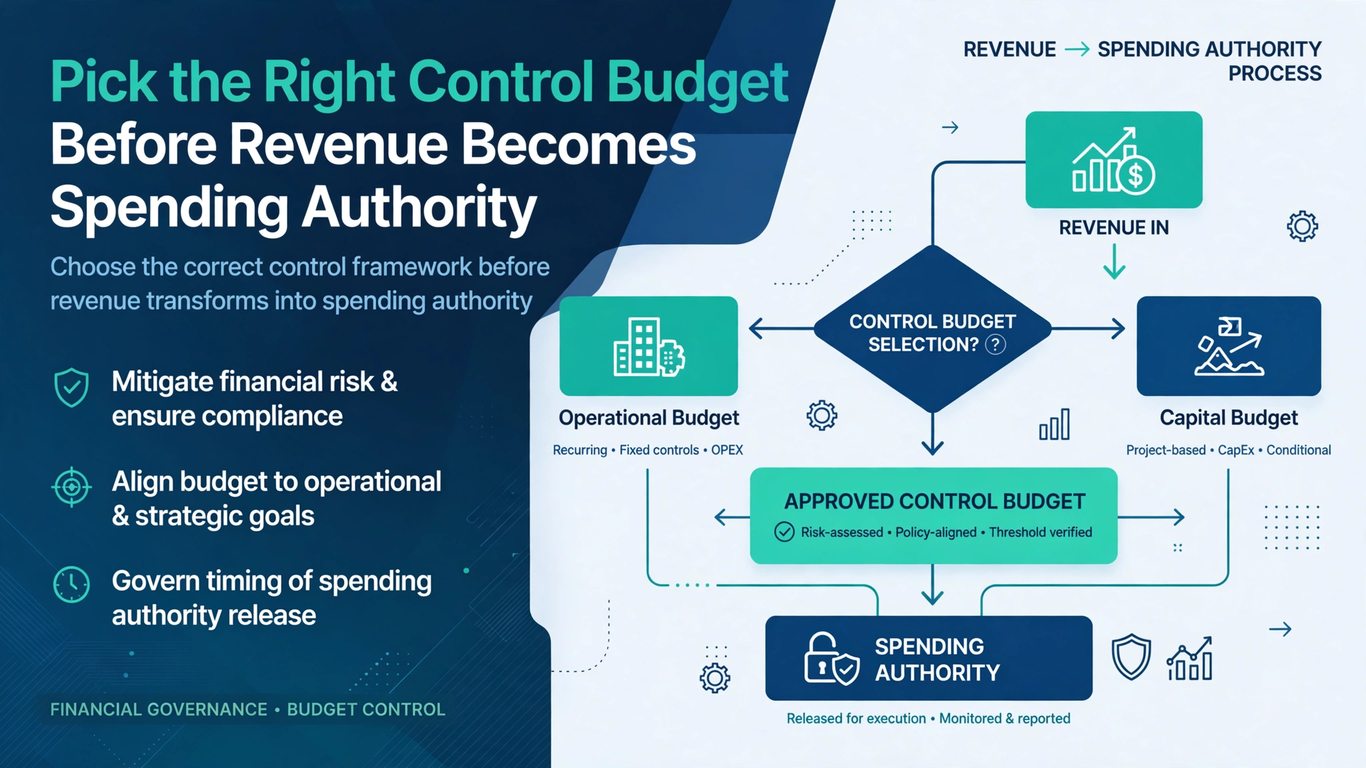
The Create Budget Entry from Revenue process has a Control Budget parameter. It lines up the revenue-based expense budget amounts with the control budget you pick and its matching scenario, for both Budgetary Control and General Ledger. When several control budgets exist, treat that parameter as a deliberate routing decision. Confirm the budget name, the ledger and calendar, the period status, the scenario relationship, and the funding rule. Don’t choose by a familiar prefix. A current-year and a prior-year budget can differ by a few characters and still govern completely different funds.
Oracle’s documentation says the parameter isn’t required. That doesn’t make it unimportant. Find out what a blank value means in your configuration and whether that behavior is predictable enough for an unattended run. With multiple control budgets, an explicit choice helps make sure entries are created or updated only for the budget and scenario you intended. If you truly need to leave it blank, document the reason and test the scope. Defaults and operator habit shouldn’t quietly decide where spending authority gets created.
Check Every Schedule That Calls the Process
Because no separate enablement step is needed, existing schedules and scripts deserve attention right away. Take inventory of recurring jobs, job sets, external orchestration tools, run books, and saved favorites that invoke the process. Record each one’s current parameters and business owner.
A schedule built when only one control budget existed can become risky once a second one appears. Where policy calls for it, update the automation to pass the intended value explicitly, get the change approved, and test it in a representative environment. Also keep in mind that “no new access needed” doesn’t mean nobody needs to govern who can edit schedules or submit budget activity. That kind of control thinking is what a good Oracle Fusion Financials Training in Chennai course should build into its labs.
Predict the Entry Before You Run It
Before running anything, build an expected-results table: control budget, scenario, period, account, source revenue, funding-rule calculation, expected expense amount, rounding treatment, and the existing balance, to separate a new entry from the cumulative total. If a rule makes eighty percent of a grant receipt available, expect that calculated increase, not the full authority afterward. Test the edges: a period-boundary posting, an excluded account, a reversal, and a small amount that exercises rounding. A destination can be right at budget level yet wrong by account or period. For rejected lines, reconcile accepted, rejected, and unprocessed amounts to the source total, and never add a rejected amount by hand until you know why.
Reconcile Both Budget Destinations
After the process finishes, check the entry and its status in Budgetary Control, confirming the control budget, scenario, period, account, amount, and source request. Then verify the matching result in General Ledger. A completed status only means the program ended, not that every expected line reached both places or that nothing unintended was created. Compare counts and totals, investigate exceptions, and keep the request logs. Also reconcile the other control budget: current-year grant revenue should raise only current-year authority, leaving the prior year untouched. Finally, plan for duplicates, and if a run times out, inspect the current state before assuming it failed.
Make Exceptions Visible to Budget Owners
Give someone ownership of each exception type: mismatched scenarios, rejected accounts, closed periods, unexpected zero entries, and differences between Budgetary Control and General Ledger. Set resolution dates based on when spending decisions depend on that authority. Don’t cover a routing error with a second manual entry unless policy allows a documented correction and the original error is reversed or resolved.
Budget managers should get the source-to-entry reconciliation, not just a process log. They need to know which revenue created the authority, under which rule, in which budget, and whether the money is really available to spend.
Conclusion: What Oracle Fusion Financials Training in Chennai Learners Should Practice
Spending authority built from revenue needs a destination as carefully controlled as its calculation. Define the funding rule, reconcile the eligible revenue, pick the control budget deliberately, and confirm the matching scenario before you submit. Review schedules and scripts that may skip the new parameter, predict the entry at account and period level, and reconcile in both budget systems while proving the neighboring budget didn’t change.
A strong Oracle Fusion Financials Training in Chennai exercise would include two plausible grant-year destinations and a retry. That forces learners to show explicit routing, awareness of duplicates, and a complete trail from revenue evidence to usable expense authority.