
Introduction
Picture a billing lead who keys in an unusual manual invoice for a major customer and holds broad approval authority. At Tech Leads IT, we use this case in Oracle Fusion Financials Training to show how role breadth can quietly defeat a control. If that person completes the invoice alone, no independent review happens.
A good test checks who started the transaction, not who is qualified to approve it. Whether you join our Oracle Fusion Financials Online Training or an Oracle Fusion Financials Course, you will learn to configure, test, and monitor this control so it holds up in practice.
Define the Conflict in Oracle Fusion Financials Training
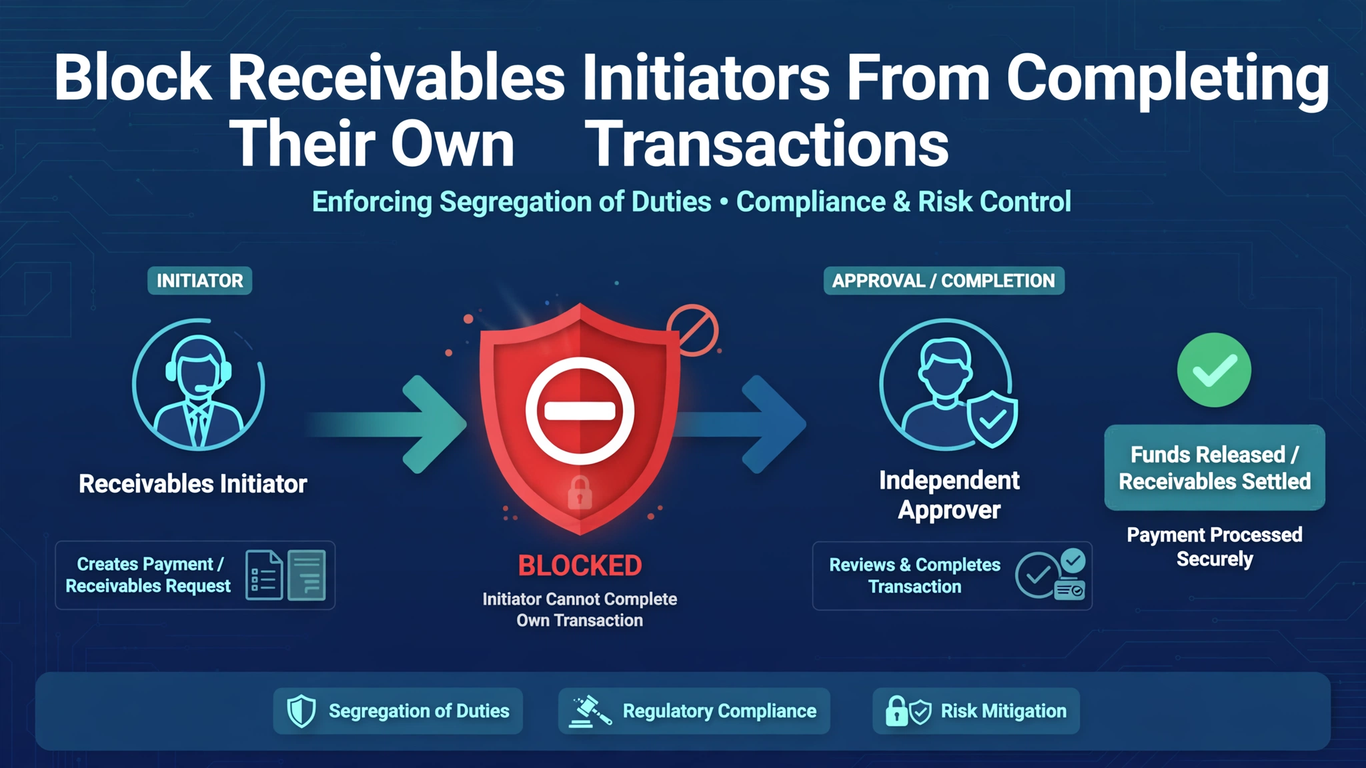
Start with a clear process map. Write down who enters the invoice or credit memo, who submits it, which approval rules pick the reviewers, which roles allow ordinary or force approval, and what changes downstream once the transaction is complete. Anyone going through Oracle Fusion Financials Training should see that the conflict is narrower than “one person has two roles.” It appears when the person who initiated a particular transaction tries to review and finish that same transaction.
Completion deserves special attention in your map. Once an invoice is complete, it becomes available for receipts, collections activity, and accounting. Approval is therefore the last realistic chance for an independent person to question the customer, the amount, or the business reason before the transaction starts moving through the rest of the process.
Looking at the conflict at the transaction level helps in two ways. You avoid under-control, where a conflicted approval slips through, and you avoid heavy blanket restrictions on people who can perfectly well approve work someone else created.
A two-user example makes this concrete. Mira creates and submits a manual invoice. Dev creates a second invoice with a similar amount and source. Mira may have authority to approve receivables work, but independence means she cannot approve her own item. She can still be an eligible reviewer for Dev’s invoice, provided the configured rules and access allow it.
The pairing matters. It shows the control does not label Mira untrustworthy or strip away her approval capability. It blocks one conflicting relationship, between a user and a specific transaction that user initiated. Keep that distinction in every test script you write, because it is what separates a precise control from a clumsy one.
Set the Site-Level Profile Deliberately
The mechanism is the receivables profile option ORA_AR_ALLOW_SELF_APPROVAL. Setting it to No at Site level prevents self-approval. If you leave the default behavior alone, users can approve transactions they created or submitted whenever their other authority allows it.
Treat the change as a real configuration decision. Give it an owner, an approval, a migration record, and an effective date. A written policy that demands independent review does not enforce itself while the profile stays permissive. On the other hand, flipping the profile without operating preparation leaves teams unsure how to reassign blocked items, and that confusion tends to land on the busiest people during the busiest week.
Communication is part of the rollout. Tell billing teams what will change, which messages they may see, and who to contact when an item cannot be approved by its initiator. A short walkthrough before the effective date prevents a flood of support requests afterward.
The 26A readiness item, Prevention of Self-Review and Completion of Receivables Transactions, spells out the precedence. An initiator cannot approve the invoice even when explicitly named in the approval rules spreadsheet or given a role that allows approval or force approval. This precedence is central to testing.
So do not log a defect just because a named approver cannot act on something they originated. That is the control working. Instead, verify that a different authorized reviewer receives the pending transaction, or can reach it, and can make the independent decision. Put that expectation in the test plan before anyone starts, so nobody mistakes correct behavior for a broken setup.
Test Actions and Status in Oracle Fusion Financials Online Training
With prevention active, the initiator should not see the Approve and Rework actions on their own transaction in Pending Approval status, no matter how much authority they hold. Trying to self-approve produces a system message, and another approver has to handle the force-approval path when it is needed.
Prepare your test data before you begin. You need at least three users: two ordinary approvers and one with force-approval authority. You also need clearly labeled invoices so that anyone reading the results can tell which user initiated which item. Messy test data produces results nobody can interpret later.
Capture the evidence that matters: the user identity, the creator or submitter identity, the transaction number, the status, the visible actions, and the result. A role screenshot only proves assigned capability. It says nothing about whether the runtime relationship between initiator and transaction is being enforced.
Run negative and positive tests together. For Mira’s invoice, confirm she cannot approve or rework it. For Dev’s invoice, confirm Mira sees the right actions and can approve when the rules select her. Then reverse the users and repeat. Finally, add a user with force-approval authority and show that this authority still does not allow self-approval.
These cases separate a working conflict check from two failure modes. One is a broad access problem where nobody can approve anything. The other is a weak design where elevated authority quietly bypasses independence. Learners in Oracle Fusion Financials Online Training sessions can easily run only the positive path, so schedule the negative ones deliberately. Record each pair of results side by side; the contrast between blocked and permitted is the real proof.
Design a Route for Blocked and Urgent Work
Prevention only works when an independent route exists. Approval rules should never assign only the initiator, and the support model should name alternates for absences, period-end pressure, and small billing teams where one person may touch most invoices.
Consider cross-team coverage for the smallest units. If a business unit has only two people who can approve receivables work, one absence turns the control into a bottleneck. Naming a backup approver from another team, with appropriate access, keeps work moving without weakening independence.
When an item lands with someone who cannot act because of the conflict, reassign or escalate it through the governed process. Do not share credentials, and do not change the creator to get around the block. For urgent invoices, decide in advance who may independently inspect the customer, amount, tax, accounting, attachments, and business justification before any elevated completion capability is used.
Keep an eye on aged Pending Approval transactions after activation. A sudden backlog can reveal rule designs that keep pointing work back at its initiator, or business units with no alternate reviewer. Sort each delay by cause: self-review prevention, missing approver, access, rule routing, or substantive rework. A short weekly review during the first month after go-live is usually enough to surface these gaps early.
The wrong response to a routing defect is switching self-approval back on globally. Fix the approval coverage, validate it in a suitable environment, and keep evidence that independent completion now works for the affected transactions.
Keep the Audit Trail Honest in an Oracle Fusion Financials Course
For every test or production review, retain who initiated the transaction, who approved or requested rework, the timestamps, the comments, and the status transition. Comments should explain the decision when an unusual transaction is accepted or returned. A note that says only “approved” tells an auditor very little.
Periodic control testing can sample high-value manual invoices, credit memos, and force approvals, compare initiator and approver identities, and investigate any exception. One caution applies: an absence of self-approved records only means something if pending items are also reaching qualified independent reviewers rather than sitting stranded.
A useful boundary case changes identities without changing the accounting. Copy the same customer, amount, transaction type, and distributions into two test invoices, but have different users initiate them. The available actions should follow who created or submitted each item, not its financial content.
Then modify the approval assignment so one initiator is explicitly named, and confirm the block remains. This shows that neither a familiar transaction pattern nor direct designation overrides the self-review restriction, while an unrelated authorized reviewer can still move the transaction forward. Any well-built Oracle Fusion Financials Course should include this boundary case, because it forces learners to separate the person from the paperwork.
Conclusion
Segregation of duties rests on the relationship among users, transaction, and action. Set the self-approval profile to No at Site level, send every item to someone other than its initiator, and test approval, rework, and force-approval cases with paired users, as any solid Oracle Fusion Financials Training should.
Check runtime actions and statuses instead of trusting role lists, and keep identities and decisions in the audit trail. In the Oracle Fusion Financials Course, the best proof is simple: the initiator is blocked on their own work yet can still review someone else’s eligible transaction.