Introduction
A requisition line asks for funds to buy laboratory equipment, and the reservation fails. At Soft Online Training, we use this scenario in our Oracle Fusion Financials Training in Chennai sessions because it trips up almost everyone. The requester sees a shortfall and assumes the annual budget is gone.
The budget manager knows better. The same account still has money in a future period, while another open commitment eats into the current balance. The transaction view shows how the line was validated, and the budget view shows where it sits among balances and other activity. Neither tells the whole story alone.
Start Every Funds Check Result by Naming the Transaction
Before anyone guesses at a cause, pin down which transaction produced the result. The results window only applies to transactions that have been funds checked or reserved, so a status means little without its context. Read the requested amount, consumed amount, control budget, account, period, and funds status together. They show where the line was evaluated, but they can’t tell you why it failed. That could be a wrong account, competing consumption, or a real shortfall.
Take a snapshot straight away: transaction number, line, requested amount, account, budget date, control budget, period, the action you ran, and the time of the result. Balances shift as other transactions reserve or liquidate funds, so don’t keep rerunning the check. A later pass might just mean someone else’s money moved. When several departments draw on one controlled budget, the order of events is evidence, and it is worth keeping.
Use the Transaction View in Oracle Fusion Financials Training in Chennai Scenarios
The transaction view is the default, and anyone who can access the transaction can open it. It shows the control budget, budget period, account, and the requested and consumed amounts. Begin here to confirm the line landed on the budget and period you expected. A healthy annual total won’t rescue a line charged to the wrong account or dated into a period with different controls. So the first question isn’t “how much is left?” It is “which budget dimensions did this line actually use?”
The 26D documentation on budgetary control results describes this view as the place to understand a transaction’s validation impact. For the lab purchase, compare requests against consumed and read the funds status line by line. If there are several distributions, resist the urge to explain them all at once. One may pass while another fails because it resolves to a different account or period. Fix the failing distribution and leave the valid accounting on the others alone.
Let the Budget View Explain Availability
The budget view flips the perspective from one transaction to the budget it affects. It can show balances, funds statuses, related transaction lines, and availability in current and future periods. Access depends on the Review Budget Impact privilege, and control budget data security still applies. If a requester can’t open it, the budget manager may need to investigate. That separation is by design and doesn’t mean the result is incomplete. Share the conclusion through the approved process rather than widening access for one case.
Read available funds next to the amounts that explain consumption. The documented categories include commitments, obligations, payables expenditures, receipt expenditures, project expenditures, other expenditures, other encumbrances, and other anticipated expenditures. A requisition can add to commitment, while a purchase order can hold obligation until fulfillment or liquidation changes its effect. The budget manager’s job is to find which category is creating the pressure and then drill into the transaction behind it. “Not enough budget” is a conclusion. “An open purchase order still consumes obligation in this period” is a diagnosis.
Treat Additional Required as a Gap in Your Oracle Fusion Financials Training in Chennai Practice
The additional required amount tells you how much more funding the transaction needs once current availability and consumption are counted. It measures the gap. It doesn’t tell you how to close it. The options are quite different: correct an account or date entered in error, close a genuinely obsolete commitment through its proper process, request a budget adjustment, shrink the purchase, or put it off. Each has a different owner and a different accounting consequence, so the number should start a decision rather than quietly make one.
Future-period capacity needs the same care. Seeing room next quarter doesn’t entitle anyone to move the budget date. Delivery timing, accounting policy, the procurement schedule, and control budget rules decide the right period. Shifting a date just to get a green status can misstate when the obligation belongs. For the equipment, confirm the expected delivery and your organization’s budget policy first. If the need truly falls later, document it. If it belongs now, go through budget governance for current-period funding.
Reconcile After the Fix and Build the Habit Through Oracle Fusion Financials Training in Chennai
Once the authorized correction or budget action is done, run the validation again and compare it with your saved baseline. Check the same lines, control budget, account, period, requested amount, resulting consumed amount, and funds status. Then open the budget view and see whether the balances and related activity agree with what the transaction now says. Also look for other lines that changed unexpectedly. A good status without that dimensional check can hide a pass that was achieved by pushing the charge into the wrong budget segment.
A simple practice drill works well here. Give learners four pieces of evidence: a failed requisition distribution, a current-period balance, a future-period balance, and an old purchase order obligation. Ask them to separate facts from proposed remedies. Then reveal that the old order is still valid and the requisition account contains a data-entry error. The right answer isn’t to close the order or move the date. It is to correct the account and reserve again. The drill checks whether learners follow the transaction’s dimensions before reaching for funds that merely look available.
Conclusion
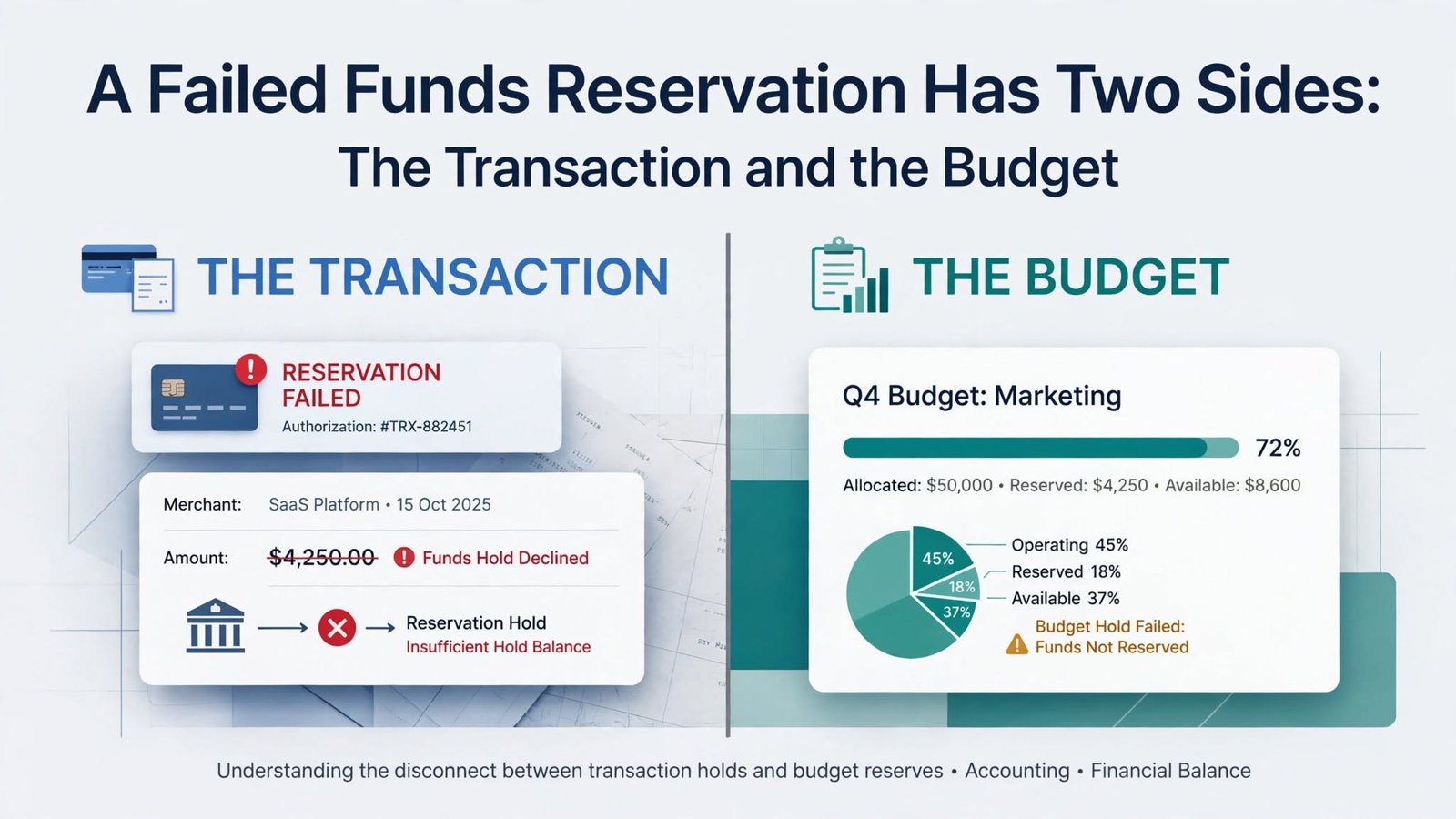
A failed funds reservation gets much easier to handle once you read both layers of evidence. The transaction view shows the control budget, account, period, request, consumption, and the exact line behind the result. The budget view adds the bigger picture: surrounding balances, consumption categories, related activity, and future-period context for authorized users.
Keep the original result, route the remedy to the right owner, and reconcile the dimensions after you validate again. A good exercise in Oracle Fusion Financials Training in Chennai teaches more than how to clear a failure. It teaches you not to fix the budget while leaving the transaction wrong.