A convenience store can look quiet one minute and have a line of customers at the counter the next. A customer needs coffee, another wants to pay for snacks and a drink, and someone else is buying tobacco products that require an age check. When the register, inventory records, and payment terminal work separately, even routine transactions can slow down the shift.
A Convenience POS Store solution brings checkout, product tracking, sales records, and payment processing into a more organized workflow. For independent retailers in the United States, the right point-of-sale system should do more than print receipts. It should help staff process everyday purchases efficiently, keep popular products available, and follow the store’s established procedures for age-restricted sales.
Why a Convenience POS Store System Matters
Convenience stores handle a wide mix of products, prices, and transaction types. A single basket might include bottled water, packaged food, household essentials, and an age-restricted item. Cashiers need to find products quickly, apply the correct prices, accept payments, and keep the queue moving without creating errors.
A suitable POS system connects these tasks. Barcode scanning reduces the need to enter prices manually, while searchable product records help staff locate items that do not scan. Sales reports give owners a clearer view of what sells during different shifts and which products may need attention.
For a store owner working behind the counter, these practical improvements matter more than an impressive feature list. The goal is a reliable register that staff can learn quickly and use consistently throughout a busy day.
Inventory Management Beyond Counting Products
Stock management is one of the most important jobs in convenience retail. Shelves may contain hundreds or thousands of individual products, from snack brands and soft drinks to phone accessories and tobacco products. Tracking every item in a notebook or spreadsheet becomes difficult as the product range grows.
A retail POS system can update recorded stock when an item is sold and help owners identify products approaching their reorder points. For example, if a particular energy drink sells repeatedly during the afternoon shift, a low-stock alert can prompt the manager to review replenishment before the next rush.
Product variations also deserve attention. Different flavors, package sizes, and brands should have distinct product records and barcodes where applicable. Otherwise, a sale of one variation may leave the inventory count for another variation inaccurate.
For stores operating multiple locations, centralized inventory visibility can make replenishment decisions easier. An owner may be able to identify excess stock at one location and a shortage at another, then arrange a transfer where the system and operating procedures support it. Actual stock availability depends on timely receiving, accurate counts, and properly recorded transfers.
Faster Checkout With the Right POS Hardware
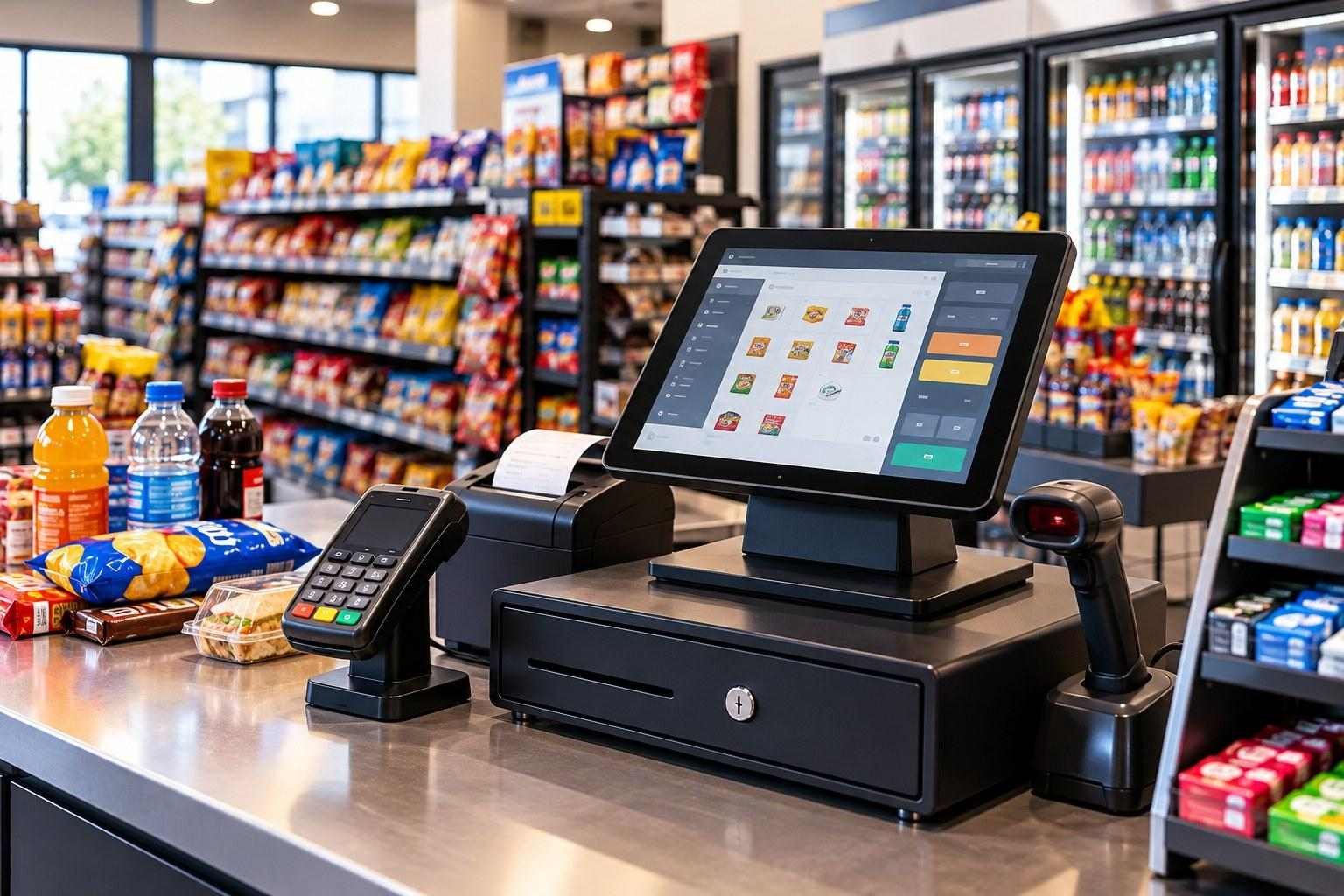
Checkout speed depends on both the software and the equipment installed at the counter. A responsive touchscreen, reliable barcode scanner, receipt printer, cash drawer, and compatible payment terminal help create a consistent checkout process.
Consider a busy morning when customers are buying coffee, breakfast snacks, and bottled beverages before work. Staff should be able to scan products, confirm the total, take payment, and issue a receipt without repeatedly switching between disconnected devices. Quick product search is also useful when packaging is damaged or a barcode cannot be read.
Before choosing a system, retailers should check hardware compatibility, connection requirements, warranty coverage, and replacement options. They should also ask what happens if the internet connection drops and whether the POS supports the store’s required offline workflow. Offline capabilities and payment availability vary by provider and payment setup, so they should be confirmed before purchase.
A retail POS hardware setup should fit the physical counter, the expected transaction volume, and the tasks employees perform every shift.
Age-Restricted Sales Require Clear Procedures
Convenience stores that sell tobacco, e-cigarettes, or other age-restricted products need a checkout process that supports their legal obligations. In the United States, the federal Tobacco 21 law prohibits retailers from selling tobacco products, including e-cigarettes, to anyone under 21. The FDA also sets requirements for retailers, while state and local rules may impose additional obligations.
A POS system can support these procedures through age-check prompts, staff reminders, and records of completed verification steps when those features are available. The cashier must still inspect identification and follow the applicable requirements. A software prompt alone does not establish that a sale is lawful.
Owners should verify which products require age checks, how staff must examine identification, and what records must be retained in their jurisdiction. They should also train employees to handle situations in which identification is missing, expired, or does not meet the applicable rules.
Retailers selling tobacco and vape products may also benefit from exploring a dedicated tobacco store POS system or Vape Shop POS Solution, depending on their product mix and operational needs.
Payments, Reports, and Day-to-Day Control
Payment processing is another essential part of the checkout workflow. A suitable POS setup should support the payment methods customers use and clearly show whether a transaction has been approved, declined, or left incomplete. Integrated payments can reduce manual entry and make it easier to reconcile register activity, provided the POS and payment services are configured correctly.
Owners should compare processing rates, transaction fees, contract terms, chargeback support, and hardware costs before signing an agreement. A low advertised rate may not reflect the full cost of processing every payment type.
Daily sales reports can help answer practical questions: Which products sold most frequently? Which shift had unusual refund activity? Are recorded cash totals consistent with the register close? Reports are most useful when managers review them regularly and investigate discrepancies rather than treating the numbers as automatically correct.
Explore credit card processing services and the available POS features when comparing systems for your store.
What Should Independent Owners Look for Before Buying?
The best system is not necessarily the one with the longest feature list. It is the one that fits the way your store actually operates.
Before choosing a provider, check whether the system offers:
- Straightforward checkout: Barcode scanning, product search, discounts, refunds, and receipt handling.
- Useful inventory controls: Stock adjustments, low-stock alerts, product variations, and supplier or purchase-order workflows where needed.
- Age-check support: Configurable prompts and appropriate records for the products and procedures used by your store.
- Clear payment costs: Transparent processing terms, compatible terminals, and understandable settlement reports.
- Practical reporting: Sales by product, date, shift, and employee, where supported.
- Accessible support: Clear onboarding, staff training, troubleshooting, and a defined process for hardware replacement.
- Room to grow: A setup that can support additional registers or locations without making routine work unnecessarily complicated.
Ask for a demonstration using realistic transactions from your store. Test a barcode sale, a refund, a stock correction, an age-restricted purchase workflow, and the end-of-day reconciliation process. These checks will reveal more about everyday usability than a generic product presentation.
How Gokul POS Fits Into Convenience Retail
Gokul POS provides point-of-sale software, hardware, and payment-related services for independent retail businesses. Its convenience retail offering focuses on connecting checkout activities with inventory visibility and sales management.
Retailers evaluating a convenience store POS system should review the features available for their intended setup and confirm that the required hardware, payment services, and workflows are supported. Businesses with a broader product mix can also explore Grocery POS Solutions or retail POS systems where relevant.
No POS platform can replace sound store procedures, accurate inventory counts, employee training, or an owner’s responsibility to follow applicable laws. The right system makes those tasks easier to manage; the retailer remains responsible for how the system is configured and used.
Final Thought
A dependable Convenience POS Store solution should make everyday retail work easier, from scanning a basket of snacks to reviewing stock levels and reconciling payments. Independent owners should prioritize practical checkout tools, accurate inventory workflows, clear payment costs, and features that support established age-verification procedures.
Gokul POS offers convenience retail POS solutions for businesses evaluating these needs. Review the available features, test your most common transactions, and confirm the system fits your store’s operational and regulatory requirements before making a decision.