
Introduction
A payment run that never reaches the formatting stage usually didn’t fail there; it stalled somewhere earlier, even though the interface often makes the missing output file look like the root problem. At Tech Leads IT, this is one of the first troubleshooting habits instructors emphasize, because selection, validation, review, payment creation, and formatting are distinct stages that each leave their own trail of evidence. Anyone working through Oracle Cloud Financials Online Training learns early on that the first job isn’t to open the template or check the transmission settings, it’s to pinpoint exactly which stage the request actually completed.
This same discipline is reinforced throughout Oracle Cloud Financials Training Online, where the emphasis stays on tracing the process methodically rather than jumping to conclusions. Skipping that step is what leads people to chase formatting issues on a request that was still sitting in approval, blocked by unresolved validation exceptions, or never even reached the point of generating payment instructions.
Reading the Request as a Timeline in Oracle Cloud Financials Online Training
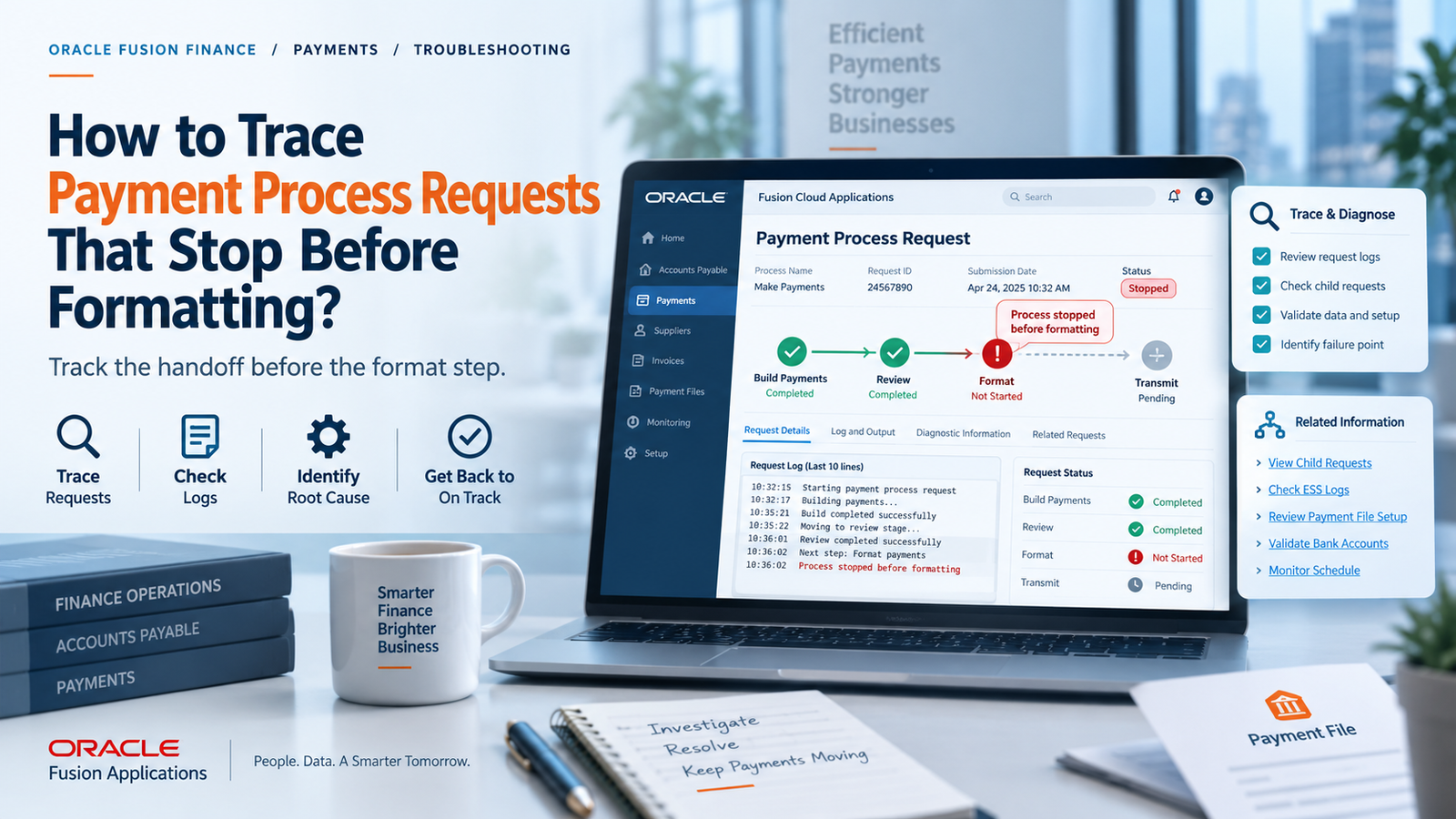
Start with the request’s status history and its associated process output rather than just its current status. The sequence of transitions tells you far more than a single status flag; it shows whether document selection actually finished, whether proposed payments were assembled, and whether any subsequent task was ever submitted. Log the timestamps, process IDs, and messages for both the parent request and any child processes tied to it. It’s easy to assume a parent process and its children behave as one unit, but a parent can look idle while a child process underneath it is still running, paused, or has quietly failed. Treating the whole thing as a single job hides where things actually went wrong.
The absence of a formatting process is itself a meaningful signal. It doesn’t mean the formatter broke, it means the workflow never met the conditions required to even submit that stage. On the other hand, if a formatting process did run and produced an error or warning, the investigation legitimately shifts toward the payment format, the template, the underlying data, or output generation. Establishing this boundary correctly, before anything else, is the foundation the rest of the troubleshooting depends on.
Why Selection May Leave Nothing to Format
It’s entirely possible for a request to complete document selection and still produce zero payable documents. Due dates, pay-through dates, business unit access rules, supplier site holds, payment method restrictions, currency mismatches, and other criteria can all quietly exclude invoices a user was expecting to see. Installments that are already paid, canceled, or otherwise ineligible simply won’t convert into proposed payments. When selection comes back empty, formatting was never going to be the next event; there was nothing to format. The right move here is to review the selection output and compare the request’s criteria against one specific installment you expected to see, rather than running a broad, unfocused invoice search.
When some documents make it through and others don’t, pick a single missing installment as your test case. Check its remaining amount, due date, payment method, payee and site, hold status, and the organizational context that was in effect when the request ran. Working through one example this way is far more efficient than adjusting several parameters at once, and it clearly separates a legitimate exclusion from an actual data or configuration problem.
Validation and Review Checkpoints in Oracle Cloud Financials Training Online
Proposed payments pass through validation before they can turn into final payment instructions, and this is a deliberate part of the process, not a malfunction. Issues with payee details, payment methods, bank information, currency, document status, or payment limits can all trigger exceptions that require manual attention. A request sitting at a validation or review point is often behaving exactly as designed. Anyone going through Oracle Cloud Financials Training Online will recognize this distinction quickly: clearing an exception means understanding its cause first, because simply rerunning the process will just reproduce the same failure if the underlying invoice, supplier, bank, or process-profile data hasn’t changed.
Some processing options build in an explicit review step. In those cases, a request that looks stalled may simply be waiting on an authorized reviewer to confirm or adjust the proposed payments. It’s worth checking whether review was requested at all, whether the assigned reviewer actually has access to that payment business unit, and whether any proposed payments were removed or placed on hold during that review. Don’t label a waiting request a scheduler problem before ruling out this human checkpoint.
Payment Creation as the Critical Boundary
Formatting only consumes payment data; it doesn’t decide what becomes a payment in the first place. That decision happens at payment creation, so confirm that validated documents were actually grouped into payments, and that those payments reached the state needed to trigger file generation. This grouping step is shaped by payment method, currency, payee, the disbursement bank account, and various processing rules. When those attributes conflict, documents can get split into groupings you didn’t expect, or land in exceptions that stop the process before it completes.
This is the stage where reconciliation matters most. Compare the count of selected documents against rejected documents, proposed payments, and created payments. Any drop in that count should be traceable to a specific validation message, a removal during review, or a grouping rule not left unexplained. Reconciling amounts matters just as much as reconciling counts, because a request can contain entirely valid payments while one specific invoice you care about is still sitting outside all of them. The objective isn’t just confirming that a payment exists, it’s proving the exact obligation you’re tracking actually became part of a payment that’s eligible to move forward.
Profile and Format Resolution Explained
Once payment creation is confirmed, shift attention to the payment process profile and how it relates to the disbursement bank account, payment method, and file format actually in use. The effective configuration has to support the specific attributes of the payment being processed; a profile that looks correct sitting on its own isn’t necessarily the profile that was actually resolved for that payment. Similarly, a format attached to a different bank account or method won’t help the request currently in front of you.
Effective dates and recent configuration changes deserve close attention here. If the profile, format, or bank account setup was modified after the request was submitted, what you’re looking at now may not reflect the conditions that existed when the process actually ran. Capture the configuration as it stood at run time and compare it against a recent successful request that used the same method and bank account. Oracle’s own Financials documentation lays out the underlying payment configuration concepts that make this comparison meaningful.
Reviewing Process Evidence Before Template Testing
Work through process logs in dependency order rather than jumping straight to the end. First confirm the parent request actually advanced through selection and validation. Then locate the payment-creation process and verify it completed normally. Only once you’ve confirmed a formatting child process was actually submitted should template and rendering diagnostics become your focus. Look for the first substantive failure in the logs rather than the final cascade message; a downstream process will often just report that its prerequisite was never completed, which tells you nothing about the real cause. It’s also worth checking whether any scheduled processes were canceled, recovered, or retried outside the normal payment page, since those actions can interrupt the visible sequence without generating a formal payment exception; their timestamps help separate an operational interruption from a genuine data-validation issue.
If formatting did run, narrow down whether the failure happened during data extraction, template rendering, or output delivery. A rendering failure can stem from malformed data, an incompatible layout, or a problem with the output service transmission that happens later and shouldn’t be blamed for a file that was never generated in the first place. Test with a tightly scoped request built from known eligible documents and the same profile, and keep logs from both the failed and successful runs so you can compare them without changing multiple setup elements simultaneously.
Conclusion
Tracing a request that stalls before formatting really comes down to locating the last transition you can actually prove happened. Confirm selection, account for any exclusions, resolve validation exceptions, factor in review checkpoints, verify payment creation, and only then move on to profile and format resolution. Following this sequence turns a vague “missing file” complaint into a clearly bounded workflow problem and saves you from making unnecessary template changes. This kind of disciplined, evidence-first approach grounding every conclusion in request history, process output, counts, amounts, and the configuration that was actually in effect at run time is exactly the practical skill that structured Oracle Cloud Financials Online Training is meant to build.