
Introduction
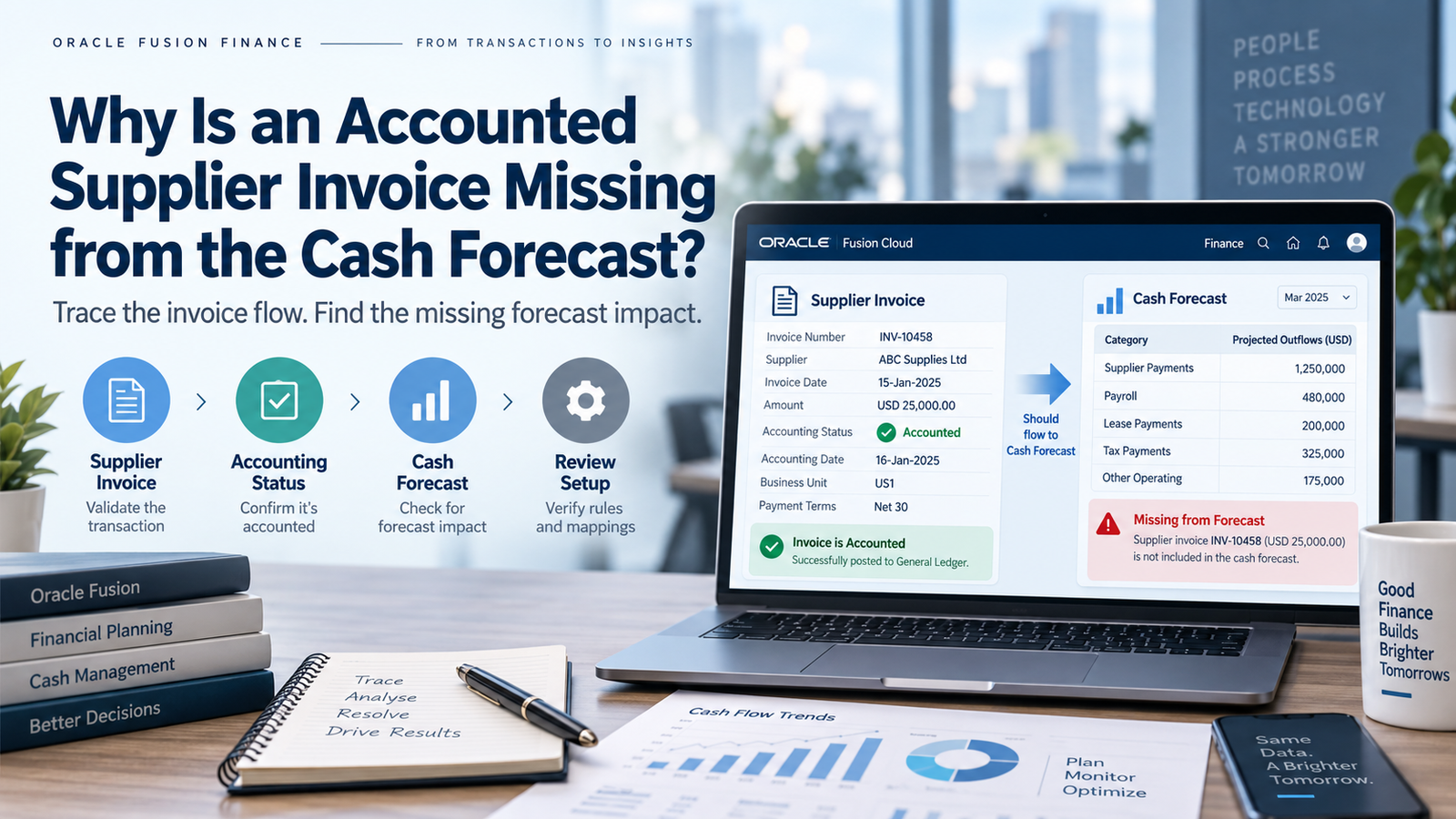
I’ve lost count of how many times someone has pulled up an invoice, pointed at the screen, and said something like “look, it’s accounted for, why isn’t it in the forecast?” Soft Online Training sees this exact question come up all the time, and honestly, the first few times it happened to me too, I assumed the system was wrong. It almost never is. The cash forecast in Oracle Fusion Financials only picks up invoices that check three boxes at once, not fully paid, and inside the forecast horizon. Miss one, and the invoice just isn’t there. No error, no flag, nothing telling you why. This is exactly the kind of quiet, easy-to-miss detail that Oracle Fusion Financials Training in Hyderabad tends to drill into people early, mostly because everyone eventually gets tripped up by it at least once.
Where Oracle Fusion Financials Training in Hyderabad Actually Starts: Template Scope
The first thing I check, almost out of habit at this point, is whether the template is even looking where it should. Templates can be scoped to specific business units, legal entities, or ledgers, and in any setup with more than one entity, that scoping is where things go sideways. I once spent a good twenty minutes convinced an invoice had a data problem, only to realize the legal entity it belonged to simply wasn’t part of the template’s coverage. The invoice was fine. The template just wasn’t pointed at it. Whether the scope comes from a data access set or an explicit business unit list doesn’t really matter what matters is actually checking it, because it’s an easy thing to overlook when you’re staring at the invoice itself instead of the template.
Accounted and Unpaid Are Not the Same Thing
People conflate these two constantly, and I get why they usually go together. But an invoice can be accounted and still be fully paid, partially paid, or sitting on hold. A fully paid invoice has no future cash outflow left in it, so of course the forecast skips it. Fair enough. The part that actually confuses people is when a payment lands after the invoice was accounted for but before the forecast runs the outstanding balance drops to zero in that gap, and the invoice disappears from a forecast where, an hour earlier, it would have shown up just fine.
Holds are their own can of worms. Some templates keep held invoices visible under a separate bucket; others just filter them out until the hold clears. And since the forecast always works off whatever the outstanding amount is right now, not what the invoice originally said, the real question to ask is simple: what’s the current payment status, is there a hold sitting on it, and when did the last payment actually post? Those three answers usually settle it.
The Horizon Cuts Off at a Line, and Invoices Land on Both Sides of It
Every forecast has a window, a fixed start and end date, or a rolling number of days from whenever it’s generated. Anything due outside that window doesn’t make the cut, and that’s intentional, not a bug. Due before the window opens? Past due, and depending on the setup, either bucketed separately or dropped altogether. Due after it closes? It’ll show up in a later run, just not this one.
What people miss is that the due date isn’t something anyone typed in directly; it comes out of the invoice date combined with the payment terms. Get the terms wrong, even slightly, and the due date shifts just enough to nudge the invoice outside the window without anyone touching the invoice itself. So when something’s missing and nothing else explains it, I go straight to the due date on the distribution and line it up against the horizon dates. More often than you’d expect, that’s the whole answer.
Sometimes the Forecast Just Hasn’t Caught Up Yet
This is probably the single most common reason, and it has nothing to do with the invoice at all. The forecast doesn’t read the subledger live it pulls from a staging table or a materialized view that refreshes on its own schedule, whether that’s nightly or several times a day for busier organizations. If an invoice got accounted after the last refresh but before someone ran the forecast, it simply wasn’t there yet when the snapshot got taken. That’s it. Nothing broken, just a timing gap between two processes running on different clocks.
You can usually see the refresh timestamp sitting in the forecast execution log, so that’s worth checking before assuming anything’s actually wrong. And if the invoice really does need to show up now, a manual refresh right before generating the forecast will usually take care of it.
Currency Conversion Fails Quietly, Not Loudly
Multi-currency setups add a layer that trips people up in a very specific way. The forecast converts everything into its base currency using the exchange rate type and rate date defined in the template, and if there’s no valid rate for that currency on that exact date, the conversion just fails. Depending on how things are set up, the invoice either drops out entirely or shows up with a zero amount, and there’s no fallback rate to save it missing means missing.
There’s a subtler version of this too. If the revaluation rate type the forecast uses doesn’t match what was used when the invoice was originally accounted for, the forecasted number can look noticeably off from the accounted one. It looks like a data problem. It isn’t its two rate types disagreeing with each other. Confirming a valid rate exists for that date, and that both sides are using consistent rate types, clears this up almost every time.
Supplier Sites Hide More Configuration Than People Realize
Every supplier site carries its own cash-forecasting-enabled flag and a default forecast category, and this is one of those settings nobody remembers exists until it bites them. Flip that flag off even accidentally and every invoice tied to that site disappears from the forecast regardless of how well it was accounted for. The forecast category on the site also has to match the category filters the template is using; mismatch that, and invoices get filtered out with zero indication of why.
It gets messier with suppliers running multiple sites under different settings. An invoice posted to the “wrong” site, forecasting-wise, can vanish even though the supplier as a whole looks perfectly configured. One thing that genuinely doesn’t matter here, for what it’s worth: payment method and bank account details. Those shape payment timing assumptions in some models, but they have nothing to do with whether the invoice makes it into the forecast in the first place.
Wrapping Up
Nine times out of ten, it comes down to one of these: a template scope mismatch, stale data, a currency conversion that failed quietly, or a supplier site setting nobody thought to check. Work through payment status, due date, currency, and site configuration against the template and refresh schedule, and the answer tends to show up faster than you’d think. If you’d rather build this instinct systematically instead of learning it the hard way like most of us did, that’s really what Oracle Fusion Financials Training in Hyderabad is built for.