
Introduction
Intercompany balancing lines play a very specific role inside Oracle Fusion Financials. At Tech Leads IT, we often explain that their job is to keep every legal entity in a consolidation structure balanced, even when a journal crosses entity boundaries. When Subledger Accounting processes a transaction touching more than one balancing segment value, it automatically creates intercompany balancing lines to meet this requirement.
For anyone enrolled in Oracle Cloud Financials Online Training, knowing exactly how and when these lines appear is essential. A solid Oracle Cloud Financials Training Online program goes beyond “it just works,” helping professionals understand the rules, dependencies, and reasons these lines can seem to vanish after accounting.
How Subledger Accounting Creates Balancing Lines
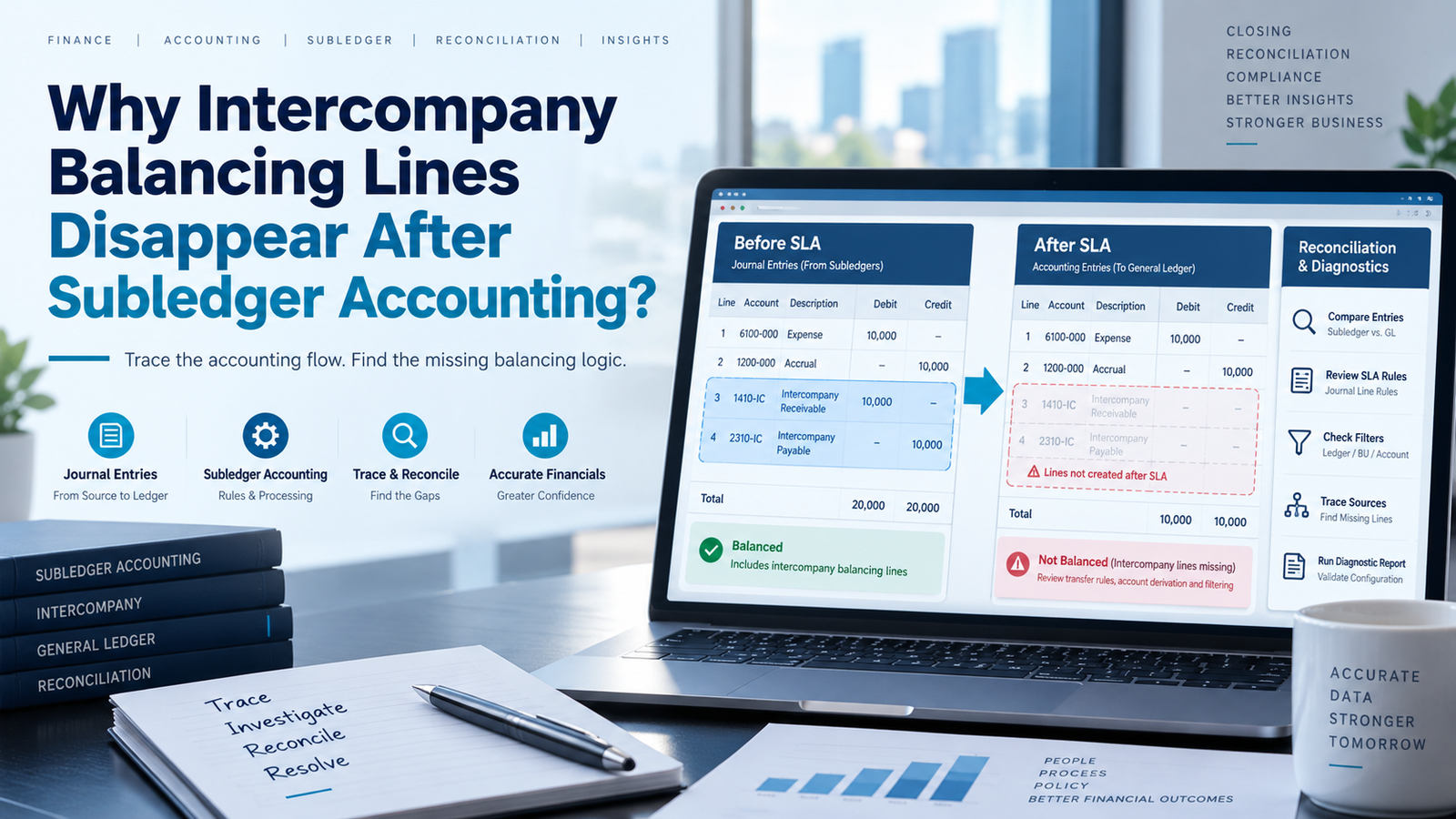
Balancing lines are not created at the same stage as the rest of the subledger journal entry. Instead, they are generated after the subledger journal entry lines have already been finalized, but before the data is transferred to the General Ledger interface tables. This sequencing has a practical consequence: if you open the Subledger Accounting workbench and inspect the journal entry there, you will not see the balancing lines at all. They simply do not exist yet at that stage of processing.
The balancing lines only become visible once the data reaches the General Ledger interface, and eventually, once it has been posted in the General Ledger itself. This timing gap is one of the most common sources of confusion for finance teams, and it is frequently the very first misunderstanding addressed in any thorough Oracle Cloud Financials Training Online program. Many users assume the lines are “missing” simply because they looked for them in the wrong place at the wrong stage of the process.
When Balancing Lines Are Not Transferred to the General Ledger
One of the most frequent causes behind seemingly disappearing balancing lines is that they were never transferred to the General Ledger in the first place. During Subledger Accounting processing, a validation step checks whether intercompany balancing rules have been defined for the ledger, and whether those rules cover the specific balancing segment value combinations involved in the transaction.
If the required rules are missing, inactive, or simply do not address the particular combination of segment values in question, the balancing engine has no way to generate the necessary lines. In that scenario, the subledger journal entry is sent to the General Ledger interface without the balancing lines, and the General Ledger effectively receives an entry that does not balance by balancing segments. Depending on the ledger’s configuration, this unbalanced entry may still post successfully if suspense posting has been enabled.
It is worth noting that the transfer program log typically records a warning when intercompany balancing rules cannot be located for a given combination of segment values but because these logs are lengthy and rarely reviewed line by line, this warning is easy to overlook. Learning to read and interpret these logs correctly is a practical skill emphasized in most Oracle Cloud Financials Online Training curricula.
The Role of Accounting Method Assignments
The accounting method assigned to a subledger application determines exactly which journal line rules and account derivation rules will apply. If the accounting method tied to a particular event class does not include intercompany balancing line rules or if those rules exist but have been overridden by conditions that evaluate to false the balancing lines simply will not be generated.
This situation commonly arises when a custom accounting method has been assigned to an event class that never included intercompany rules to begin with, or when a custom rule references a source value that is not present for certain transaction types. In such cases, the rule silently fails to trigger rather than throwing an obvious error, which makes the root cause harder to spot.
A key troubleshooting step here is to review the accounting method and the rules assigned to the relevant subledger application, ideally using the Accounting Method Builder. This tool lets you view every rule assigned to a given event class and filter specifically for intercompany balancing line rules, confirming whether they are present and active. This exact workflow tracing a missing balancing line back to a misconfigured or overridden accounting method rule is a hands-on exercise that features prominently in Oracle Cloud Financials Training Online sessions, because it mirrors real production issues far more closely than theoretical explanations alone.
Impact of Subledger Accounting Options on Balancing Lines
Beyond the rules themselves, each subledger application maintains a set of accounting options that influence how the process behaves at the ledger level. One especially important option controls whether intercompany balancing is enabled at all for that subledger. If this setting is switched off for Payables, Receivables, or any other application involved in the transaction, the balancing engine will not run regardless of how well the underlying rules have been configured at the ledger level.
A second relevant option governs how the balancing segment value for intercompany lines should be derived. If this option is configured incorrectly, it can either prevent the lines from being generated altogether, or cause them to be created with an unexpected balancing segment value that does not match what the finance team was expecting to see. Because these options are set independently at both the ledger level and the subledger application level, a configuration that works perfectly for one application may fail silently for another. This is exactly the kind of configuration nuance that trips up teams during go-live, and it is a recurring theme in Oracle Cloud Financials Online Training, where learners are walked through side-by-side comparisons of correctly and incorrectly configured subledger options.
Data Access and Security Filters That Hide Balancing Lines
Sometimes the balancing lines have actually been generated and posted correctly but the user simply cannot see them. This can happen when data access sets or security contexts have been configured to restrict visibility to specific values within a particular segment. If a user’s assigned responsibility or role does not include access to the balancing segment value that the intercompany lines were posted against, those lines will effectively be invisible to that user, even though they exist in the system.
This scenario often surfaces when someone runs a standard report or inquiry that does not display results outside their assigned data access set. Resolving it involves comparing the data access set assigned to the user’s responsibility or role against the balancing segment values referenced in the intercompany balancing rules. Recognizing this distinction between “the data doesn’t exist” and “the data exists but I can’t see it” is one of the more subtle diagnostic skills covered in a well-structured Oracle Cloud Financials Training Online curriculum.
Reconciliation and Reporting Considerations
Another reason balancing lines might appear to be missing has nothing to do with configuration errors at all; it comes down to period timing. If the balancing lines were created but posted to a different accounting period than the original transaction, they may simply not show up in period-specific reports generated for the transaction’s original period.
This commonly happens when the original entry was posted to a future or already-closed period, while the transfer to the General Ledger took place during an open period. Depending on the ledger’s accounting date control settings, the balancing lines will often carry the accounting date of the original parent entry, which may not align with the period in which the transfer actually occurred. Checking the accounting dates on both the parent entry and its associated balancing lines where visible in the interface tables is a useful diagnostic step. Similarly, any report that filters strictly by the original transaction’s balancing segment value will not surface intercompany balancing lines that were posted against a different segment value, even though those lines are technically present in the system.
Troubleshooting Steps Taught in Oracle Cloud Financials Online Training
A structured troubleshooting approach makes this entire process far less frustrating. The first step is confirming that intercompany balancing rules actually exist for the ledger, that they are active, and that they cover the specific combination of balancing segment values in question including the correct intercompany receivable and payable accounts.
From there, the next step is reviewing the accounting method assigned to the relevant subledger application for the affected event class, checking specifically for intercompany balancing line rules and any override conditions that might be silently evaluating to false. After that, it’s worth confirming that the subledger accounting options for the application in question actually have intercompany balancing enabled. Running the subledger accounting program in report mode with diagnostics turned on can reveal exactly what decisions the balancing engine made and why. Finally, querying the General Ledger interface tables directly for the balancing segment values in question can confirm whether the lines were created but not posted, or posted to an unexpected period or segment value.
This step-by-step diagnostic sequence checking rules, then accounting methods, then subledger options, then the interface tables themselves reflects the exact troubleshooting flow used by experienced Oracle Fusion consultants, and it forms the backbone of most practical Oracle Cloud Financials Online Training modules focused on Subledger Accounting.
Conclusion: Why Oracle Cloud Financials Training Online Matters for Finance Professionals
Intercompany balancing lines play a specific role inside Oracle Fusion Financials. At Tech Leads IT, we explain that their job is to keep every legal entity in a consolidation structure balanced, even when a journal crosses entity boundaries. When Subledger Accounting processes a transaction touching more than one balancing segment value, it automatically creates these lines to meet that requirement.
For anyone enrolled in Oracle Cloud Financials Online Training, knowing how and when these lines appear matters. A good Oracle Cloud Financials Training Online program goes beyond “it just works,” helping professionals grasp the rules and reasons lines can seem to vanish.