Introduction
So you’ve started digging into Oracle Fusion and keep bumping into this word OTBI. Soft Online Training gets this question a lot from people just starting out, so let’s actually break it down properly instead of throwing jargon at you. No fluff, no copy-paste definitions from Oracle’s docs, just a plain explanation of what OTBI is, why people care about it, and where it fits when you’re working inside Oracle Fusion. In fact, this is often one of the very first things covered in an Oracle Fusion Technical Training in Pune program, simply because it’s such a practical starting point for understanding how Fusion actually works.
Okay, So What Actually Is OTBI?
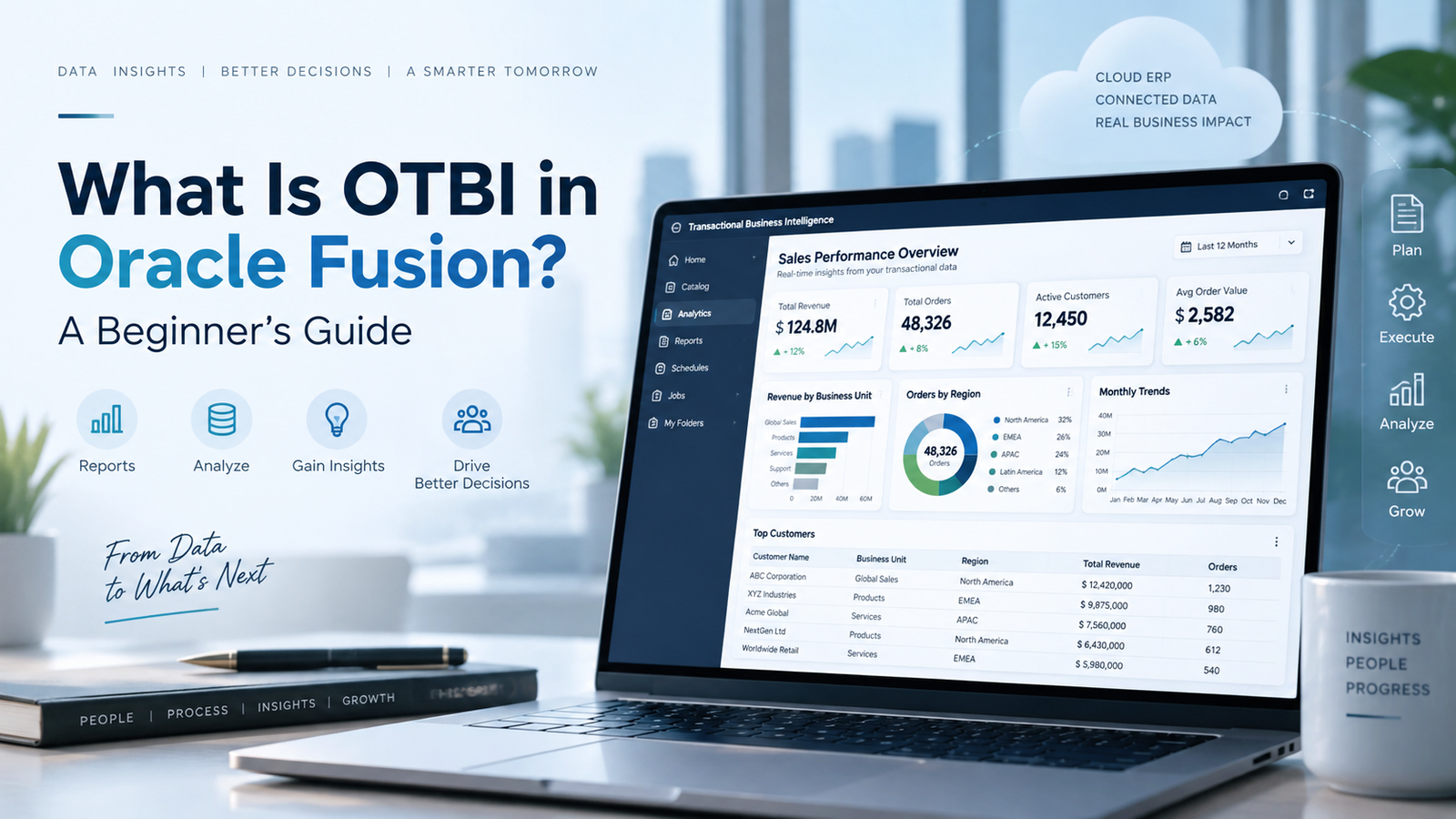
OTBI is short for Oracle Transactional Business Intelligence. In plain English, it’s the reporting tool that lives right inside Oracle Fusion Applications and lets you pull reports straight from live data, the same data sitting in the transactional tables at that exact moment. No exporting, no waiting for someone to run a nightly job, no separate data warehouse sitting in between.
If you’ve worked with older reporting setups where you’d request a report and get it the next morning (or worse, next week), OTBI feels like a genuine relief. You ask a question, you get an answer, right now.
Why People Actually Bother Learning It
Here’s the honest reason OTBI matters: businesses don’t want to wait anymore. A finance manager checking cash flow doesn’t want yesterday’s numbers, and an HR head reviewing headcount doesn’t want a report that’s three days stale. OTBI solves that by connecting directly to Fusion’s live data.
A few things make it genuinely useful, not just “nice to have”:
- You don’t need to beg the IT team every time you want a new report. Business users can build their own.
- Oracle already ships pre-built subject areas for HCM, Financials, SCM, and more, so you’re not starting from a blank screen.
- It’s baked into Fusion itself. There’s no extra BI stack to install, configure, or maintain separately.
This is usually one of the first tools introduced when someone joins an Oracle Fusion Technical Training in Pune batch, and honestly, that makes sense. It’s a great way to see how the technical side and the functional side of Fusion actually talk to each other.
How Does It Work Under the Hood?
You don’t need to be a database expert to use OTBI, but knowing roughly what’s happening behind the screen helps a lot.
Oracle organizes the data into what it calls “subject areas” think of these as pre-labeled buckets of related information. For example, there’s a subject area for worker assignments, another for AP invoices, and so on. Inside each one, you’ve got folders and fields you can drag into a report.
When you build a report, OTBI goes and fetches the data directly from Fusion at that moment, that’s the real-time part. You pick your columns, add filters if needed, choose how you want it displayed (a table, a chart, a pivot), and that’s basically it. String a few of these reports together and you’ve got yourself a dashboard.
It’s built on the same engine as OBIEE, if that name means anything to you, just pre-tuned specifically for Fusion’s data model. That’s a detail worth remembering if you ever sit through an Oracle Fusion Technical Training in Pune session trainers tend to bring this up when explaining why OTBI behaves the way it does.
What Can OTBI Actually Do?
A quick rundown of what makes it worth learning:
- Build reports on the fly. No coding, no developer ticket, just drag and drop.
- Respects existing security roles. If someone shouldn’t see certain salary data, OTBI won’t show it to them either; it inherits Fusion’s role-based access.
- Exports where you need them. Excel, PDF, whatever format your team is used to.
- Can be scheduled. Set it up once, and reports land in inboxes automatically.
- Plays well with BI Publisher. When you need something more polished like a payslip or an invoice OTBI can hand data off to BIP for that.
OTBI or BI Publisher Which One Do You Actually Need?
This trips up almost everyone in the beginning, so let’s clear it up. They’re not competing tools; they just solve different problems.
| What You’re Comparing | OTBI | BI Publisher |
| Best for | Quick, real-time analysis | Formatted, official documents |
| Where the data comes from | Straight from Fusion tables | OTBI, SQL, or web services |
| Who typically uses it | Business users, analysts | Developers, technical folks |
| What you get out of it | Dashboards, interactive views | Print-ready documents like invoices |
In real projects, you’ll usually see both used side by side OTBI for the day-to-day analysis, BI Publisher for the formal stuff that needs to look a certain way.
Who Should Actually Learn This?
Honestly more people than you’d think. It’s not just for hardcore technical folks.
If you’re a functional consultant working on HCM, Financials, or SCM, you’ll bump into OTBI constantly. If you’re a business analyst who’s tired of waiting on IT for every dashboard request, this is your way out. And if you’re a fresher trying to break into Oracle Cloud work, having OTBI on your resume signals that you understand both sides of the fence about data and business.
That’s exactly why a lot of people end up joining an Oracle Fusion Technical Training in Pune program early in their learning journey it saves you from randomly Googling error messages at 11 PM and instead gives you a structured way to actually understand the tool, alongside things like BI Publisher, Fast Formulas, and OIC integrations.
The Stuff Beginners Usually Struggle With
Nobody tells you this part, so here it is:
Subject areas can feel like a maze at first. There are a lot of folders, and it’s not always obvious which one has the field you need. Security settings can also throw people off; you’ll build a perfectly good report, run it, and see nothing, only to realize it’s a role-access issue, not a mistake in your report. And if you go overboard adding columns and filters “just in case,” don’t be surprised when your report starts crawling.
None of this is unusual; everyone hits these walls. It’s just faster to get past them with someone showing you the ropes than figuring it out alone through trial and error, which is another reason structured Oracle Fusion Technical Training in Pune sessions tend to save people a lot of frustration.
A Few Tips If You’re Starting Today
- Open up Oracle’s pre-built reports first. Don’t build from scratch before you’ve seen how a “correct” report is structured.
- Spend real time just browsing subject areas to get comfortable before you start building.
- Start small. A basic table report before you attempt a fancy pivot chart.
- Learn how dashboard prompts filter multiple reports at once this trips up a lot of beginners.
- If you can, learn alongside someone who’s done it before. It really does cut down the guesswork.
Wrapping Up
OTBI isn’t complicated once you’ve actually sat with it for a bit; it’s just Oracle’s way of letting you ask questions of your live data and get answers immediately, without red tape. Soft Online Training has seen plenty of learners go from confused to confident with just some hands-on practice and the right guidance. If you’re serious about building a real career around Oracle Fusion reporting, going through a proper Oracle Fusion Technical Training in Pune course is probably the fastest way to get there. You’ll pick up OTBI along with the other tools you’ll actually need on the job, instead of piecing it together from scattered tutorials.