
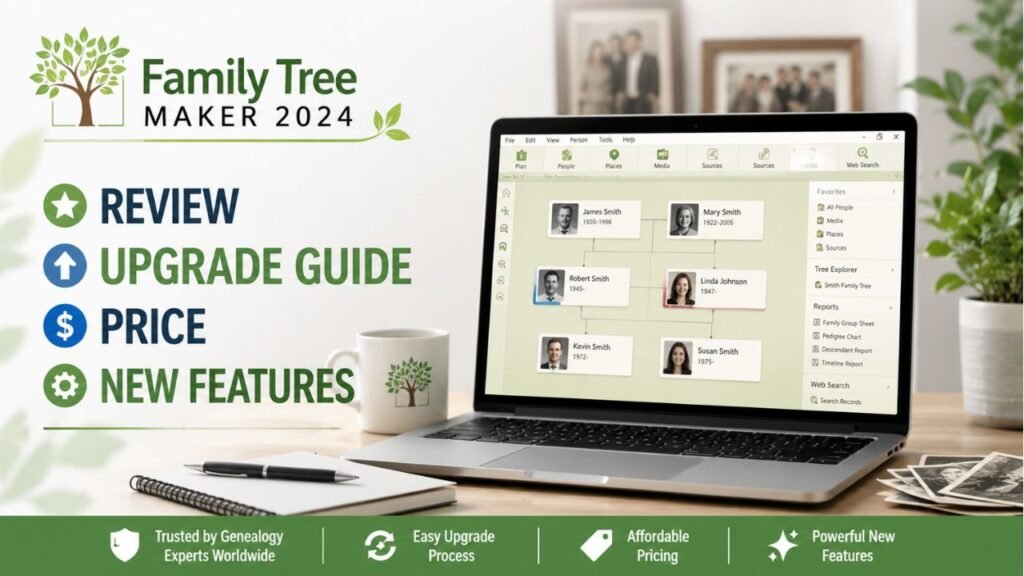
Genealogy becomes exciting when a single discovery opens the door to an entire branch of your family. But as your research grows, so does the amount of information you need to manage. Names, dates, relationships, census records, photographs, documents, sources, notes, and family stories can quickly become difficult to organize. Family Tree Maker 2024 gives FTM users a practical way to bring these pieces together and maintain a more organized family-history project.
Why FTM Users Need an Organized Research System
A large family tree can contain thousands of individuals. Without proper organization, it becomes easy to create duplicate people, attach information to the wrong individual, forget research sources, or lose track of unanswered questions.
Using FTM 2024 as a central genealogy workspace can make your research easier to manage. You can develop family relationships, record important events, organize supporting information, attach media, and review your research through different views, charts, and reports.
The key is not simply adding information quickly. The goal is adding accurate information that you can verify later.
Before You Start Family Tree Maker 2024 Download
If you’re looking for Family Tree Maker 2024 download, preparation is one of the most important steps.
Before installing or upgrading:
- Create a current backup of your existing family tree.
- Keep a separate copy of important photographs and documents.
- Check your computer’s operating-system compatibility.
- Make sure sufficient storage is available.
- Keep your previous FTM files until the new installation is verified.
These precautions are especially valuable for researchers who have spent years building their genealogy database.
What to Do After Installing FTM 2024
After installation, don’t immediately begin changing your entire tree. First, make sure the software and your existing data are working properly.
Open several family branches and check people from different generations. Look at photographs, documents, sources, notes, dates, and relationships.
If you transferred a large database, checking a few important areas first can help identify potential problems before you invest more time into the new setup.
Family Tree Maker 2024 Free: Avoid Risky Downloads
Many people search for Family Tree Maker 2024 free because they want to try the software without purchasing it immediately. While looking for affordable options is understandable, FTM users should avoid unauthorized downloads.
Unknown installers can contain unwanted software or may not provide the genuine application. More importantly, your genealogy database is valuable. Protect it by using legitimate software and verifying current purchase or trial options.
Never sacrifice the security of years of family research simply to obtain an unofficial copy.
Buy Family Tree Maker 2024 With Confidence
If you’re ready to buy Family Tree Maker 2024, check the current product details before completing your purchase. Confirm the supported operating system, available version, licensing information, and whether an upgrade option applies to your existing FTM edition.
For long-term genealogy researchers, purchasing legitimate software is not only about accessing features. It also provides a dependable foundation for maintaining an important family-history archive.
The Most Important Rule: Back Up Your Tree
If there is one habit every FTM user should develop, it is regular backup.
Create a backup before:
- Installing or upgrading FTM.
- Performing a major synchronization.
- Moving your tree to another computer.
- Importing substantial amounts of information.
- Making significant changes to family relationships.
- Troubleshooting unexpected database behavior.
Keep more than one backup when possible. A backup stored on the same computer as the original file may not protect you from hardware failure.
FamilySync: Check Before and After Synchronization
FamilySync can be useful for researchers managing compatible family-tree information with connected online genealogy services.
However, synchronization should be treated as a process that requires review. Before syncing, create a backup. After syncing, inspect important branches of your tree.
Pay attention to duplicate people, changed relationships, unexpected information, and media issues. If something appears incorrect, stop and investigate before performing additional synchronization.
How to Handle Duplicate People
Duplicate individuals are common in genealogy, especially when importing information or combining research from different sources.
Before merging two people, compare their:
- Names and alternate names.
- Birth and death information.
- Locations.
- Spouses and children.
- Parents.
- Sources.
- Photographs and documents.
Two people with identical names are not necessarily the same person. Confirm the evidence before combining records.
Don’t Trust Every Genealogy Record Automatically
Online records can provide excellent clues, but not every record is correct.
A genealogy database becomes stronger when you compare multiple sources. If a census record gives one birth year while another document suggests something different, investigate the discrepancy rather than automatically choosing the first result.
Use notes to explain conflicting evidence and document why you reached your conclusion.
Keep Your Media Organized
Photographs and documents can become difficult to manage when your collection grows.
Create logical folders on your computer and use consistent file names. For example, instead of a filename such as IMG_7821.jpg, consider using a descriptive name that identifies the person or event.
Family Tree Maker 2024 features can help you associate media with your family-history records, but good external file organization and backups remain important.
Don’t Forget About Missing Media
One of the most frustrating problems for FTM users is discovering that a photograph appears in the tree but cannot be opened.
If this happens, first check whether the original file still exists on your computer. If you recently moved your tree, determine whether the media folder was moved as well.
When transferring an FTM project to another computer, always verify the media collection separately instead of assuming it transferred automatically.
Make Research Notes Work for You
Don’t use notes only for confirmed information. They can also record questions and research plans.
For example:
Research Question: Was John Smith living in Pennsylvania in 1880?
Next Step: Search the 1880 census and local property records.
This approach creates a research roadmap and prevents you from repeatedly investigating the same question.
Moving Family Tree Files to a New Computer
Before replacing your computer, prepare a complete transfer plan.
Create a current tree backup, preserve your media files, and keep your original data untouched. After installing Family Tree Maker software on the new computer, restore your tree and check the results carefully.
Verify several generations, photographs, documents, sources, notes, and reports. Only remove your old files after confirming that the new computer contains everything you need.
Use Charts as a Research Tool
Charts aren’t only for printing or sharing with relatives. They can also help you find research gaps.
A family chart may reveal that you have detailed information about one generation but very little about the next. It can also help you visualize unexpected relationships and identify branches that need further investigation.
Protect Your Family History From Future Problems
Technology changes, computers fail, and storage devices can become unreadable. Your genealogy research deserves a preservation strategy.
Keep important family-tree backups in more than one location. Preserve original photographs and documents separately. Periodically check that your backup files can actually be opened.
A backup you have never tested is not as useful as a backup you know you can restore.
A Simple FTM Research Routine
For every important discovery, follow this basic process:
Find it → Verify it → Record it → Source it → Organize it → Back it up.
This simple habit can dramatically improve the quality of a growing family tree.
Final Thoughts for Every FTM User
The real strength of genealogy software comes from how you use it. Family Tree Maker 2024 can provide a useful environment for organizing family relationships, sources, photographs, documents, notes, charts, reports, and ongoing research.
But the software alone cannot guarantee an accurate family history. Careful research, reliable sources, thoughtful organization, regular backups, and verification are what turn a collection of names into a valuable family archive.