
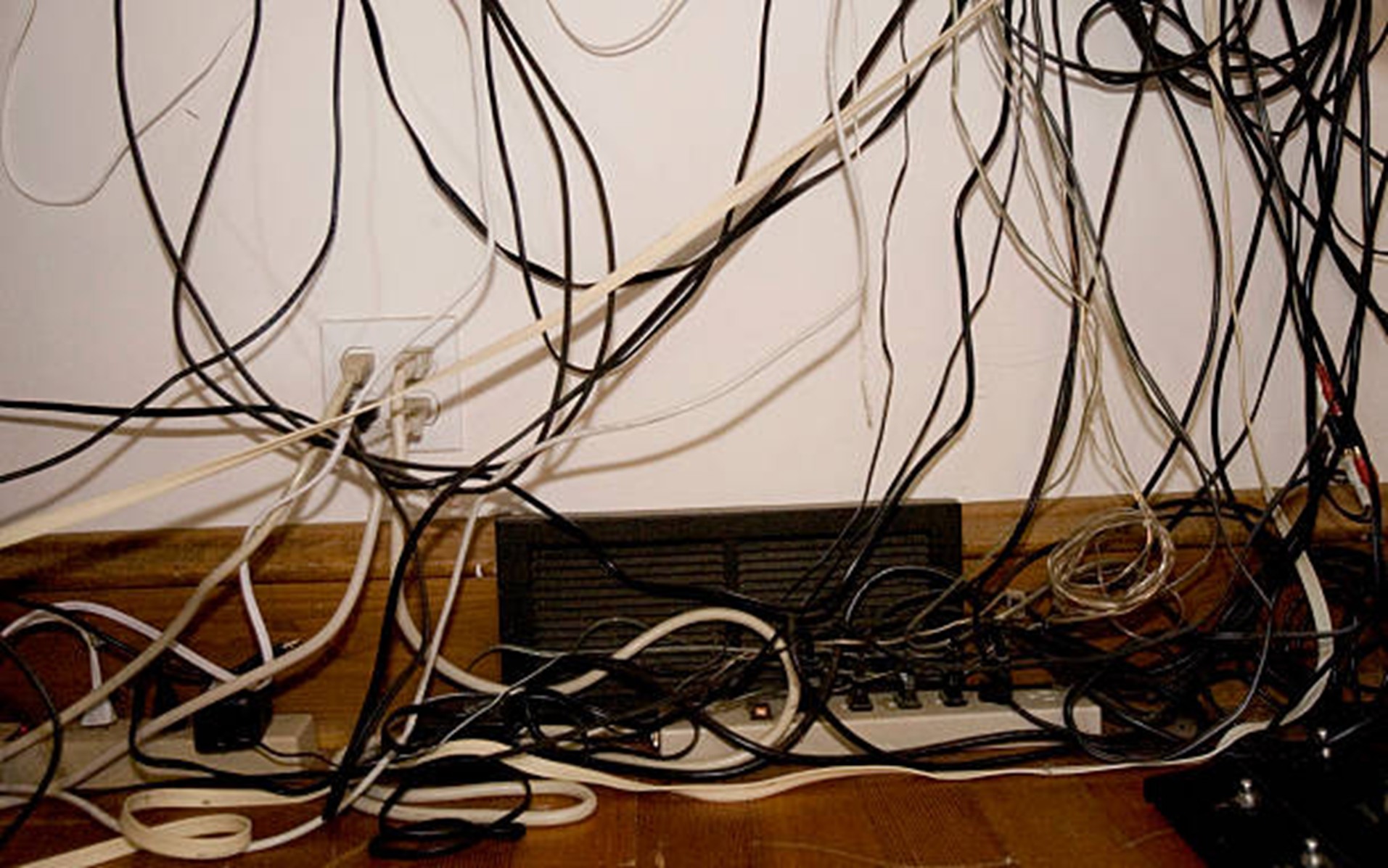
A productive home office should feel organized, comfortable, and inspiring, yet tangled wires can quietly create the opposite experience. Across the United States, cable clutter is becoming a common challenge as remote workers rely on computers, chargers, monitors, and other connected devices. Beyond making a workspace look untidy, unmanaged cables can increase stress, reduce efficiency, collect dust, damage equipment, and create safety hazards.
Understanding the hidden costs of disorganized wiring reveals why effective cable management is essential for building a cleaner, safer, and more professional home working environment.
Key Takeaways
- Organized cables support safer daily work.
- Simple systems reduce unnecessary interruptions.
- Accessible connections make upgrades easier.
- Regular reviews help maintain an efficient setup.
- Practical organization protects long-term usability.
How Cable Clutter Affects Home Office Safety, Productivity, and Costs
· Cable Clutter Can Reduce Daily Productivity
A disorganized cable setup can make simple tasks take longer. Workers may spend time identifying chargers, tracing cables, reconnecting devices, or moving equipment without disturbing other connections. Over time, cable clutter can make routine work feel less efficient.
These interruptions can reduce concentration during meetings, writing tasks, design projects, customer calls, and other focused activities.
Common productivity problems include:
- Searching for the correct charger
- Untangling cables before using a device
- Accidentally unplugging equipment
- Tracing cords during troubleshooting
- Avoiding workstation adjustments because cables are difficult to move
Clear labels, accessible cable routes, and separate charging zones can help reduce these daily disruptions.
· Loose Cables Can Create Safety Hazards
Cables that cross floors, doorways, or walking areas can create tripping hazards. The risk may be greater in homes shared with children, pets, older adults, or frequent visitors.
A person may trip over a cable and pull a laptop, monitor, lamp, or other device from the desk. This can result in both personal injury and equipment damage. Poorly placed cords connected to security lighting can create similar risks if they run across walkways.
Important safety precautions include:
- Keep cables away from walking areas
- Avoid placing cords under rugs
- Do not crush cables beneath furniture
- Replace damaged or frayed cords
- Keep power strips away from paper, fabric, and moisture
- Avoid connecting more devices than a power strip can support
Homeowners should contact a qualified electrician if outlets become warm, breakers trip repeatedly, sparks appear, or plugs feel loose.
· Poor Cable Management Can Damage Equipment
Tightly stretched or poorly positioned cables can place pressure on laptop ports, monitor connectors, docking stations, and charging sockets.
Repeated pulling, bending, and twisting may weaken cables and device connections. Loose connections can interrupt video meetings, software updates, file transfers, or other important work.
Poor cable placement may lead to:
- Damaged charging ports
- Loose monitor connections
- Broken USB or HDMI cables
- Interrupted power supply
- Accidental disconnection of external drives
- Frequent replacement of chargers and adapters
The U.S. Consumer Product Safety Commission warns that overloaded or damaged extension cords and power strips can create fire risks. It recommends avoiding overloaded connections and using extension cords only when appropriate.
Cable trays, clips, sleeves, and strain-relief accessories can reduce pressure on equipment. Heavy adapters and frequently used charging accessories should also be supported rather than left hanging from outlets.
· Cleaning Becomes Difficult
Dust, pet hair, and debris can collect around power strips, computer towers, routers, and charging stations. When cables are tangled, people may avoid cleaning these areas because moving the cords feels difficult.
Dust buildup can affect airflow around electronic equipment and make the workspace appear neglected.
Useful cable-management solutions include:
- Under-desk cable trays
- Wall-mounted power strips
- Cable sleeves
- Reusable hook-and-loop ties
- Clips that keep cords away from the floor
A cleaner setup also makes it easier to notice loose plugs, damaged insulation, and signs of overheating. Reducing cable clutter can therefore make routine cleaning and inspection easier.
· An Untidy Office Can Affect Professional Image
Many remote workers attend virtual meetings with clients, managers, students, and business partners. Visible wires, crowded charging areas, and tangled cords can make the workspace appear disorganized.
This may be especially important for:
- Consultants
- Sales professionals
- Educators
- Content creators
- Freelancers
- Small-business owners
A cleaner background can make the office appear more professional and intentional. An organized environment may also help workers feel more prepared and focused.
· Additional Devices Can Increase Cable Clutter
Home-office cable problems often grow gradually. Workers add monitors, webcams, headphones, speakers, lamps, travel gadgets, and other devices without updating the original workspace layout.
A clear system can prevent the problem from becoming unmanageable.
Practical steps include:
- Create one designated charging area
- Store backup chargers in a labeled drawer or box
- Remove unused cables from the desk
- Separate computer, lighting, and charging connections
- Label both ends of frequently used cords
- Review the setup whenever new equipment is added
Backup adapters and small electronic items can also be stored behind cabinet locks in homes with children. This makes it easier to identify problems and prevents too many devices from becoming concentrated around one outlet.
Conclusion
A well-planned home office should support safe and focused work. Managing cable clutter is a practical step that protects devices, improves access, and makes the room easier to maintain. Small changes can also prevent frustration as new equipment is added over time. Instead of waiting for damaged cords or an inconvenient setup, homeowners can create a simple system that fits their space and working habits.
The goal is not a perfectly hidden setup, but an organized one that remains flexible, visible, and easy to inspect. Thoughtful planning today can help the workspace remain dependable as technology and routines continue to change.
FAQs
What cable length is best for a home office?
Choose cables long enough to reach devices without stretching, but avoid excessive length that creates unnecessary loops. Measure the route before purchasing replacements.
Should cables be labeled by device or function?
Labeling by device is usually easiest for troubleshooting. Examples include “main monitor,” “router,” “printer,” and “desk lamp.”
Can adhesive cable clips damage furniture?
Some adhesives may leave residue or affect delicate finishes. Check the product instructions and test the clip on a hidden area before installation.
What is the best way to organize cables during a move?
Photograph the setup before disconnecting anything, label both ends of each cord, and pack cables with the devices they support.
Should unused wall outlets be covered in a home office?
Outlet covers may be helpful in homes with young children. Choose products designed for the specific outlet type and install them according to the manufacturer’s directions.