Wix powers hundreds of millions of websites globally, and it’s easy to see why it’s flexible, beginner-friendly, and capable of producing genuinely professional results. But there’s a critical factor that many Wix site owners underestimate: page speed. No matter how sharp the design or how compelling the content, a slow-loading site undermines everything. It pushes visitors away, pulls search rankings down, and directly cuts into conversions. Wix speed optimization, done right, is one of the highest-return decisions a site owner can make.
What Slows Down Wix Websites Most Often
The most common causes of slow Wix websites include:
- oversized hero images
- too many Wix apps
- heavy Velo JavaScript
- render-blocking third-party scripts
- autoplay videos and animations
- unoptimized mobile layouts
Why Speed Has Become Non-Negotiable for Wix
Page speed has always mattered. Google officially replaced First Input Delay (FID) with Interaction to Next Paint (INP) as a Core Web Vital. INP doesn’t just measure the first interaction on a page, it tracks every single click, tap, and keyboard interaction throughout the entire visit. For Wix site owners, this means a sluggish dropdown menu, a slow-responding contact form, or a delayed product filter can now directly affect Google rankings in ways they previously couldn’t.
Conversion rates drop by an average of 4.42% for every additional second of load time in the first five seconds. Meanwhile, 53% of mobile visitors abandon a page that takes longer than three seconds to load.
What’s Actually Slowing Down Wix Sites Right Now
Understanding the root causes is the first step. Most Wix performance issues trace back to a handful of recurring problems.
Oversized Hero Images and Unoptimized Media
Large, uncompressed images, especially in hero sections, are still the leading cause of slow LCP (Largest Contentful Paint) scores on Wix sites. Uploading a 3MB hero image to display at 600px width serves no purpose except adding load time. Upload images in WebP format, resize them to their actual display dimensions, and compress them before uploading. JPG images can be up to 10 times lighter than PNG files for photographic content.
App Bloat from the Wix App Market
Most Wix sites have anywhere from five to ten apps installed, and a significant number of those aren’t actively used. Every installed app injects its own JavaScript on every page load, regardless of whether that page actually uses the app. A live chat widget, a review plugin, a pop-up tool, and a booking system running simultaneously can create three to five seconds of unnecessary load time on their own.
Wix Velo Custom Code That Hasn’t Been Audited
Wix Velo gives developers real power, but unoptimized custom JavaScript is one of the trickier contributors to poor INP scores. Long tasks on the main thread, JS buttons instead of proper HTML anchor tags, and unthrottled event handlers all add interaction delay. For sites using Velo, a code audit focused specifically on main thread blocking is worth prioritizing.
Render-Blocking Scripts and Third-Party Embeds
External scripts, analytics tools, ad pixels, social media embeds, and heatmap software each add HTTP requests and can block rendering. When these load synchronously in the page head, the browser has to finish processing them before displaying any content. The fix is to load non-critical scripts asynchronously or defer them until after the main content has painted.
Animations and Visual Effects Without Size Limits
Animations are fine in moderation. The problem is when large videos and animation files, particularly those above 3MB, play automatically or trigger immediately on scroll. This creates CLS (Cumulative Layout Shift) issues and delays interactivity.
What Helps Wix Websites Load Faster in 2026
Here’s what consistently works across Wix sites, based on real performance data
Audit and Cut the App List First
Before touching images or code, go through every installed Wix app. Remove anything that isn’t actively driving a measurable result. This single step consistently delivers some of the biggest speed gains on Wix sites because it reduces JavaScript payloads across every page immediately.
Prioritize Above-the-Fold Content Loading
The content visible before scrolling, the hero section, headline, and primary CTA should load with zero delay. Defer everything below the fold. Wix’s lazy loading handles images below the fold natively, but making sure the above-the-fold section is as lean as possible (minimal scripts, no autoplay video, no entrance animations) is the highest-ROI structural choice.
Switch to WebP and Define Image Dimensions
WebP has become the standard for good reason, it delivers significantly smaller file sizes than JPEG or PNG without visible quality loss. For Wix specifically, uploading images at the exact dimensions they’ll be displayed and defining width and height attributes prevents layout shifts that hurt CLS scores.
Use the Wix Site Speed Dashboard Weekly
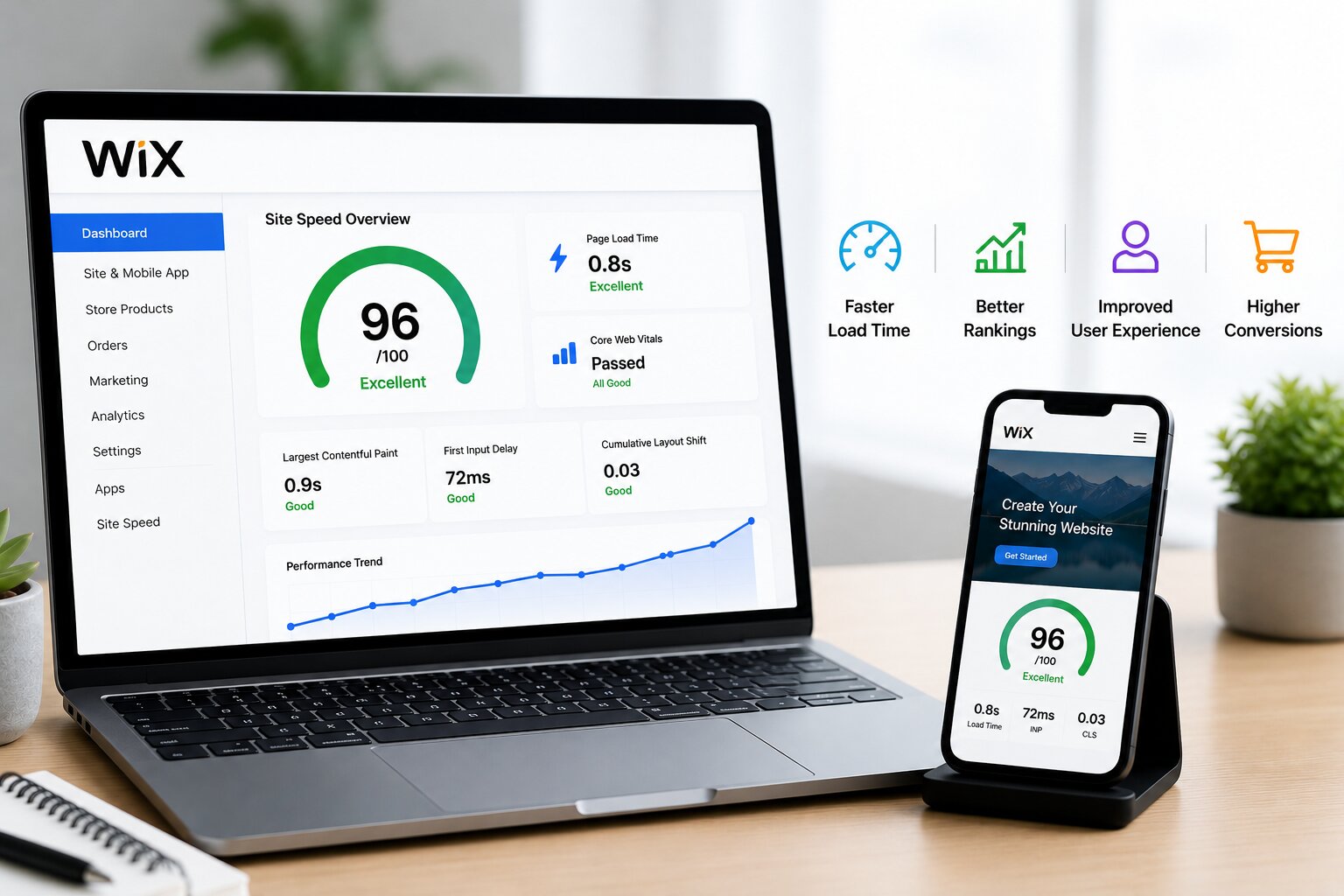
The built-in Site Speed Dashboard now pulls real user measurement data collected over 28-day periods. It includes geographic performance breakdowns and device-specific loading times. This is more actionable than a single PageSpeed Insights test because it reflects actual visitor behavior across browsers, devices, and connection types.
Defer and Async All Non-Critical Scripts
Any script that doesn’t affect what the user sees immediately, analytics, heat mapping, chat widgets, ad pixels, should load after the page content has painted. On Wix, this can be managed through the site’s head/body code injection settings or through a dedicated performance tool. The goal is to keep the critical rendering path as short as possible. Taking this approach to improve website speed pays off across every channel, organic search, paid ads, and direct traffic all benefit when pages respond faster.
Optimize for INP Specifically
Since INP is now a ranking factor, interaction speed deserves dedicated attention. Key actions: convert JavaScript-powered navigation buttons to proper HTML anchor tags where possible, reduce main thread long tasks in any custom Velo code, and implement debouncing on search inputs and form fields to prevent excessive server requests on every keystroke.
Conclusion
Page speed sits at the intersection of SEO, user experience, and business performance. For Wix site owners, the priority areas are clear: reduce app bloat, optimize media for LCP, and address INP through leaner JavaScript. Wix has improved its platform infrastructure meaningfully, but the gap between a slow Wix site and a fast one still comes down to the decisions made at the site level. Consistent attention to Wix speed optimization is what separates sites that rank and convert from those that lose traffic.
Frequently Asked Questions
Why is my Wix site slow despite not having many pages?
Page count has little to do with load speed. A single page with a large hero image, several apps, and heavy animations can load far slower than a twenty-page site that’s been properly optimized.
What is a good PageSpeed score for a Wix site?
A mobile score of 70 or above is a solid target, with 80+ considered strong. Well-optimized Wix sites have demonstrated scores in the 80-90+ range. The average starting point for unoptimized Wix sites is often in the 30-50 range on mobile.
How does INP specifically affect a Wix site’s Google ranking?
INP became an official Core Web Vitals in 2024 and is factored into Google’s ranking algorithm. Poor INP scores, usually caused by heavy JavaScript from apps or Velo code, can lower rankings even if LCP and CLS are fine.