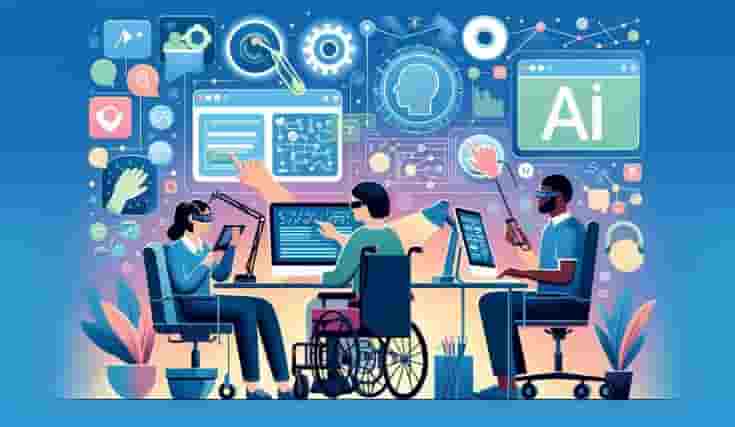
Accessibility solutions are no longer optional add-ons—they are essential components of responsible, user-friendly digital design. From websites and mobile apps to learning platforms and enterprise software, accessibility ensures that people of all abilities can access, understand, and interact with digital content without barriers.
At its core, accessibility is about inclusion. When digital experiences are built with accessibility in mind, they don’t just serve users with disabilities—they become better, clearer, and more usable for everyone.
This blog explores what accessibility solutions are, why they matter, and how organizations can implement them in practical, meaningful ways.
What Are Accessibility Solutions?
Accessibility solutions refer to tools, design practices, technologies, and standards that help make digital content usable for people with visual, auditory, cognitive, motor, or neurological differences.
These solutions aim to remove obstacles that prevent users from accessing information or completing tasks independently. Examples include screen reader compatibility, keyboard navigation, captions for videos, readable typography, and clear content structure.
Well-implemented accessibility solutions improve usability for:
- People with permanent disabilities
- Users with temporary impairments (injuries, illness)
- Aging users
- Users in challenging environments (low light, noisy areas, slow internet)
Why Accessibility Solutions Matter
1. Equal Access to Information
The internet is a primary source of education, services, and communication. Accessibility solutions ensure that no user is excluded due to physical or cognitive limitations.
2. Better User Experience for Everyone
Accessible design often results in simpler navigation, clearer content, and more intuitive interfaces—benefiting all users, not just those with disabilities.
3. Legal and Compliance Requirements
Many countries follow accessibility standards such as WCAG (Web Content Accessibility Guidelines). Ignoring accessibility can lead to legal risks and compliance issues.
4. Broader Audience Reach
Accessible platforms can reach millions of users who might otherwise be unable to engage with digital content.
Common Barriers Users Face Without Accessibility Solutions
Without proper accessibility solutions, users may struggle with:
- Images without descriptive text
- Videos without captions or transcripts
- Poor color contrast that makes text unreadable
- Interfaces that rely only on mouse interaction
- Long, complex content with no structure
Removing these barriers creates smoother, more inclusive digital experiences.
Key Types of Accessibility Solutions
1. Visual Accessibility Solutions
These help users with low vision, color blindness, or blindness:
- Screen reader compatibility
- Alt text for images
- High-contrast color schemes
- Scalable text without layout breakage
2. Auditory Accessibility Solutions
Designed for users who are deaf or hard of hearing:
- Closed captions for videos
- Transcripts for audio content
- Visual alerts instead of sound-only notifications
3. Motor Accessibility Solutions
For users with limited mobility or fine motor control:
- Full keyboard navigation
- Large clickable areas
- Avoiding time-limited interactions
4. Cognitive Accessibility Solutions
Supporting users with learning disabilities or cognitive challenges:
- Clear language and short sentences
- Consistent layouts
- Logical content hierarchy
- Minimal distractions
Accessibility Solutions in Real-World Applications
Websites
Accessible websites load faster, rank better on search engines, and retain users longer. Clean HTML structure and readable content improve both accessibility and SEO.
Mobile Applications
Accessibility solutions in apps ensure gestures, buttons, and text are usable across different devices and assistive technologies.
E-Learning Platforms
Captions, screen-reader-friendly layouts, and interactive alternatives make education accessible to a wider audience.
Enterprise Software
Internal tools with accessibility solutions improve productivity and inclusivity in the workplace.
Some digital solution providers, including Fluentech, integrate accessibility considerations into multimedia and learning experiences, reflecting a growing awareness of inclusive design practices across industries.
Practical Benefits of Implementing Accessibility Solutions
- Improved usability and clarity
- Increased engagement and retention
- Better search engine visibility
- Reduced bounce rates
- Stronger brand trust and credibility
Accessibility solutions are not just ethical choices—they are smart design decisions.
How to Start Implementing Accessibility Solutions
- Audit existing digital assets
Identify accessibility gaps using automated tools and manual testing. - Follow established standards
Use WCAG guidelines as a foundation for accessibility decisions. - Design with accessibility from the start
Retrofitting is harder than building accessibly from day one. - Test with real users
Feedback from users with disabilities provides valuable insights. - Maintain and update regularly
Accessibility is an ongoing process, not a one-time task.
Frequently Asked Questions (FAQs)
1. What are accessibility solutions in simple terms?
Accessibility solutions are methods and tools that make digital content usable for people with different abilities.
2. Are accessibility solutions only for people with disabilities?
No. Accessibility solutions improve usability for all users, including seniors and people in temporary or situational limitations.
3. Do accessibility solutions affect website design?
Yes, but positively. They encourage cleaner layouts, better contrast, and clearer content structure.
4. Are accessibility solutions expensive to implement?
When planned early, accessibility solutions are cost-effective and reduce future redesign efforts.
5. How do accessibility solutions help SEO?
Search engines favor clear structure, alt text, and readable content—all core accessibility practices.
6. Can accessibility solutions be added later?
They can be, but it’s more efficient to integrate them during initial design and development.
7. What tools support accessibility solutions?
Screen readers, contrast checkers, keyboard testing tools, and accessibility audit platforms help identify issues.
8. Are captions part of accessibility solutions?
Yes. Captions make video content accessible to deaf users and helpful in sound-off environments.
9. Do mobile apps need accessibility solutions too?
Absolutely. Accessibility solutions are just as important for mobile apps as for websites.
10. How often should accessibility be reviewed?
Accessibility should be reviewed whenever content or features are updated.
Conclusion
Accessibility solutions are about building digital experiences that respect diversity, remove barriers, and empower users. They improve usability, extend reach, and align technology with human needs.
By treating accessibility as a fundamental design principle rather than a compliance checklist, organizations create digital spaces that are more inclusive, effective, and future-ready.